Feedback Form

Digital Signage Blog Archives


Posts Tagged ‘digital signage player’


Digital Signage that’s Thai Riffic

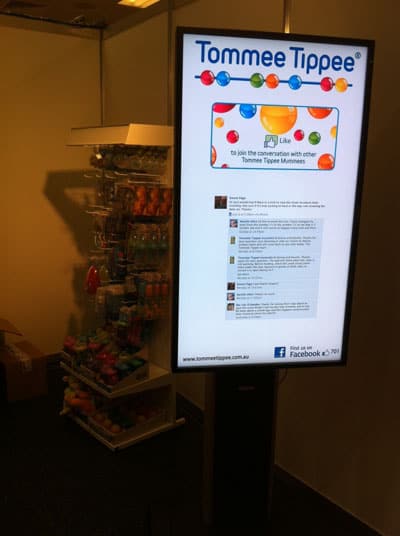
Digital Signage Thai Riffic 1digital signage is one of the most cost effective ways to market your restaurant or store. We were recently engaged to provide and install a cost effective solution for Thai Riffic (obviously a Thai restaurant) based in Randwick Australia.

Although the requirements were very simple (to display images with transition effects) we delivered a solution that was simple and easy to use but most importantly one that had value added benefits.

Uploading content to the player is easy. The store owner needs to open up a locked compartment on the side of the screen and plugs a USB dongle into the port. The player automatically synchronises the content from the USB port to a CF card. Once the synchronisation completes, the store owner just removes the USB dongle and closes the compartment. Yes it’s that easy!!!

continue reading »

Post to Twitter Tweet This Post

  • Share/Bookmark

Category: Digital Signage Blog News


Digital Signage For Retail

digital signage is now becoming more popular in retail stores and now it’s a good time to install one in yours. Whether you’re a small retail store or a large retail chain, we’ve done it all. We’ve helped and provided our customers with simple and standalone digital signage solution for a single store to building a digital signage network for a large corporate retail chain.
There are many, many digital signage products in the market and what we do different is to provide our clients with a cost effective solution that meets their needs. We have tested many solutions and we basically recommend the most effective solution that meets our clients requirements. Whether its a digital signage player, an all in one digital signage system, a display screen or content, we can help businesses in the retail industry.

Post to Twitter Tweet This Post

  • Share/Bookmark

Category: Digital Signage Blog Info


Weekend Fun: Wonder Wheel for digital signage

This weekend I decided to play around with the google search features and stumbled across the “Wonder Wheel”. So what I did was I typed the search term “digital signage” in the google search bar. Google displayed the most relevant websites related to this search term, in Australia our advertise me and Digital Signage portal are on the 1st page and we’re pretty happy about this result.

continue reading »

Post to Twitter Tweet This Post

  • Share/Bookmark

Category: Digital Signage Weekend Fun


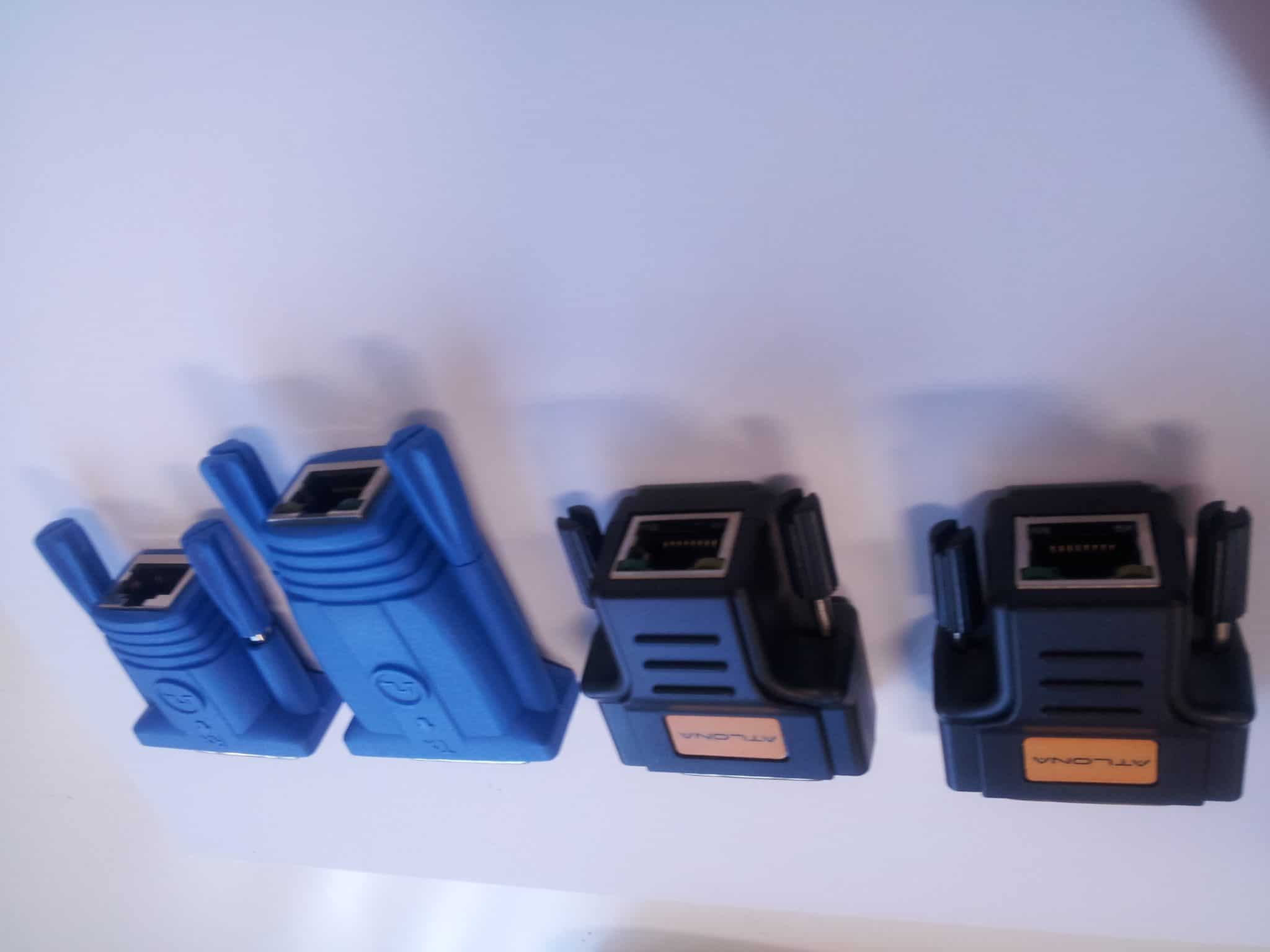
Techie Question: Using a DVI to VGA convertor with a VGA CAT5E or CAT6 extenders, does this work?

For those techies out there or for someone who has already tried this, does a DVI to VGA converter work with a VGA extender.

So as an example, we have a digital signage player or PC that has a DVI port ONLY. We plug a DVI to VGA extender, so the output is VGA. We then use a pair of VGA to CAT5E or CAT6 extenders and connect the other end to the monitor that is VGA. Does this work?

We would like to hear other techies out there what the result would be or whether this is technically possible.


Using a DVI to VGA convertor with VGA CAT5E/CAT6 extenders, does this work?


View Results

Loading ... Loading ...

Post to Twitter Tweet This Post

  • Share/Bookmark

Category: Digital Signage Techie


The perfect digital signage player

You may be quite disappointed when you read this but I’m quite sad to say that since the start of my professional career in the digital signage industry I do not believe there is a “perfect” digital signage player in the market. Like everything else in this world nothing is perfect and depending on our perception of what perfect is, we may not be able to find one.

continue reading »

Post to Twitter Tweet This Post

  • Share/Bookmark

Category: Digital Signage Blog News


The importance of NTP in digital signage

First of all, Happy New Year to all our readers – we hope you had a relaxing break and are energised for another year of digital signage. To kick off the year, we decided to engage our techie community and discuss about the importance of NTP.

NTP stands for Network Time Protocol and is commonly used to synchronise a computer’s/digital signage player‘s date and time with a specific time source server. It can be a hardware based  GPS time source server from Symmetricon which I’ve used in the past, an Internet NTP server – see ntp.org for more information, or even your local Windows Active Directory Server can be used as a time server. The most challenging part when using NTP is ensuring that your actual source server has the correct date and time.

Most digital signage businesses should know what I’m talking about since ensuring the Content Management Server and digital signage player’s date and time are all in synch is crucial for any large digital signage network especially when used for scheduling content.


Do you think NTP is important in a digital signage network?


View Results

Loading ... Loading ...


registered on the digital signage portal http://www.digitalsignageportal.com have you registered #digitalsignage

Post to Twitter Tweet This Post

  • Share/Bookmark

Category: Digital Signage Blog News


Product review: Digital Signage Audio Tripper

Christmas is fast approaching and we decided to review a product before the end of this year. It has taken us a while to complete this review as it involved using a video camera and editing the video but from this experience we can hopefully improve our processes and review more products next year.

AS7 Audio Tripper

AS7 Audio Tripper

Reviewed By: Advertise Me

continue reading »

Post to Twitter Tweet This Post

  • Share/Bookmark

Category: Digital Signage Reviews


Techie question: Digital Signage Player Operating temperature

Digital Signage Multiple Fans

This is a questions for all those techies out there: How does the operating temperature effect the digital signage player and what is the recommended operating temperature?

Digital Signage Rack Fans

Digital Signage Rack Fans

Post to Twitter Tweet This Post

  • Share/Bookmark

Category: Digital Signage Techie


Screen Dilemma: Native vs Maximum resolution

This seems to be a common dilemma amongst a number of LCD/Plasma decisions in a lot of tender projects and client requirements. Do clients really know what they are asking for, and how important is screen resolution for digital signage rollouts?

Let’s clear a few things up first.

What is Native and Maximum resolution?

Native resolution is the fixed number of pixels on the screen. For example, if your screen has a native resolution of 1280×720 pixels, this means your screen is physically made up of 1280 pixels wide and 720 pixels high.

Maximum resolution is the highest resolution that the screen is capbable to display.

Conversion and Scaling

When an incoming signal to the screen does not match the native resolution, that signal must be converted (or scaled) to be displayed correctly on the screen. So lets use the same screen above, it has a native resolution of 1280×720. If an incoming signal is 1920×1080, the screen will scale this resolution down so that it can fit on the physical dimensions of 1280×720. Likewise if an incoming signal is 1024×768, then the screen will up-scale this resolution to fit 1280×720.

This process is possible because the screen has been programmed to recognise different input signals and to convert them as such. More often than not you will have a list of all the supported input signal resolution sizes, and the highest supported resolution is your Maximum resolution.

Now that we have that out of the way, lets talk about how important is screen resolution in digital signage?

In all my digital signage years until now, I have not had to focus on optimising the quality of the display in regards to picture sharpness and contrast ratio. The general technology of the Plasma/LCD screen makes up for this. What comes out of the digital signage player is just right for the display quality. The general conversation would be on how to most effectively capture consumers attention with the type of content and how it is designed.

However recently in Australia, digital broadcasting of TV networks have become more prominent and consumers are now well aware of terms like HDTV. This presence of high definition television has entered many homes and now the retail store fronts want to show this off also. Because consumers are already aware of such technology, there is an expectation on store owners to provide this service to them.

The question comes back to client requirements. Do most clients have the proper knowledge to determine what screens they want based on what they know or what they have been told? Is it important to match the right resolution of what is coming from the digital receiver into the digital signage player, and out to the screen?

We’d like to hear your point of view on this topic. There is no right or wrong answer, as each requirements are different, but we would like to hear your thoughts.

Post to Twitter Tweet This Post

  • Share/Bookmark

Category: Digital Signage Blog Info, Digital Signage Techie, Featured Post


Weekend Fun: Digital Signage Mobility with the Humanoid iPhone

It’s the weekend and thought I’d share an exciting and fun video clip – you’ll be also surprised as well.

We previously talked about how the iPhone can be used as a digital signage player (there’s already a few companies out there who have created an application on the iPhone) but now how would you like to be served by a humanoid robot with an iPhone attached to it’s head? Watch the funky video and we’ll discuss later:

<object width=”425″ height=”344″><param name=”movie” value=”http://www.youtube.com/v/BBGA7ARLzPA&hl=en&fs=1&”></param><param name=”allowFullScreen” value=”true”></param><param name=”allowscriptaccess” value=”always”></param><embed src=”http://www.youtube.com/v/BBGA7ARLzPA&hl=en&fs=1&” type=”application/x-shockwave-flash” allowscriptaccess=”always” allowfullscreen=”true” width=”425″ height=”344″></embed></object>

In the examples in the video, the humanoid robot with the iPhone attached as it’s head, can be used to:

  • wake you up – morning!!! maybe even give you a hug or a slap
  • entertain – it’s a dance machine…shake it’s robo booty
  • teach it new tricks and moves – next thing you know it will start imitating your moves
  • and if you’re nice to it… it might even make you a coffee (just kidding – ummmm may be it is possible)

BUT more importantly it can interact with YOU – think about it from a sales and marketing perspective and you’ll start realising that this robot can be used to attract more customers into your store and even possibly serve it’s customers (stick your own photo image as it’s head :) ). The screen itself can be used even to promote sales, products and specials whilst it’s dancing around entertaining it’s customers (yes it’s  digital signage after all). And yes…. I’ve said it before… the possibilities seem to be endless with the future of mobile phones as digital signage players.

So that’s our weekend fun for this week and we all hope you’re having a great weekend.

Post to Twitter Tweet This Post

  • Share/Bookmark

Category: Digital Signage Blog Info, Digital Signage Blog Products, Digital Signage Blog Video, Digital Signage Ideas, Digital Signage Weekend Fun


Digital Signage and Google Chrome OS

Today’s great news is that Google is planning to release it’s own OS called Google

Image source: www.google.com

Image source: www.google.com

Chrome OS and will compete against the almighty Microsoft Enterprise. We believe this is great news for the digital signage community because of the following reasons:

1. It’s Open Source and will be free. Moving towards an open source OS, will provide a significant savings to you and your clients.

2. According to Google, the Chrome O.S is fast and efficient. This is perfect for digital signage.

3. It’s lightweight – you will be able to install this on a netbook and run your digital signage application.

4. Its secure – like the Google Chrome browser, Google has designed the security architecture of the OS so that users don’t have to deal with viruses, malware and security updates. This means spending less time patching!!!

5. Designed for the web – since most companies are now moving towards SaaS then this is a perfect match.

We look forward to testing various digital signage software on the Google Chrome and we can’t wait to get our hands dirty.

And a final note: Thanks google for making our life easier and cheaper for everyone!


Do you think there will be costs associated with using Google Chrome OS on a digital signage player?


View Results

Loading ... Loading ...

Post to Twitter Tweet This Post

  • Share/Bookmark

Category: Digital Signage Blog Info, Digital Signage Blog News, Featured Post


Using your Iphone as a mobile digital signage player?

Image Source: www.apple.com

Image Source: www.apple.com

This may sound a bit ridiculous but has anyone thought about using your Iphone as a mobile digital signage player? I mean lets think about this, if people can use the Iphone to watch movies and video clips why can’t it be used as an integrated digital signage player. The unit can be easily connected to the Internet and it also has a touch screen so really its perfect for interacting with your intended audience. With the sheer number of Iphone users out there, setting a digital signage network can be easily established.

All we need now is a digital signage Iphone application… and my guess is that someone is already developing one.


Do you think that the Iphone should be used as a mobile digital signage player?


View Results

Loading ... Loading ...

Post to Twitter Tweet This Post

  • Share/Bookmark

Category: Digital Signage Blog Info, Digital Signage Blog News, Digital Signage Blog Products


Will the Microsoft Xbox 360 take over the Digital Signage Industry?

Just recently I read an article about the upcoming Microsoft Xbox Motion Sensor that allows the users to control games with our bodies. Unlike the Wii, this means that you do not have to hold anything to interact with the console and game.

This new product is being called “Project Natal” and is basically a sensor for the Xbox 360 which tracks movement, listens and executes commands from the console… don’t know what I’m refeering to? then watch this trailer from Youtube:

If you’re from the digital signage industry you’re thinking to yourself “The future of Digital Signage interaction?”. If you’re like me, when something catches your attention you start brainstorming on how this can be applied to the digital signage industry.  If I was working for Microsoft I would recommend and provide directions to the management team to push this product out to businesses to use as a digital signage console…. and not just a gaming console. Let’s think about this, most digital signage players out there in the market are using desktop PC’s, embedded PCs or some form of a PC – fundamentally that’s what the Xbox 360 is – and soon it will have a sensor. In my eyes,  I can potentially see this used as a digital signage player and not just a gaming console.

In the past, many top digital signage gurus predicted that the next “big thing” in digital signage was going to be interaction and guess what…. they were right.

Lets imagine this scenario:

  • You walk into a clothing store and you’re having trouble picking a dress for the night out with the girls.
  • Now like in the example in the trailer, you walk up to the dsx (digital signage xbox) and you contact your best friend to get advice on which dress you should wear.
  • In the application, you have the virtual product catalog of all the dresses available in the store.
  • The application takes a picture of you (measuring your body size, height etc) and you start trying out the different dresses (virtually).
  • Along the way you and your friend discuss whether the dress is suitable or not.
  • When you found some of the dresses both of you like  you add it to you’re favourite list.
  • You then press the “TRY” button or say “Let me try these” and the shop assistant brings in the dresses for you to try.
  • All the transactions and  information end up being recorded online so that the next time you visit a store that has the dsx you can retrieve this previous information.

This is one of the many applications I can see working for the digital signage industry and I can’t wait till we trial one of these units.

Post to Twitter Tweet This Post

  • Share/Bookmark

Category: Digital Signage Blog News, Digital Signage Blog Products, Digital Signage Blog Video


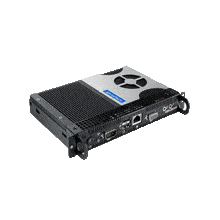
Inside the world of a Digital Signage Player

This week, our team thought of doing something different from our usual postings – we decided to open up the NDSP-500 digital signage player and give you a brief look at what’s inside one of these players. The video is not of the greatest quality but it does give you an idea of the components inside a typical digital signage player and what connections are available. So here’s the video:

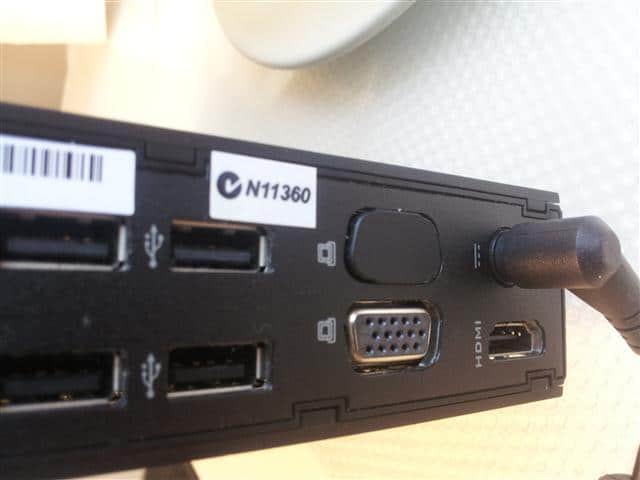
As you can clearly see, the unit is small… it’s smaller than half of an A4 paper. With this particular unit, there are several connectors at the front:

1. RS232 – this is usually to provide serial communications with another device. It can be used to control and manage an display screen – that’s if the screen supports RS232.
2. Secure compartment to store the SD card – it’s also a quick way to easily swap out the SD card without having to open up the box

At the back of the unit you will notice the following connectors:

1.Video output:  the unit has these typical connections – S-Video Output/Composite Video and Audio, DVI, and VGA.

2. Video Input: Composite Video and Audio. With this particular unit you will be able to connect a video input source such as a DVD player, Foxtel, CCTV camera etc.

3. S/PDIF – for great audio quality

4. LAN port which support 10/100 Mbps

5. Two USB ports for connecting USB Storage

6. Power plug to connect the power supply. This power plug was different from other digital signage players we’ve seen in the past. It basically has a connector which allows you to twist and screw the power cable to the power plug.

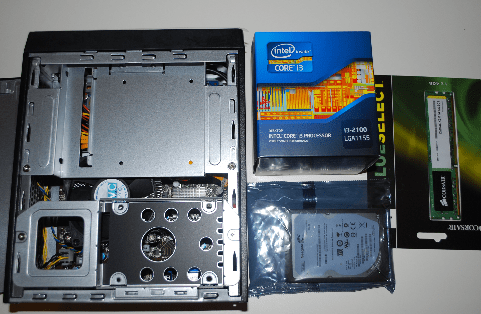
Inside the player, all you will find is a circuit board, a frame for a small hard disk and several cables. As you can see from the video, you will not find a fan inside the player – this makes the unit very quiet when it’s turned on.

Would you like to see more videos? Let us know what you’ll like to see and we’ll try to get it done.

Feel free to submit your answer as a comment.

Post to Twitter Tweet This Post

  • Share/Bookmark

Category: Digital Signage Blog News, Digital Signage Blog Products, Digital Signage Blog Video


Use Flashpoint to convert powerpoint presentations to flash

Do you have a digital signage player that does not support Powerpoint presentations but only flash? Don’t throw the player out yet because we’ve got an easy solution for you.

There are many software tools available on the market that is able to convert your traditional ppt files to flash but one that we would recommend is Flashpoint from Flashdemo (http://www.flashdemo.net/ppt2flash.html). The software costs US$89.00. There are a couple of demos on the website to show you what the software is capable of doing and they also have a free trial version.

So, rather than redesigning your powerpoint presentations for digital signage compatibility, have a look at Flashpoint – it may save you several hours worth of work.


Do you use Powerpoint in your digital signage solutions?


View Results

Loading ... Loading ...

Post to Twitter Tweet This Post

  • Share/Bookmark

Category: Digital Signage Blog Products, Digital Signage Reviews


Integrating digital signage with Sharepoint

We were recently approached by an insurance company asking whether we had a solution that could easily integrate digital signage with their Sharepoint system, so we thought we might as well share this information with everyone.

Well, you may be thinking “What is Sharepoint?”. Sharepoint is actually a Microsoft Content Management System which allows business to collaborate and share information quickly and easily. Think of it as a website portal which can be used to store files, events, contacts, tasks, forms and most importantly information. Here’s a video tour of Sharepoint:

Now some companies may want to use digital signage as a communication tool and target information to staff and if this information is already centralised in the one location, SHAREPOINT, then how would you integrate your digital signage solution with this?

From our experience and based on products we have used in the past, if your digital signage player/software is able to display RSS compatible feeds then you have a system that is able to be integrated with Sharepoint – in particular the latest version 2007. With Sharepoint 2007, there is a neat feature which allows content, events, contacts, tasks and information to be displayed as an RSS feed. This is particularly useful as you don’t want to manually update the content on your digital signage player. Once you have the RSS feed, you can easily modify and display this information on the digital signage screens.

For the more advanced digital signage players and software, if your system is able to connect to the Microsoft SQL server that stores all the data, then your solution will be able to connect to the database and grab the relevant data to be displayed on the screen. As an example, if one of your clients used Sharepoint to schedule company outings and important company events then we would be able to deploy a digital signage solution which dynamically uses the RSS feed from the Sharepoint server and display this on the digital signage screen located in the main foyer. This will help remind employees of upcoming company events.

Hopefully this post has provided you with better ways on how to integrate existing systems with digital signage.

Have you seen any innovative digital signage integrations?

Feel free to submit your answer as a comment.

Post to Twitter Tweet This Post

  • Share/Bookmark

Category: Digital Signage Blog Info, Digital Signage Blog Products


Screen and Player compatibility?

I find myself that more often than not, I am always re-calibrating our players each time we get a new screen. That is, the result of what is being displayed on one screen will be different when the exact same player is plugged into another screen of a different manufacturer.

The results vary quite largely and this is an issue that still bothers me every time. Although having said that, I have not tried many digital signage players, so it could be an isolated issue. But I won’t be surprised if it isn’t.

Video signals going into a screen can vary in all sorts of resolution sizes, and each screen is required to convert (or scale) that signal into something it can display (I will talk more about native resolution in my next post).

One of the most bizarre cases that I have come across is a 1366×768 resolution size from a player was being scaled to 1600×1200 on a Samsung LCD. So what resolution do you design your templates at?

Is this a common issue?
If it is, what are people doing to address it?
If not, is your digital signage a customised or generic solution?

Post to Twitter Tweet This Post

  • Share/Bookmark

Category: Digital Signage Techie


SMP-WEB Digital Signage Player

We’ve reviewed a lot of different digital signage Players out there, one that definitely sticks out is the SMP-WEB Digital Signage player. It’s a web-based dedicated digital signage player supporting full-screen HTML/Flash/JPG, HD (high definition) video, and streaming video playback. It can also support landscape and portrait presentations.

However the true advantage of the SMP-WEB Digital Signage Player is the ease-to-use control panel, absolutely anyone can manage the content on these players and best of all it’s real-time! All these features make this player one of the most flexible multimedia presentation.

Some of the drawbacks we’ve identified are minor but things such ask not being able to schedule the playlist based on date/time or the absence of a power button can be annoying. Other than that we think it’s a great product.

For more information on the SMP-WEB Digital Signage Player visit our Digital Signage Portal or contact Advertise Me who can discuss an appropriate Digital Signage Solution.

Post to Twitter Tweet This Post

  • Share/Bookmark

Category: Digital Signage Blog News, Digital Signage Blog Products


Embedding live video content in digital signage. Is this a breach of copyright in Australia?

As you may already know, digital signage is rapidly becoming “the” advertising medium in Australia and around the world.

There are quite a number of digital signage players and digital signage software tools out in the market which allows the screen to be partitioned into different zones. The SMP-WEB3 and NDSP-500 are two great products which perform this very function.

One of the main reasons for creating zones, is to enable live TV, Foxtel, DVD, CCTV or basically any video input source to be displayed on the screen with surrounding advertisements or any type of content. The main advantage of having this setup, is to entertain your audience with live video content whilst at the same time engaging this very audience with advertising material and other information. That’s the beauty about digital signage!

Having said this, there is some speculation whether displaying live video content eg. Cable TV, Foxtel etc. with other content around it is a breach of copyright. Is this the case in Australia? What about in other countries?

When we queried one of the digital signage manufacturers about this, they provided us with the advice that as long as the actual live video content is not modified ie. there is no other content that overlays the live feed, we should be ok. Which seems to make sense to me. I mean, most of the latest LCDs, Plasma Screens and even Set top boxes have a feature called Picture-in-Picture, so what implications are there if we use this very feature to split the screen in half. As an example, we can use the Picture-in-Picture feature to split the screen with FOXTEL showing on one side of the screen and the other half we can display Sales advertisements driven by a local PC. Isn’t this almost the same setup as what a digital signage player does?

We are more than happy to hear you comments about this issue on our forum.

Post to Twitter Tweet This Post

  • Share/Bookmark

Category: Digital Signage Blog Info

Request a Digital Signage Quote

RSS

Or subscribe via email:
 

Polls


    Will you be purchasing the NEC Multisync X451UN?


    View Results

    Loading ... Loading ...
Digital Signage Blog Sponsors

Advertise Me Sponsorships available here!

Digital Signage Articles

Sponsored Links


Recent Comments: