Feedback Form

Digital Signage Blog Archives


Archive for Category: ‘Digital Signage Techie’


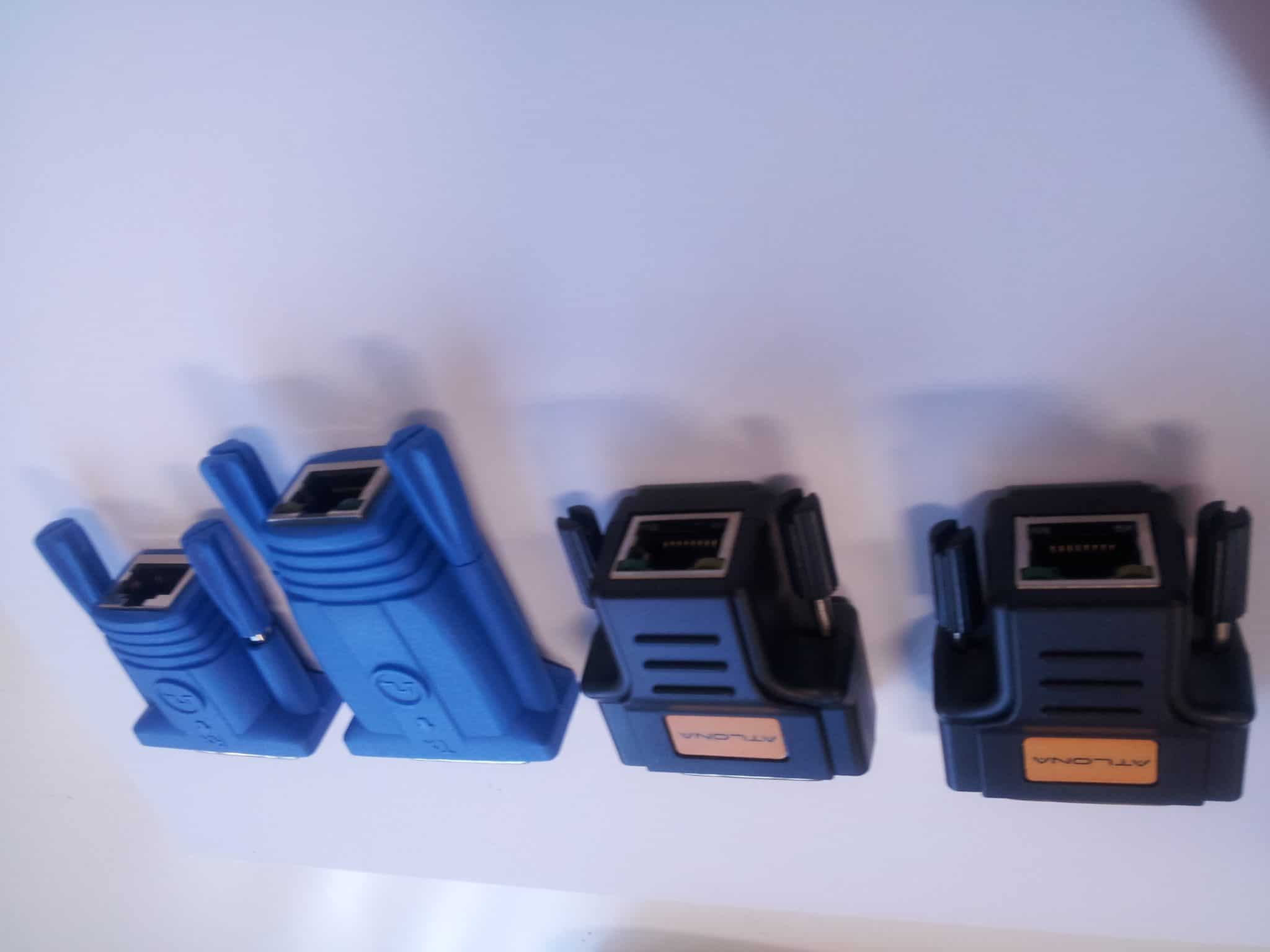
Techie Question: Using a DVI to VGA convertor with a VGA CAT5E or CAT6 extenders, does this work?

For those techies out there or for someone who has already tried this, does a DVI to VGA converter work with a VGA extender.

So as an example, we have a digital signage player or PC that has a DVI port ONLY. We plug a DVI to VGA extender, so the output is VGA. We then use a pair of VGA to CAT5E or CAT6 extenders and connect the other end to the monitor that is VGA. Does this work?

We would like to hear other techies out there what the result would be or whether this is technically possible.


Using a DVI to VGA convertor with VGA CAT5E/CAT6 extenders, does this work?


View Results

Loading ... Loading ...

Post to Twitter Tweet This Post

  • Share/Bookmark

Category: Digital Signage Techie


Techie question: Digital Signage Player Operating temperature

Digital Signage Multiple Fans

This is a questions for all those techies out there: How does the operating temperature effect the digital signage player and what is the recommended operating temperature?

Digital Signage Rack Fans

Digital Signage Rack Fans

Post to Twitter Tweet This Post

  • Share/Bookmark

Category: Digital Signage Techie


Weekend Fun: Blackberry Desktop Manager V5.0.1 – IP modem

What a fun weekend!! Just recently RIM released the desktop manager v5.0.1 which introduces the feature to EASILY setup the Blackberry as an IP modem (tethered modem) and I’ve been using this all weekend.

Now, all you have to do is click on several buttons and you’ll be connected to the Internet via the Blackberry Desktop Manager – you just have to make sure your blackberry is connected to your laptop or pc. Great stuff guys! Here’s some screenshots:

Blackberry desktop manager main window

Blackberry desktop manager main window

Blackberry Desktop Manager with IP Modem window

Blackberry Desktop Manager with IP Modem window

Blackberry Desktop Manager IP Modem connected

Blackberry Desktop Manager IP Modem connected

Post to Twitter Tweet This Post

  • Share/Bookmark

Category: Digital Signage Techie, Digital Signage Weekend Fun, Featured Post


Screen Dilemma: Native vs Maximum resolution

This seems to be a common dilemma amongst a number of LCD/Plasma decisions in a lot of tender projects and client requirements. Do clients really know what they are asking for, and how important is screen resolution for digital signage rollouts?

Let’s clear a few things up first.

What is Native and Maximum resolution?

Native resolution is the fixed number of pixels on the screen. For example, if your screen has a native resolution of 1280×720 pixels, this means your screen is physically made up of 1280 pixels wide and 720 pixels high.

Maximum resolution is the highest resolution that the screen is capbable to display.

Conversion and Scaling

When an incoming signal to the screen does not match the native resolution, that signal must be converted (or scaled) to be displayed correctly on the screen. So lets use the same screen above, it has a native resolution of 1280×720. If an incoming signal is 1920×1080, the screen will scale this resolution down so that it can fit on the physical dimensions of 1280×720. Likewise if an incoming signal is 1024×768, then the screen will up-scale this resolution to fit 1280×720.

This process is possible because the screen has been programmed to recognise different input signals and to convert them as such. More often than not you will have a list of all the supported input signal resolution sizes, and the highest supported resolution is your Maximum resolution.

Now that we have that out of the way, lets talk about how important is screen resolution in digital signage?

In all my digital signage years until now, I have not had to focus on optimising the quality of the display in regards to picture sharpness and contrast ratio. The general technology of the Plasma/LCD screen makes up for this. What comes out of the digital signage player is just right for the display quality. The general conversation would be on how to most effectively capture consumers attention with the type of content and how it is designed.

However recently in Australia, digital broadcasting of TV networks have become more prominent and consumers are now well aware of terms like HDTV. This presence of high definition television has entered many homes and now the retail store fronts want to show this off also. Because consumers are already aware of such technology, there is an expectation on store owners to provide this service to them.

The question comes back to client requirements. Do most clients have the proper knowledge to determine what screens they want based on what they know or what they have been told? Is it important to match the right resolution of what is coming from the digital receiver into the digital signage player, and out to the screen?

We’d like to hear your point of view on this topic. There is no right or wrong answer, as each requirements are different, but we would like to hear your thoughts.

Post to Twitter Tweet This Post

  • Share/Bookmark

Category: Digital Signage Blog Info, Digital Signage Techie, Featured Post


Screen and Player compatibility?

I find myself that more often than not, I am always re-calibrating our players each time we get a new screen. That is, the result of what is being displayed on one screen will be different when the exact same player is plugged into another screen of a different manufacturer.

The results vary quite largely and this is an issue that still bothers me every time. Although having said that, I have not tried many digital signage players, so it could be an isolated issue. But I won’t be surprised if it isn’t.

Video signals going into a screen can vary in all sorts of resolution sizes, and each screen is required to convert (or scale) that signal into something it can display (I will talk more about native resolution in my next post).

One of the most bizarre cases that I have come across is a 1366×768 resolution size from a player was being scaled to 1600×1200 on a Samsung LCD. So what resolution do you design your templates at?

Is this a common issue?
If it is, what are people doing to address it?
If not, is your digital signage a customised or generic solution?

Post to Twitter Tweet This Post

  • Share/Bookmark

Category: Digital Signage Techie


How reliable is your digital signage solution?

This blog post will be purely about your feedback. We want to find out what you think makes a reliable digital signage solution. Is it ensuring having 24/7 power running to the screens and digital signage equipment? Is it making sure that the digital signage player is maintained on a monthly/weekly basis? Is it the operating system the digital signage software runs on?

Yes, we want to know what makes a digital signage solution reliable…


How reliable is your digital signage solution?


View Results

Loading ... Loading ...

What makes a digital signage solution reliable?

Feel free to submit your answer as a comment.

Post to Twitter Tweet This Post

  • Share/Bookmark

Category: Digital Signage Techie


Hot discussion topics on the Digital Signage Portal Forum

As you can see from our Twitter feed, this week we have been heavily involved with forum discussion on the digital signage portal forum. We believe in generating “good” karma through helping others in the digital signage community.

The current hot topics are:

  • Player & Screen resolution compatib…
    I’ve got a player that outputs (via dsub) resolution at most widescreen ratios ie. 1280×720, 1360×768, etc.

    My issue is with most, if not all, LCD TVs nowadays their tech sheets don’t support most widescreen ratios, with a lot of them displaying only 1360×768.

    What will happen if the designers create their templates for 1280×720?
    Will the TV crop it, show scroll bars, flicker?…

  • Has anyone used Digital Signage SaaS?
    I was wondering whether anyone has used or is currently using Digital Signage SaaS? Could you please let share your experiences of what you’ve encountered when using this type of a solution…

  • Directional Speakers
    Has anyone integrated directional speakers with their digital signage technology. We are interested to know how these systems work and whether they are worthwhile and cost effective equipment to include in a digital signage solution.

    What are the most common industries using directional speakers?

  • Using Blue Ray technology
    Has anyone come across digital signage players with Blue Ray technology?

    Are storage size and HD quality the only advantages of using Blue Ray technology?

  • Wayfinding KIOSKs
    Wayfinding KIOSKs are becoming more popular in shopping centers. Today, I was walking around a major shopping centre and noticed how wayfinding was integrated with digital signage… or is it the other way around?

If you have the time, or is able to help some of the other members with their questions then head over to the digital signage portal forum and start posting (registration is required)!! We hope more members of the digital signage community is able to participate in various discussions and contribute towards helping others.

Have you registered on the digital signage portal? It’s FREE. Click here to register.

Feel free to submit your answer as a comment.

Post to Twitter Tweet This Post

  • Share/Bookmark

Category: Digital Signage Blog News, Digital Signage Techie


Digital Signage Portal – F.A.Q adding twitter to your profile

If you have a twitter account, you can easily add this to your digital signage portal profile.

To do so simply follow these instructions:

1. Login to your digital signage portal account
2. In the User Menu click My Details
3. Move your mouse over the EDIT button just above your profile page
4. Click Update your profile
5. Click the myTwitter tab
6. Enter your twitter account name and twitter account number. The account number is the same number as your RSS feed on your twitter page

or watch this short video.

Have you registered on the digital signage portal? It’s FREE. Click here to register.

Feel free to submit your answer as a comment.

Post to Twitter Tweet This Post

  • Share/Bookmark

Category: Digital Signage Blog Info, Digital Signage Techie


Does black pixels on an LCD screen use less power than white?

Since quite a number of companies are focusing on being “green” and environmentally friendly, I was wondering whether there was a way to reduce the amount of power an LCD screen uses based on the colour of the content being displayed.

So here’s an interesting question for those techies out there who may be able to shed some light into this question. Moving forward, if black does use less power, the content providers should focus on using this black rather than the others bright colours and screen manufacturers should develop a technology to disable pixels use based on colour.

Does black pixels on an LCD screen use less power than white?

Feel free to submit your answer as a comment.

Post to Twitter Tweet This Post

  • Share/Bookmark

Category: Digital Signage Techie


If content is king, then back it up!

hard_diskWe’ve all heard the saying “content is king” and the success of any digital signage business is dependent on what content is  displayed. In this particular post we won’t go into too much detail on how important content is… we all know that without content, a digital signage network becomes useless – not many people like watching a blank screen.  However, I decided to raise the question whether businesses have a system in place for backing up their content from their digital signage players.  Would you be able to reproduce the same content from scratch if you didn’t have a copy of the content somewhere?

I guess this is something businesses operating a digital signage network should think about. In the past, experiencing a hard-drive failure can be quite devasting and often quite expensive if you count the number of hours it would take to reproduce the same content. From the top of my head, I could only come up with several ways of backing up the content and these are:

1. Centralise and store the content onto a dedicated server with RAID configuration harddrives. In addition to this, have the files scheduled to be copied to an external storage such as a USB external HHD.
2. If you cannot afford a dedicated server, have the harddrives on the digital signage player set up in a RAID configuration – most operating systems are able to have this function but it will mean have at least two physical hard drives. Otherwise you could always copy the files onto an external medium (CD, DVD, Memory card, HHD, etc).
3. Have files distributed across multiple servers or across an external site (e.g. data center)


Have you ever lost your digital signage content due to a hard disk failure?


View Results

Loading ... Loading ...

For those techies out there, what is the best backup strategy?

Feel free to submit your answer as a comment.

Post to Twitter Tweet This Post

  • Share/Bookmark

Category: Digital Signage Blog Info, Digital Signage Techie


Does your digital signage solution pass our Security Checklist?

lockBased on our previous posts relating to Security (Digital Signage: How secure is your digital signage solution? and Secure Your digital signage solution -here’s why!), we decided to put together a Security Checklist (something businesses implementing digital signage should consider). Here’s the list:

  1. Avoid using the default ports for common application protocols such as FTP (port 21) or web (80). Change these to something unusual for example port 2122 or 8089. Basically make it harder for hackers to guess what ports you are using for certain applications.
  2. Avoid using common passwords such as “password” and “test”. Increase your “password strength” by using at least 7 characters with at least 1 uppercase letter and 1 number. Case sensitive passwords are harder for Brute Force password software tools to break and hack.
  3. Rename or disable common login accounts. For example, in the Windows environment rename the “administrator” and “guest” accounts. For Unix, rename the “root” account.
  4. Enable or Install Firewall Software. Having some sort of protection (the built in Microsoft Windows Firewall suffice) is better than not having anything at all. When creating firewall rules, make sure you only allow IP addresses that require access to the device. Don’t get into a habit of just allowing everything through – only use this for testing or special circumstances. If you have a digital signage appliance and cannot install any firewall software, invest in purchasing a hardware Firewall.
  5. Enable or Install Antivirus Software. This will prevent viruses and Trojans from getting into your digital signage network.
  6. Ensure your Operating System, whether it’s Unix or Microsoft Windows has the latest software updates. There is a considerable amount of security vulnerabilities out there – just make sure that you backup your operating system before installing any new patches.
  7. Physically locate your devices in a secure environment e.g. in a rack or a communications cabinet or use a kensigton lock if it’s in a public location.
  8. For wireless connectivity to your network, disable the wireless SSID and use the latest encryption methods such as WPA.
  9. Don’t just use HTTP to manage or transmit files – this is an unsecured protocol and the login and password is transmitted using clear text. Use HTTPS, with at least 128 bit encryption.
  10. If you have to manage multiple sites, don’t purely connect the digital signage players to the Internet, but instead setup VPNs (Virtual Private Network). With the right equipment you can easily setup a VPN tunnel in no time.
  11. If using the unit in standalone mode i.e not connected to the network, then disable the interface cards (wireless or physical)
  12. If using a web based player or SaaS, ensure that the web browser is using 128 bit encryption and SSL (basically you will see HTTPS at the front of the URL). We cannot stress enough that using HTTP is not secure as the login and password is sent in clear text, meaning that someone can easily capture your login and password credentials.
  13. Install the latest Operating System Service Packs ie. if using Windows XP, then install SP3.
  14. Disable any SNMP services (Simple Network Management Protocols). By doing so you will avoid hackers using SNMP tools to remotely manage your devices. Also avoid using the standard community strings “public” and “private”. If you do intend to use SNMP then use at least SNMP v3 as it is more secure.
  15. Disable any remote management tools (remote desktop, VNC, Dameware, PCAnywhere, telnet, SSH) unless it’s required for managing the network.
  16. Disconnect keyboard or mouses from the digital signage device unless required.
  17. Screen lock – make sure your software actually locks the player window so that the public is not able to access or change settings on the player without a password.

So there you go, thats our Security checklist. Have a look at your current digital signage solution and check to see whether it meets all or any of the above items. Now having worked for large corporate organisations, most of the above security requirements are mandatory in any IT department.  So if you’re serious about winning those large tenders or contracts then make sure you consider validating your digital signage equipment against this Security Checklist before you submit your next proposal.

keyboard-chainProtect your investment and review your digital signage solution to see whether it passes items listed in the above Security Checklist.

Are there any other Security aspects that we’ve missed? Please let us know.

Feel free to submit your answer as a comment.

Post to Twitter Tweet This Post

  • Share/Bookmark

Category: Digital Signage Blog Info, Digital Signage Blog News, Digital Signage Techie


Redefine: What is digital signage?

Since it’s the start of the new year, we decided to go “back to basics” and decided to re-look at the definition of “Digital Signage“. So we scouted around the web to find various definitions and here’s our list:

To start off the ranks, here’s the definition from advertise me:

Everybody knows the conventional method of using posters to deliver messages, whether it is to sell a product or service or to inform the audience.

Using a digital signage player, Digital Signage takes this traditional approach of delivering messages and allows for the greater control and flexibility over how the message is delivered on a digital screen.

Digital Signage is the use of digital technology such as a digital screen, digital signage players and software to deliver content such as information, advertisements and entertainment to a captive audience…

Source: http://www.advertiseme.com.au/content/DigitalSignage.Home.asp

Digital signage is a form of electronic display that is installed in public spaces. Digital signs are typically used to entertain, inform or advertise (together known as “adfotainment”). Major benefits of digital signs over traditional static signs are that the content can be exchanged more easily, animations can be shown and the signs can adapt to the context and audience, even interactively…

Source: http://en.wikipedia.org/wiki/Digital_signage

Digital signage, also called dynamic signage, is a specialized form of slivercasting in which video or multimedia content is displayed in public places for informational or advertising purposes. A digital sign usually consists of a computer or playback device connected to a large, bright digital screen such as an LCD or plasma display…

Source: http://searchcrm.techtarget.com/sDefinition/0,,sid11_gci1197791,00.html#

Digital Signage, by definition, is an electronic billboard system, used to present dynamic information electronically, on flat panel displays such as LCD, Plasma or DLP Projectors. Wherever you need to advertise, educate or inform customers, consumers, staff, students or partners, digital signage is a fast, reliable and simple way to get your message heard…

Source: http://www.nec.com.au/74c02936e97b44d8bf739b99ab4b75c7.htm

Digital signage is remotely controlled distribution and playback of digital content across networks of displays. It is used for delivering visual messages at point-of-purchase, or at any other public venue…

Source: http://www.broadsign.com/digital-signage/digital-signage.html

A most simplistic definition of digital signage is that of a “remotely managed digital display, typically tied in with sales, marketing and advertising.”

Source: Page 2 of the Digital Signage Book by Jimmy Schaeffler.

Digital signage refers to electronically controlled signs that you can update on-the-fly, without having to touch the physical sign itself. You can change the content quickly and inexpensively, and deliver targeted messages to hundreds or thousands of displays at once. These dynamic displays are often used to present a custom-tailored mix of informational and advertising content, including product promotions, timely news, and upcoming events…

Source: http://www.wirespring.com/Solutions/digital_signage.html

There may be more definitions but we couldn’t obviously put them all here in this post. What we found common amongst most of the above definitions is that some are refeering to digital signage as being able to “remotely manage” or located in “public locations” - I don’t necessarily think this is the case. Standalone units which can have the content updated via a media card would not fall under this definition. There are also several businesses that use digital signage for internal communications and don’t necessarily have the display screens located in public locations. So maybe lets all collaborate and redefine this term.

What is your definition of digital signage?

Feel free to submit your answer as a comment.

Post to Twitter Tweet This Post

  • Share/Bookmark

Category: Digital Signage Blog Info, Digital Signage Blog News, Digital Signage Techie


Updated: Top 10 search terms

Back in June 2008, we posted a blog entry of the top 10 search terms people are using which are landing to our digital signage blog from search engines. We have noticed that things haven’t changed much, most people are landing to our website with the most popular search terms.

Below is the updated list:

1.  digital signage blog

2. digital

3. digital signage

4. signage blog

5. digital signage blogs

6. blog digital signage

7. cellular digital signage

8. how does digital signage work

9. signage

10. what is rs232

The most noticeable difference is that more people are actually searching for blogs relating to digital signage. The great thing about our site is that its generally on the first page of google for the search term digital signage blog.

Now this is also a great opportunity to start another poll and we want to ask our readers whether their business has a blog website.


Does your business have a blog website?


View Results

Loading ... Loading ...

If you do have one feel free to share it with the online community by posting a comment.

Post to Twitter Tweet This Post

  • Share/Bookmark

Category: Digital Signage Blog News, Digital Signage Polls, Digital Signage Techie


Techie Question: If it’s a digital video signal, why does the video quality degrade when using ethernet cabling?

Just recently, I was involved in a discussion with a couple of friends about whether one of them should install network cabling throughout his new home.  We started brainstorming reasons why he should do it:

1. You’re able to connect to your Local Area Network with faster and more reliable speeds than wireless

2. It will be more secure than wireless

3. Cheaper to install the cabling before the walls go up

4. You’re able to use the network cabling to extend video and sound

Now, whilst we were talking about point 4, we ended up having a heated debate whether you degrade video quality when extending a DIGITAL video signal. One my friends raised a good question which was ”If you send 0 & 1’s down the ethernet cable, you would expect those 0 & 1’s to come out the other end. So why would you loose video quality if it’s digital?” – that was a really good question and I was quite reluctant to answer because I didn’t have an answer.

So for those techies out there, how would you have responded to this question?

Feel free to respond to this question by adding a comment.

Post to Twitter Tweet This Post

  • Share/Bookmark

Category: Digital Signage Blog Info, Digital Signage Techie

RSS

Or subscribe via email:
 

Polls


    Has your business been affected by the Global Financial Crisis?


    View Results

    Loading ... Loading ...
Digital Signage Blog Sponsors

Advertise Me Sponsorships available here!

Digital Signage Articles

Sponsored Links


Recent Comments: