
Digital Signage Blog Archives


Posts Tagged ‘lcd screen’


Digital Signage Klips: A cool and interactive marketing system from BOSE

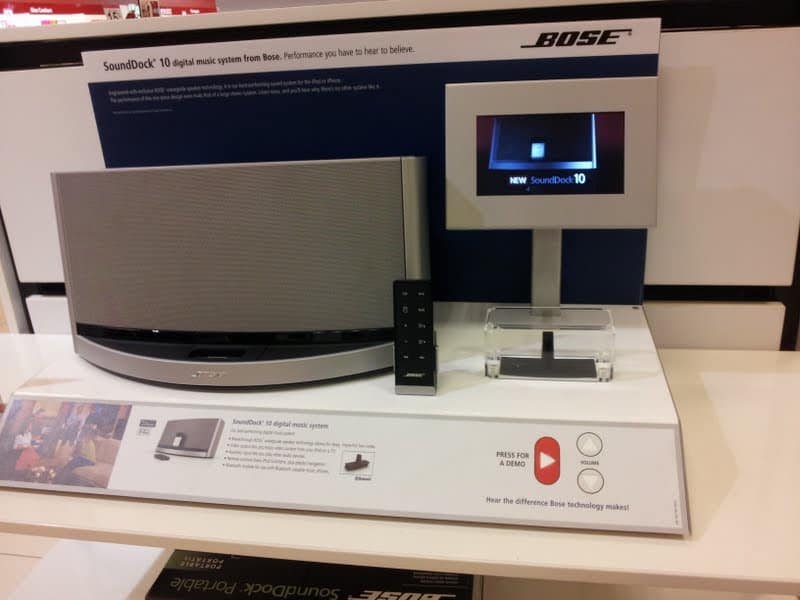
Here’s a klip of a cool and interactive marketing system from BOSE that was showcasing the SoundDock 10 digital music system for the iphone or the ipod. According to the reader there is a small LCD screen that is used to display video clips. The audio from the video clip is played to the SoundDock speakers and this is controlled through a panel on the corner.


bose interactive

bose interactive

Category: Digital Signage Klips


Digital Signage for Exhibitions

We recently helped one of our clients with implementing digital signage at their exhibition booth. As part of our digital signage exhibition package we included the following:

  • Hardware rental of the LCD Screen, Stand and Digital Signage player
  • Transportation of the goods to and from the exhibition hall
  • Installation of the system and removal at the end of the event
  • Template Design
  • Management and Monitoring of the digital signage solution – we were able to monitor the system remotely and make the relevant changes if required

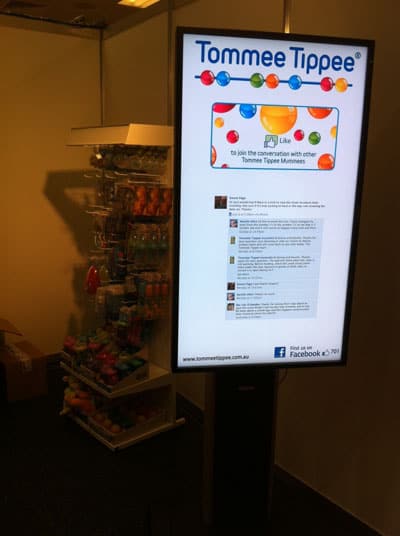
During this exhibition, we introduced an innovative way for the exhibitor to manually switch content with a push of a button. The idea was that on quiet periods, the exhibitor will push a button and the screen will display specials to draw more attention to their booth.

In addition, we also integrated Social Media (Facebook) with digital signage. The company’s Facebook page with the number of Fans was displayed.

We know how stressful attending and participating in exhibitions are, so let us take care of your digital signage needs whilst you take care of more the important taks.

digital signage exhibitions

Category: Digital Signage Blog News, Digital Signage Case Study


Digital Signage Klips:The importance of a good screen

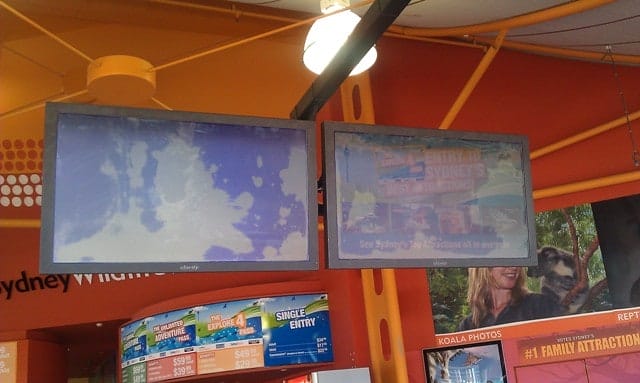
Here’s an example of why it is important to invest in a good screen and I’ll give two examples I saw at Darling Harbour in Sydney Australia. The first example is an LCD screen in Sydney Wildlife World that was relocated from the inside of the reception area to the front. I think the company realised that the location of the screen is important and that visitors walking past did not notice the screens when it was located at the back of the reception area. It is now located at the front closer to were most of the traffic is. Besides one set of the screens being too low (I think this is an OH&S issue – I could almost touch the bottom of the screen with my head) the quality of the screen was pretty bad – have a look at the below picture. I could hardly see the content on the screen even when standing right in front of the screen. I think it’s time for a replacement – please call us if you’re reading this and want it replaced.

Digital Signage Sydney Wildlife LCD Screens


The second example is from Sydney Aquarium, which is just around the corner from the Sydney Wildlife. They recently installed multiple digital signage screens at the front of their reception area. From far away, you can clearly see the content of the screen. The colours on the screen is bright compared to the previous example. It’s eye catching and that’s what most digital signage installers need to think about i.e how can I make my screens get noticed. In total they had 5 screens, 4 in landscape and 1 in portrait. My suggestion would be to use a digital menu board at their food counter.

Digital Signage at Sydney Aquarium

Category: Digital Signage Blog News, Digital Signage Klips


Understanding Screen Packaging Labels

Have you ever spent time looking at the packaging labels on the plasma/LCD boxes? I have about 5 boxes of Plasma  screens near my desk and when I looked at the boxes I noticed that there are quite a number of labels on the box. Some we actually need to pay particular attention to – especially if we were to transport the boxes.

So today, I decided to investigate what do some of these labels mean; some are self explanatory and you don’t need to be a genius to figure out what they mean but then there are some that seem unusual.

Let’s have a look at the images (note:I have provided my interpretation of what they mean – if it’s incorrect then let me know):

packaging label for screen boxes part1 The first image means to always have two people to lift the box since its approximately 40kg – this is normally a OHS requirement so whatever you do and now matter how strong you are don’t lift the screens by yourself. The middle image shows you to remove the plastic clips at the bottom of the box which is used to hold the top and bottom sections of the box. The last image, gives you a breakdown of all the components you need to remove in order to get to the screen.
packaging label for screen boxes part2 The top left corner image means not to stack anything on top of the box. The top right hand corner image means to keep the box upright i.e this way up. The bottom left image is a picture of a glass which obviously means that the item inside is fragile and there’s glass inside the box so take care when transporting the box. There’s also an additional message on the side of the box stating “As a glass product, treat it with extreme care.”. The bottom right image gives you an indication that the weight of the box is 40kg and it’s heavy.
packaging label for screen boxes part3 The first image means not to transport the box  laying flat and to make sure it’s in the upright position (middle image). Also make sure you don’t drop the box because there’s glass in there. Once again, there’s the message “As a glass product, treat it with extreme care.” and the Caution message: “Transport only in upright position”.
packaging label for screen boxes part4 The first two images are the same as above. The last two images indicate how to best clamp the box.

I wonder how many courier or freight companies transporting these goods actually understand these label mean and adhere to the instructions. I have seen some couriers take down the screens and had them in a vertical position… ouch. Fortunately the screen still worked but it’s best to follow the guidelines provided on the boxes.

Category: Digital Signage Blog News


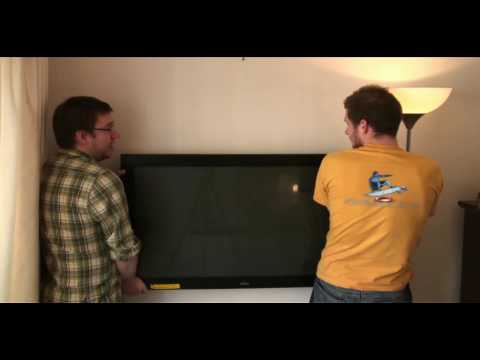
Weekend Fun: NOT How to wall mount a Plasma/LCD WITHOUT a bracket!

I stumbled across a funny Youtube video titled “How to wall mount a Plasma/LCD WITHOUT a bracket!Exclusive… it really works!!!” Since it’s the weekend, have a look at this video.


Lesson learnt, use a bracket and a professional to mount a LCD or Plasma screen. Once the screen is dropped…. it will never be the same.

Category: Digital Signage Weekend Fun


Time for an upgrade and use digital signage

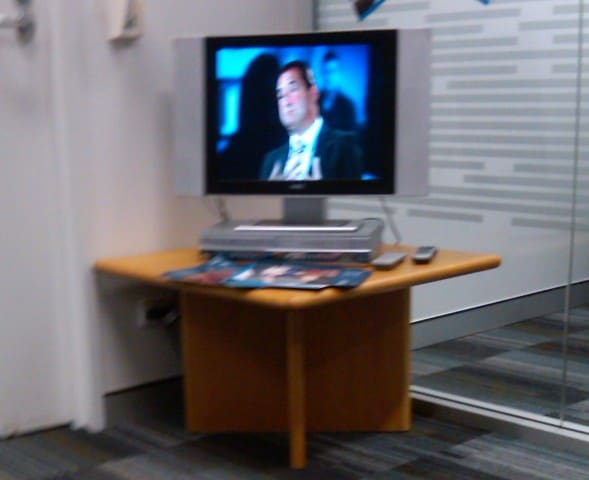
I think it’s time for an upgrade if you’re still using a LCD screen with a DVD player. I noticed this whilst waiting at a queue at a bank. I couldn’t help myself and just take a quick snapshot of this implementation. Althought most of these have been replaced with a larger screen and a digital signage player, I found it quite effective having audio playing in the background. It actually caught my attention!!

digital signage with audio

digital signage with audio

Category: Digital Signage Blog News


Weekend Fun: Human LCD Screen

This one is a new one for me but seems like it’s an oldie. It’s amazing what humans can achieve when they all work together. This is almost as good as the countdown at the 2009 Olympics in Beijing.

Some viewers are skeptical as to whether the video is real or not but to me it looks real. Too bad it doesn’t have subtitles. Anyone know what they are saying?

Category: Digital Signage Weekend Fun


Pulling apart a Digital Signage Stand

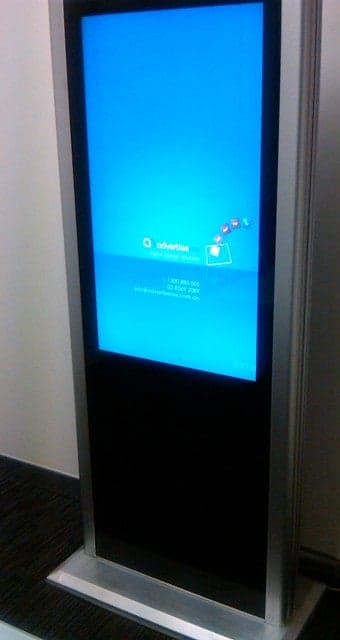
digital signage stands are now becoming more popular and last week we had the opportunity to open our 42″ LCD advertise me stand so I thought I’d blog about it. Firstly, let’s look at the enclosure of the stand. The outer shell of the enclosure is made out of black aluminum and inner shell  is made out of iron. There is also a 6mm tampered glass at the front of the enclosure and this makes is look very professional. The only bad thing is the reflection. continue reading »

Category: Digital Signage Blog Products, Digital Signage Reviews


Digital Signage Klip: Gold Coast LED Screens

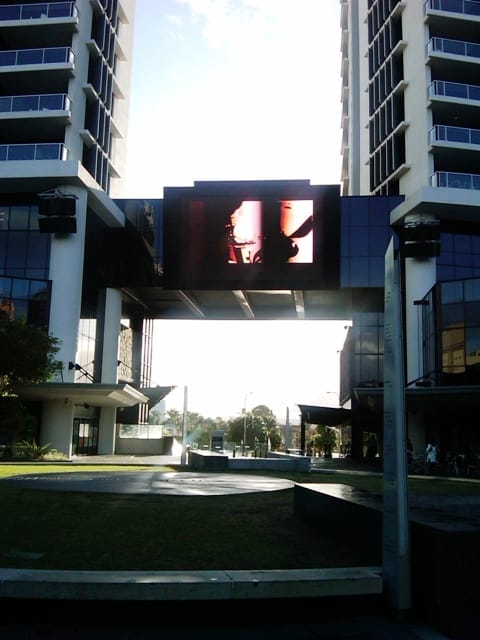
Last week I was on a family trip at the gold coast and noticed how digital signage was everywhere. Most of the retail stores at Surfers Paradise had an LCD screen – I spotted quite a few of the Panasonic 42 inch Plasma screens.

It was by sheer luck that I stumbled (I literally didn’t really notice the screen) across two LED Screens – one was located on the main streets of surfers paradise whilst the other was at a plaza (it didn’t have many people walking past there). In any case out of habit I decided to take a Klip of these screens. Sorry if I don’t have the exact location or know what the location is for these screens. I’ll promise that the next time I take a photo I’ll include the GPS co-ordinates.

Gold Coast LED Screen

Gold Coast LED Screen 2

Here’s also a quick video of what I saw (sorry for the bad filming):

If you have klips you would like to share with the rest of our readers let us know by sending an email to info@digitalsignageblog.com

Category: Digital Signage Klips


Digital Signage Klip: Is your Digital Signage Test Bench as messy as ours?

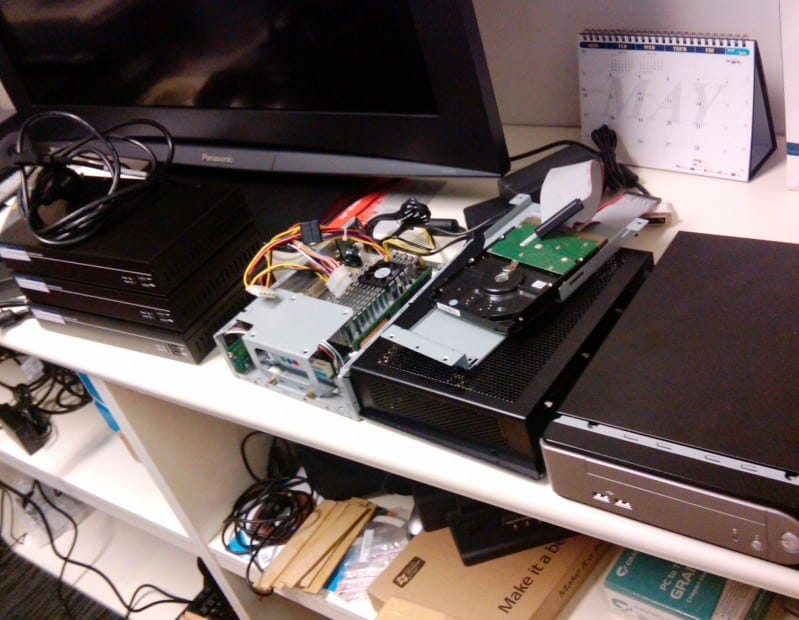
In the past couple of weeks we’ve been busy testing different digital signage systems and we were also involved in a digital signage installation. We have a test bench with a 37″ LCD screen which we primarily use to build and test our digital signage solutions. We were wondering whether other people’s test benches were as messy as ours.

Digital Signage Test Bench at Advertise Me

Feel free to send us pictures of your test bench to info@digitalsignageblog.com and we’ll share it with the rest of the world.

Category: Digital Signage Klips


Digital Signage and GPS

How can GPS be integrated with digital signage?

The simple answer is that it can be use to trigger information. Here’s a typical example of how it can be used: you’re in a tour bus, a large LCD Screen in located at the front of the bus. The bus drives past the Sydney Opera house, the digital signage system detects the current location of the bus and triggers information about the Opera House. The bus then drives over the Sydney Harbour bridge and this triggers historical information about how the bridge was built.

Basically, digital signage that is integrated with GPS can be used to display useful information relating to it’s surroundings.

At Advertise Me, we have a good understanding on how Digital Signage can be integrated with various systems so why not talk to us and see what we can do for you.Visit www.advertiseme.com.au

Category: Digital Signage Blog News


First Digital Signage Proposal

We were clearing up some of our documents and stumbled across one of our very first digital signage proposals and we thought we’d share some of this with you all. Just keep in mind that this was one of our very first proposal…

In today’s day and age, the Internet and email technology has revolutionised the way we communicate with people all over the world. Both of these technologies are critical and vital to the operations of any business. Without these technologies, your employees and company will come to a standstill.

Moving forward with technology, digital signage is a new form of digital medium for corporate businesses with multiple offices around the world to deliver dynamic messages to its employees. It is a proven fact that dynamic images and information attract more attention than static images such as posters or billboards by a factor of 10.

XXX  is a large global organisation and it can embrace this technology by keeping its local and remote employees up to date with; business events (National Sales Conferences, annual Christmas party), corporate headlines (the launch of new xxx products or systems) and local business effecting announcements (building renovations, Information Technology business interruptions).

What is digital signage?

Digital signage is the method of displaying multimedia content on a display unit such as a LCD screen, a plasma display panel, a monitor, a video wall composed of a number of screens to deliver informative and entertaining content to employees, visitors, captive audiences and passers by.

As opposed to still images, multimedia content is the new standard of digital communication. The information presented to your viewers will not only be exciting but also captivating.

Benefits

XXX can use the digital signage technology to impress both its visitors and employees. Imagine the following scenarios:

Your visitors are standing at your reception desk signing the visitor’s book. They look up and their eyes are caught by a large LCD screen. A message is displayed “Welcome to XXX.” The message fades and the next message appears “Dear visitor, please ensure your visitors badge is visible at all times whilst on XXX premises. Please also remember to sign out before leaving. Thank you and enjoy your visit.” The system can also be used to display Training timetable information (training name, time and locations) and help guide your visitors to the training rooms.

Your employees walk into the office and their eyes are caught by the LCD screen. There is a message on the screen “Reminder: Flash Presentation at 11:00 AM”. In this particular scenario, the system is being used as a bulletin board to efficiently remind staff of particular events.

Your employees are eating in the cafeteria, the LCD screen displays the message at all sites with the following “advertise me Christmas countdown: 2 days to go. Visit http://www.advertiseme.com.au for more information.” Staff members are updated with important company information.

There are infinite possibilities and scenarios where your business can benefit from this evolving digital signage technology. Take the step now and you will notice the difference.


Just by simply introducing the digital signage technology to XXX’s corporate environment, Advertise Me can guarantee the business can achieve the following:


  • Promote new products to its employees
  • Increase awareness of critical business projects to employees
  • Improve business image to visitors and the public
  • Achieve recognition from competitors by being the first YYY company to use this technology
  • Keep employees informed with information with eye catching presentations


Proposal


A typical digital signage network consists of a small form factor Personal Computer, a 32 inch LCD TV (inclusive of a mounting bracket) and the digital signage software.  Our proposal for XXX is slightly different and is as follows:


  • XXX will supply Advertise Me with a PC which meets our technical specifications. This will ensure that the PC has been qualified by a XXX employee and conforms to the XXX standards.
  • We will supply XXX with a 32 inch LCD TV as a minimum or for an additional cost, upgrade to a larger screen size LCD.
  • We will install, configure and support the software on any PC that is connected to a stand.
  • Provide basic training to either IT staff or XXX employees who will manage the system
  • Provide on-site maintenance for the equipment and software

XXX has the option to have the digital network set up on its own private network or on the Advertise Me network. Our preference is to have the PC’s on our network so that we can monitor and remotely manage each stand. We will provide Internet access points at each stand and set up VPN (Virtual Private Network) tunnels with the highest security back to our network. We will then provide XXX with access to the players via our network.


There are ZZZ XXX offices based in Australia; [locations]. At each location we propose to have an stand at the reception desk, and one in the cafeteria/lunch area. At XXX we can additionally add another stand in the Hub.

Category: Digital Signage Blog Info


Product review: Digital Signage Audio Tripper

Christmas is fast approaching and we decided to review a product before the end of this year. It has taken us a while to complete this review as it involved using a video camera and editing the video but from this experience we can hopefully improve our processes and review more products next year.

AS7 Audio Tripper

AS7 Audio Tripper

Reviewed By: Advertise Me

continue reading »

Category: Digital Signage Reviews


Weekend Fun: Digital Signage and the Audi A4 Convertible

This week we had the opportunity to drive the Audi A4 convertible and we realised how most luxury cars or new model cars will have LCD screens. These are the perfect opportunities to utilise these screens for digital signage and I wonder how many car manufacturing companies are actually thinking about this.


Audi A4 Convertible Front

Audi A4 Convertible Front


Audi A4 Convertible Dashboard

Audi A4 Convertible Dashboard

continue reading »

Category: Digital Signage Weekend Fun, Featured Post


Screen Dilemma: Native vs Maximum resolution

This seems to be a common dilemma amongst a number of LCD/Plasma decisions in a lot of tender projects and client requirements. Do clients really know what they are asking for, and how important is screen resolution for digital signage rollouts?

Let’s clear a few things up first.

What is Native and Maximum resolution?

Native resolution is the fixed number of pixels on the screen. For example, if your screen has a native resolution of 1280×720 pixels, this means your screen is physically made up of 1280 pixels wide and 720 pixels high.

Maximum resolution is the highest resolution that the screen is capbable to display.

Conversion and Scaling

When an incoming signal to the screen does not match the native resolution, that signal must be converted (or scaled) to be displayed correctly on the screen. So lets use the same screen above, it has a native resolution of 1280×720. If an incoming signal is 1920×1080, the screen will scale this resolution down so that it can fit on the physical dimensions of 1280×720. Likewise if an incoming signal is 1024×768, then the screen will up-scale this resolution to fit 1280×720.

This process is possible because the screen has been programmed to recognise different input signals and to convert them as such. More often than not you will have a list of all the supported input signal resolution sizes, and the highest supported resolution is your Maximum resolution.

Now that we have that out of the way, lets talk about how important is screen resolution in digital signage?

In all my digital signage years until now, I have not had to focus on optimising the quality of the display in regards to picture sharpness and contrast ratio. The general technology of the Plasma/LCD screen makes up for this. What comes out of the digital signage player is just right for the display quality. The general conversation would be on how to most effectively capture consumers attention with the type of content and how it is designed.

However recently in Australia, digital broadcasting of TV networks have become more prominent and consumers are now well aware of terms like HDTV. This presence of high definition television has entered many homes and now the retail store fronts want to show this off also. Because consumers are already aware of such technology, there is an expectation on store owners to provide this service to them.

The question comes back to client requirements. Do most clients have the proper knowledge to determine what screens they want based on what they know or what they have been told? Is it important to match the right resolution of what is coming from the digital receiver into the digital signage player, and out to the screen?

We’d like to hear your point of view on this topic. There is no right or wrong answer, as each requirements are different, but we would like to hear your thoughts.

Category: Digital Signage Blog Info, Digital Signage Techie, Featured Post


Digital Signage at the Australian Idol Finale. Winner announced!

This year the Australian Idol show was quite different from the previous years. Some of the changes that were made in this show were:

1. No more Mark Holden – although the famous “touchdowns” was performed by the other judges

2. Additional performances by the bottom 3 contestants on the eviction night (Monday)

3. But the most significant change that we saw was the use of digital signage for communicating information to the viewers and internal staff. This was evident in the final show where 1 large screen and 4 other smaller screens were used in the tally room to display dynamic information. Also, if you were watching the final show, you probably noticed that at the Opera House, large screens were used to display the live performances and occasionally followed by the events sponsor ads.

I believe that it’s quite interesting to see broadcasting organisations using LCD screens to further increase advertising revenues whilst showing the performance on air.

Congratulations to the winner of this year’s Australian Idol (Wes) and good luck to all the other contestants.

Our question:
Have you seen any TV shows which embraces digital signage technologies?

Category: Digital Signage Blog News

Request a Digital Signage Quote

RSS

Or subscribe via email:
 
Digital Signage Blog Sponsors

Advertise Me Sponsorships available here!

Digital Signage Articles

Sponsored Links


Recent Comments: