Digital Signage Blog Archives


Archive for 2009


Digital Signage – Brisbane Casino

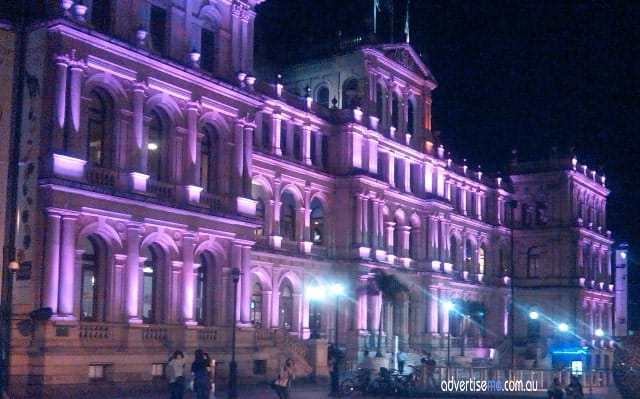
During one of our business trips to Brisbane Australia, we visited the Brisbane casino. When a colleague of mine told me the building I was looking at was the casino, I didn’t believe him. This is what I saw:


Digital Signage At Brisbane Casino

From the outside it looked like a museum, but it was not until we actually walked into the building that I couldn’t believe my eyes – it was a casino and most surprisingly digital signage was everywhere. Unfortunately I couldn’t take any photos of the screens but I noticed that each of the playing tables there was a screen displaying information. I was particularly intrigued about the roulette table, since the screen instantaneously displayed the winning number as soon as the ball landed. I stood there for a while trying to figure out how this was achieved and I came to the conclusion that the digital signage system included a sensor to determine where the number landed on the roulette table. Does anyone else know how this actually works? I also came up with the silly idea that someone watching through one of the cameras was typing this information in the system….

There were screen literally everywhere you looked; at the top of the teller stands, at the waiting areas, at the cafe, at each table and pretty much in every corner of the room. This got me thinking how maybe we should target and approach casinos with a good innovate digital signage system.

Category: Digital Signage Blog News


Digital Signage Portal reaches 300 members

digitalsignageportal-300Today, the digital signage portal (http://www.digitalsignageportal.com) has reached 300 members… although these numbers may seem small but we think it’s a good achievement considering we haven’t spent that much time to market and grow this website.

Next year we have a number of goals we plan to achieve and we have already started planning for some of these changes. One of them is offering advertising to selected digital signage companies (if you are interested please email info@digitalsignageportal.com) but more importantly we will revamp the design and layout of the website.

For those of you who haven’t visited the portal yet, what are you waiting for? Registration is free.


Category: Digital Signage Blog News


Weekend Fun: Blackberry Desktop Manager V5.0.1 – IP modem

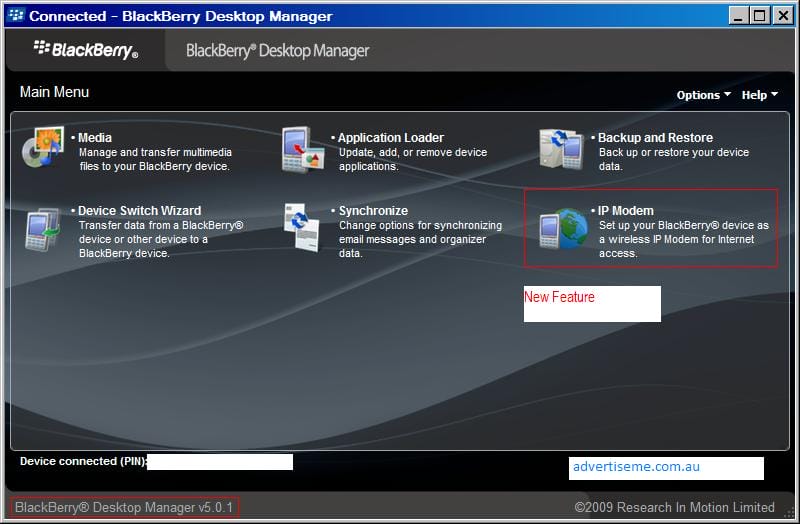
What a fun weekend!! Just recently RIM released the desktop manager v5.0.1 which introduces the feature to EASILY setup the Blackberry as an IP modem (tethered modem) and I’ve been using this all weekend.

Now, all you have to do is click on several buttons and you’ll be connected to the Internet via the Blackberry Desktop Manager – you just have to make sure your blackberry is connected to your laptop or pc. Great stuff guys! Here’s some screenshots:

Blackberry desktop manager main window

Blackberry desktop manager main window

Blackberry Desktop Manager with IP Modem window

Blackberry Desktop Manager with IP Modem window

Blackberry Desktop Manager IP Modem connected

Blackberry Desktop Manager IP Modem connected

Category: Digital Signage Techie, Digital Signage Weekend Fun, Featured Post


Thinking of ways on how to integrate Google Wave with Digital Signage

Google has recently invited selected google account members to the “google wave”, and just recently I was wondering how Advertise Me could integrate this new communication tool with digital signage. Fortunately, the digital signage players we use will allow us to quite easily integrate google wave as the system is web capable.

If I understand how google wave works correctly, it would mean that updating content will be easier than before and it may also  mean that a CMS (Content Management Server) may no longer be needed. I’ll stop here and keep pondering and brainstorming.


Do you think google wave can be integrated with digital signage?


View Results

Loading ... Loading ...


Category: Digital Signage Ideas


Open source eye tracking software

Eye tracking analytics has become one of the next big things in digital signage. We came across an open source eye tracking software which uses ordinary web cameras called opengazer. http://www.inference.phy.cam.ac.uk/opengazer/ We didn’t have enough time to test the application but here’s a video from their website:

Category: Digital Signage Blog Video


Digital Signage at Adelaide Airport

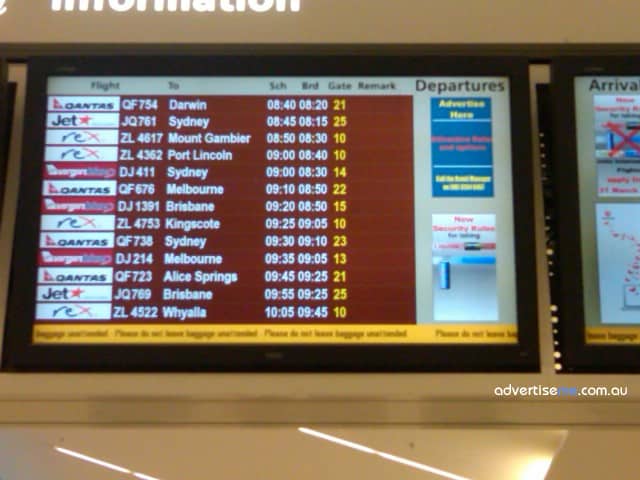
Several weeks ago I was in the Adelaide airport and I was surprised on how different the airport digital signage screens was being used and implemented there. This is what I saw:

Digital Signage At Adelaide Airport

Digital Signage At Adelaide Airport

If you look at the screen closely, you’ll notice that on the top right hand section there is a banner stating “Advertise Here…”. This is the first time I’ve seen an airport trying to promote advertising space which is great to see.

Digital Signage At Adelaide Airport

Digital Signage At Adelaide Airport


Category: Digital Signage Blog Info


Weekend Fun: Water Fountain Advertising

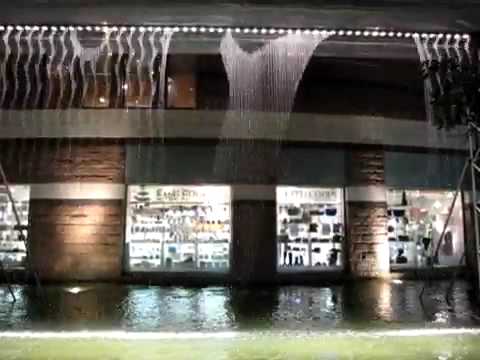
If you thought digital signage could impress with advertising, have a look at what a water fountain can do!


Category: Digital Signage Weekend Fun


Digital Signage Marketing 101 – Pleasure and Pain

digital signage is one of the fastest growing digital mediums to help businesses market and advertise their products and services. For those who have been in the industry already know what I’m talking about. Just recently, a friend of mine shared some basic 101  marketing information which I found very useful and thought I’d “pay it forward” and share this with everyone. Basically, he heard this from one of Anthony Robbin’s seminars about associating advertisements with Pain and Pleasure. From what I could understand from his explanation it went something like this:

  • We tend to avoid pain but we are attracted to pleasure.
  • Use pleasure and pain in advertisements as a call to action.
  • There was an example given for a telephone company advertisement. This advertisement showed how a son hasn’t called his mother in a while (this is associating pain) and it showed a picture of the mother being quite sad. Obviously the son was feeling guilty and by simply calling his mother, it made her happier (this is associating pleasure).

When we develop our digital signage content, do we use this marketing strategy?

Here’s an inspirational quote from Anthony Robbins:

My definition of success is to live your life in a way that causes you to feel a ton of pleasure and very little pain – and because of your lifestyle, have the people around you feel a lot more pleasure than they do pain.
- Anthony Robbins


Category: Digital Signage Blog News


Screen Dilemma: Native vs Maximum resolution

This seems to be a common dilemma amongst a number of LCD/Plasma decisions in a lot of tender projects and client requirements. Do clients really know what they are asking for, and how important is screen resolution for digital signage rollouts?

Let’s clear a few things up first.

What is Native and Maximum resolution?

Native resolution is the fixed number of pixels on the screen. For example, if your screen has a native resolution of 1280×720 pixels, this means your screen is physically made up of 1280 pixels wide and 720 pixels high.

Maximum resolution is the highest resolution that the screen is capbable to display.

Conversion and Scaling

When an incoming signal to the screen does not match the native resolution, that signal must be converted (or scaled) to be displayed correctly on the screen. So lets use the same screen above, it has a native resolution of 1280×720. If an incoming signal is 1920×1080, the screen will scale this resolution down so that it can fit on the physical dimensions of 1280×720. Likewise if an incoming signal is 1024×768, then the screen will up-scale this resolution to fit 1280×720.

This process is possible because the screen has been programmed to recognise different input signals and to convert them as such. More often than not you will have a list of all the supported input signal resolution sizes, and the highest supported resolution is your Maximum resolution.

Now that we have that out of the way, lets talk about how important is screen resolution in digital signage?

In all my digital signage years until now, I have not had to focus on optimising the quality of the display in regards to picture sharpness and contrast ratio. The general technology of the Plasma/LCD screen makes up for this. What comes out of the digital signage player is just right for the display quality. The general conversation would be on how to most effectively capture consumers attention with the type of content and how it is designed.

However recently in Australia, digital broadcasting of TV networks have become more prominent and consumers are now well aware of terms like HDTV. This presence of high definition television has entered many homes and now the retail store fronts want to show this off also. Because consumers are already aware of such technology, there is an expectation on store owners to provide this service to them.

The question comes back to client requirements. Do most clients have the proper knowledge to determine what screens they want based on what they know or what they have been told? Is it important to match the right resolution of what is coming from the digital receiver into the digital signage player, and out to the screen?

We’d like to hear your point of view on this topic. There is no right or wrong answer, as each requirements are different, but we would like to hear your thoughts.

Category: Digital Signage Blog Info, Digital Signage Techie, Featured Post


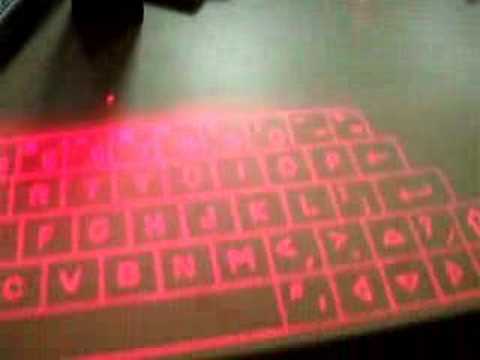
Weekend Fun: Virtual Keyboard

The other day during a digital signage client install, we were asked the question, “is there a keyboard we can install at our kiosks without it being ripped out every couple of weeks?”.
I’m not sure if this is a possible solution, but it is definitely on the right track.

Category: Digital Signage Weekend Fun


Advertise Me Interviews Concerto Digital Signage


advertise me: Hi Brian, thanks for joining us for this interview. We’re quite excited to speak to someone such as yourself about Open Source applications for digital signage.
Brian: Thanks for interviewing me! We built Concerto as students at one of America’s great tech universities because it addressed an unmet need that we saw on our campus, and we didn’t expect when we initiated the project to see it become a topic of interest for people all over the world.
Advertise Me: Let’s start with the basics – could you please explain what Open Source is, and is it really free?
Brian: Sure. Open source software is free for anyone to obtain and use, as well as modify – provided that they make their modifications open-source as well.
Advertise Me: Thank you for clearing that up. So let’s talk about your Open Source application for Digital Signage called Concerto. How did you come up with that name and what is it exactly?
Brian: First things first: Concerto is a free digital signage platform for sharing flyers, alerts, and other messages with other people by showing them on flat panel televisions and other types of screens. It’s a broadcast medium that makes it simple to make a flyer and get it out to many people quickly, but it also allows screens to show a custom mix of messages based on predefined preferences.


The name Concerto pertains to this key function. A musical concerto emphasizes one musical instrument amidst an entire orchestra, and with our digital signage product, users can emphasize one type of message amidst an entire orchestra of different types of advertising. For example, at we launched Concerto at Rensselaer Polytechnic Institute (RPI for short). At RPI, the management school has a big screen with a special zone for graphical messages. With Concerto, they just specify the types of advertisements they want to highlight, and which types they wish to exclude. So messages about management lectures might be shuffled in more frequently than student entertainment flyers and sports notices. In this way, the management school can tailor their Concerto display for the audience they hope to attract without impacting how others on campus use Concerto.

Advertise Me: Out of curiosity, how did the Concerto concept and idea start?
Brian: We started Concerto with a purpose: to improve communication within our campus community. There were already ways to tell the RPI campus community about events and other happenings before Concerto: student groups, academic departments, or individuals could print out and tape up a lot of flyers, or even put their messages on the campus cable television system. It took a lot of time and money to print out and put up lots of paper signage. The cable television system was managed by a very small group of people who had many other responsibilities aside from approving messages for cable. More importantly, that system was designed with a bureaucratic, almost corporate mindset in mind, one meant to keep control of the network regulated to only the smallest group of elite users. So we designed Concerto from the ground up to be accessible to every computer user at our school. Now we have students, staff, and faculty working together to help maintain the network. It really gives people a reason to pay attention to Concerto – they become a part of campus communication, instead of just being forced to see it.
Advertise Me: Why should someone use Concerto and what are some of the benefits?
Brian: Members of any community where events and information are often overlooked should find Concerto’s unique design to be particularly attractive. We designed Concerto first for colleges and universities, but its benefits can extend to any community looking to spread and share messages about events and other activities.


Here are some core benefits of using Concerto:

  1. Concerto allows one type of message to be highlighted amongst a huge pool of different messages. Messages are organized into categories called feeds, which can be mixed and matched differently on each separate Concerto display to cater to distinct locations and audiences.
  2. Because Concerto lives on the World Wide Web, any device that can be connected to the Internet can potentially display Concerto. That means that flat panel televisions, mobile phones, personal screensavers, and other websites can all serve as hosts for your announcements.
  3. The software is fully open source, so you can use and deploy it for free. With Concerto’s flexible architecture, many different organizations (with different budgets) can help grow your Concerto network.
Advertise Me: Since the application is free, are businesses permitted to resell this product to their clients?
Brian: Under the terms of our license, the GNU Public License (v2), our software may be resold. But this distinction is key: no company can restrict the rights associated with a copy of Concerto by denying their users access to the source code. I’ll also add that if you make a modification to our source code, you must give back those changes to the larger community. Companies may provide for-pay support and consultation packages to get our software up and running for others, but the source code must always remain free to everyone.


Advertise Me: Can Concerto be classified as a Software as a Service (SaaS)?
Brian: I guess it could be considered SaaS, but that’s not how we think most people will use it. We have our Concerto server software running on a powerful machine at RPI that serves out the content for all of the client machines across our Troy, New York campus. This server could theoretically be located somewhere off-campus, in which case every client unit would receive content over the Web. But for most administrators who wish to launch a Concerto network at a school, in a town, or elsewhere, it probably makes the most sense to locate that server somewhere nearby. I should also mention that most users of Concerto are everyday people who just want to find and share messages of interest – since they just visit Concerto in a Web browser and never see its nuts and bolts, it looks like a service that could be hosted many miles away from them.
Advertise Me: Could you please briefly explain what would be involved (hardware & software) in setting up a digital signage solution using Concerto?
Brian: Concerto is designed from the ground up to work perfectly with inexpensive, commodity hardware that anyone can purchase from websites such as Newegg.com. There’s a central server, as I already described, which is simply a computer that stores content and distributes it to each Concerto screen. The first step to deploy Concerto is to download our software at http://www.concerto-signage.com and install it on the computer that will act as the content server.


Once that’s set up, you’ll need some other computers to drive the different displays on your fledgling Concerto network. The system requirements for these units are much lower – we’ve been successful with $500 small form factor computers that have 2 GB of RAM, Intel Celeron M CPU, Ethernet connection, CompactFlash card, and DVI connection that can then be adapted for HDMI output to flat panel televisions. These client units use the Concerto player software, which can be run as a live CD or installed directly to a storage device such as a hard drive or memory card. They must be able to connect to your network and receive power.
Then each one of those computers will drive the front end Concerto display on everything from a 19-inch computer monitor to a massive 108-inch flat panel television. The display hardware is completely up to you, as long as it can receive display input from a DVI or VGA port (which can be done using an adapter).

For more information about how to deploy Concerto, please see the page at http://www.concerto-signage.com/view/deploy.

Advertise Me: How long has it taken to develop the Concerto framework and application?
Brian: We started to develop Concerto in October 2007, and launched it in March of 2008. We were all students at the time in our undergraduate studies at RPI. Since our RPI launch in March 2008, we’ve updated the
core software over ten times, adding new features and addressing bugs in response to feedback from our more than 1,000 RPI-based users.
Advertise Me: What makes Concerto so different from all the other Open Source applications in the market?
Brian: Concerto first sets itself apart from many more traditional digital signage networks by being completely based on the World Wide Web. Older signage platforms were often based on coaxial cable lines. Concerto runs over standard Ethernet cable and wireless Internet, which makes it far more versatile for many places that now have more Internet jacks than coaxial hook-ups. More importantly, Concerto displays can show content that is completely specific to a location and/or audience. Finally, Concerto is designed from the ground up to encourage hundreds or potentially thousands of users to get involved in the process of sharing messages about events and other information.
Advertise Me: What has been the most successful Concerto project thus far?
Brian: Our first and most successful network is still at RPI, but we just released the source code under our public open source license in July, so we are also working with several groups from around America to launch Concerto in their own communities. While I can’t talk specifics yet, we’ve received inquiries from companies, libraries, and other universities.
Advertise Me: Do you have any advice for people who are planning to start a business in the digital signage industry?
Brian: I would suggest that the digital signage space is ready for some new ideas. Digital signage software has traditionally been proprietary and expensive. Concerto is a free alternative that provides, for the most part, the core digital signage package. In order for future companies to be successful in this space, I think they need to do more than continue to provide the same types of products and services that we can now give away for free. The bar needs to be raised, with offerings that provide an even greater value proposition than before.
Advertise Me: Are there any plans to monetize Concerto? How are you guys going to make money, or is this a hidden secret?
Brian: Concerto started as a volunteer project, and we decided early in the game that we would not attempt to monetize the software itself. We have no hidden agendas or secrets when it comes to that. While some of our team may consider becoming digital signage consultants in the future, we will never charge for the code.
Advertise Me: This is our final question that we normally ask all of the people we interview. What do you see as the next “BIG THING” in digital signage?
Brian: We have built a platform with Concerto to enable the core features and functionality of what I like to call a “twentieth century digital signage platform.” People can buy inexpensive commodity computer hardware, connect them to small or large monitors or television displays, and build a Web-based communication network in virtually any place where there’s easy access to an Internet connection. It’s a framework of functionality that nobody has to build anymore. Instead, they can focus on what they can add to Concerto to make digital signage more effective for new audiences. Nowadays, people are looking for new ways to interact with the information that’s being spread around the world. Social networking really put the focus back on the end user, and we feel that digital signage can be made more effective by providing more ways for users to interact with the advertising they see.


One of the ideas that we’re exploring with Concerto is how we can allow direct user interaction with digital signage. As the first and simplest way of enabling this kind of exchange, we’re adding pause and rewind buttons to our screens that will allow people to stop on specific messages and roll back to what they may have missed earlier. But what I think we’re really aiming to build is a full-blown kiosk mode that gives users new abilities to find out more about specific messages and other location-based information relevant to the Concerto display and its location. For example, let’s say that I’m looking at messages playing on a Concerto screen in the lobby of a hospital. When I move close to the screen, a web cam detects my presence and the display changes to show a smaller version of the same advertisements, as well as a building map and other hospital information. I think that a new and greater push for designing experiences that combine advertising with interaction can help us to create a new type of digital signage.

Advertise Me: Brian, thanks for taking part in this interview and we hope to speak to you again in the near future. Good luck with the Concerto project and we wish you all the best.

To read more interviews click here: http://www.digitalsignageblog.com/category/digital-signage-interview/

About Concerto:

Concerto is a free, Web-based broadcast medium for digital announcements that just works. Using Concerto, it’s easy to engage large communities of people with graphical and text-based flyers, alerts, and other messages. The open source project was initiated by undergraduate students at Rensselaer Polytechnic Institute in 2008. The code can be downloaded for free at http://www.concerto-signage.com. The Concerto Project is open to developers from around the world and aims to provide a free platform for digital signage today and in the future.

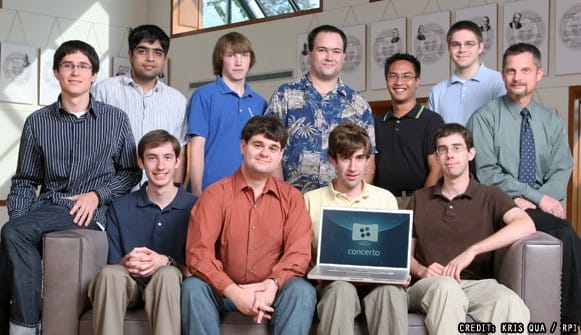
concerto_team

Credit: Kris Qua/RPI


About Advertise Me:

Advertise Me www.advertiseme.com.au

Advertise Me is a privately owned Australian company specialising in all aspects of digital signage solutions.

Our team of highly skilled professionals is able to introduce innovative ways for businesses to communicate with their intended audiences for a variety of purposes including informing, educating, entertaining and selling.

You can expect us to:

  • offer the most affordable and cost effective solutions tailored to your specific business needs.
  • provide you with concise and accurate information and will ensure that you understand and are comfortable with our proposals.
  • strive to make our clients happy and successful.

We have partnered with a number of key reputable organisations and will continue to build further partnerships to deliver the most effective solutions for our customers.

Visit our website at www.advertiseme.com.au for more information.

Category: Digital Signage Interview, Featured Post


Weekend Fun: Smallest Computer In the World

This is just funny… it physically looks like the smallest computer in the world:

Category: Digital Signage Weekend Fun


Digital Signage Portal Newsletter 2009#6

Image format not supported [image/bmp]

Digital Signage Portal Newsletter #6It’s been another busy month and we’re very delighted to see the number of members on the digital signage portal growing.

For this particular newsletter, we decided to promote our portal and showcase some of the functionalities and features the portal brings to our members. Many of you may not have the time to fully take advantage of the portal functionalities but let me remind you that by participating in forum discussions and submitting your blogs entries (just to name a few), you’re actually exposing your business to thousands of readers around the world – this is one of the many advantages of using the digital signage portal.


Lets firstly look at the digital signage portal forum. http://www.digitalsignageportal.com/Digital-Signage-Forum/

Here’s the list of some of the recent forum posts:

  Re:RePromotion launches its new ITTV software Travis@BluePony Introducing your Business Saturday, 19 September 2009  
  RePromotion launches its new ITTV software RePromotionUK Introducing your Business Friday, 18 September 2009  
  Digital Signage Site up and running. Travis@BluePony Blue Pony Wednesday, 16 September 2009  
  Off Topic Travis@BluePony General Discussion Wednesday, 09 September 2009  
  Re:Using Blue Ray technology Travis@BluePony Video Wednesday, 09 September 2009  
  Re:Blue Pony News Travis@BluePony Blue Pony Saturday, 05 September 2009  
  Blue Pony News Travis@BluePony Blue Pony Thursday, 03 September 2009  

Here, we have the facility for businesses to introduce themselves and also if you’re looking for help with digital signage, then the forum is the place to search and post. This community is based on helping one another, so head out to the forum and get involved…share your thoughts and help your fellow digital signage businesses.

Secondly, the myBlog facility allows members to submit posts (yes…. PR articles and anything you would like to share with others). Once you submit your post, other members can comment your blog posts. Sometimes maintaining a blog website can be a challenging and tedious process, so we’ve done the hard work for you so start posting now. All you have to do is login, click Write a post in your user menu located on the left hand column and start posting!!! Here’s a few example of what people have submitted:

1. In Store Signage – Does this work: http://www.digitalsignageportal.com/myBlog/In-Store-Signage-Does-it-work.htm

2. Minicom Digital Signage and The Digital Signage Show Europe announce cooperation http://www.digitalsignageportal.com/myBlog/Minicom-Digital-Signage-and-The-Digital-Signage-Show-Europe-announce-cooperation.html

So for those of you who haven’t visited the portal in a while, I encourage you to log back in and see the changes we’ve made and we do hope you can frequently participate in the portal activities. When do get a bit of time, we’re going to re-vamp this website as well so keep a lookout for this. Finally, we’re always looking for feedback so if there’s anything that you would like to see or you think we should improve let us know.

To read past newsletters click here.

Category: Digital Signage Newsletter


What do you do when your screen fails?

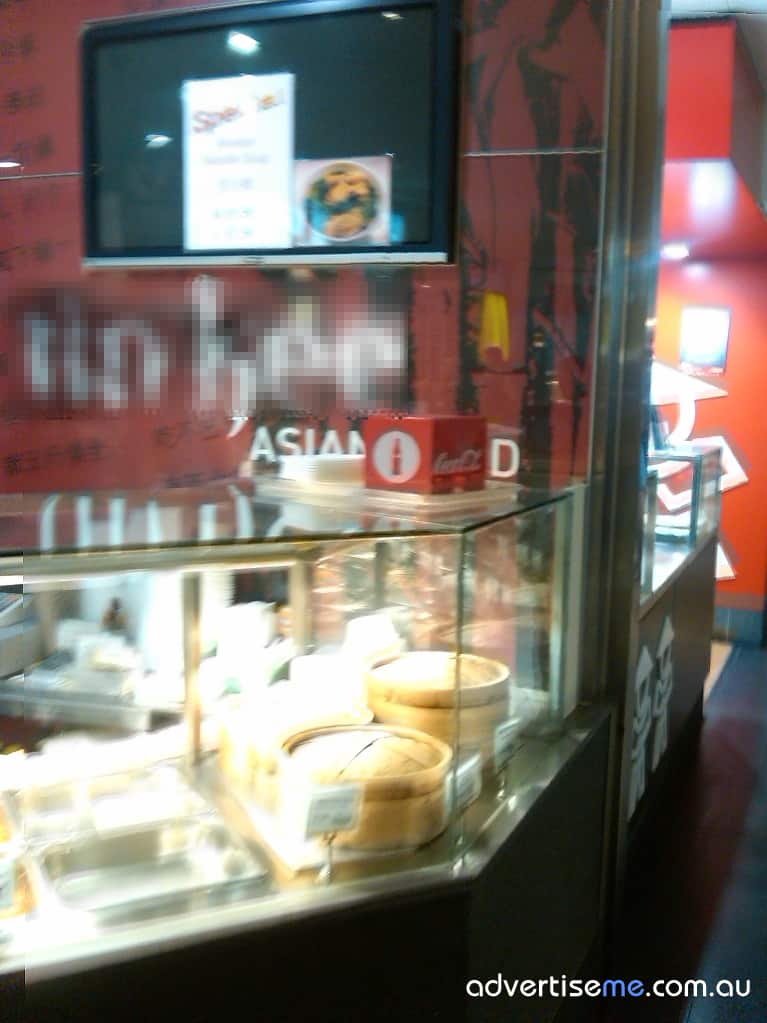
Here’s a picture I took of a takeaway store that clearly had a problem with their digital signage solution:


Digital Signage Screen Failures

Digital Signage Screen Failures


But what’s interesting is that they at least had a backup plan – ie. static posters.

So, what do you do when your screen fails?

We previously talked about this in another post called “Why Digital Signage Can Work Against You”


Category: Digital Signage Blog Info


Weekend Fun: Playing with the digital camera

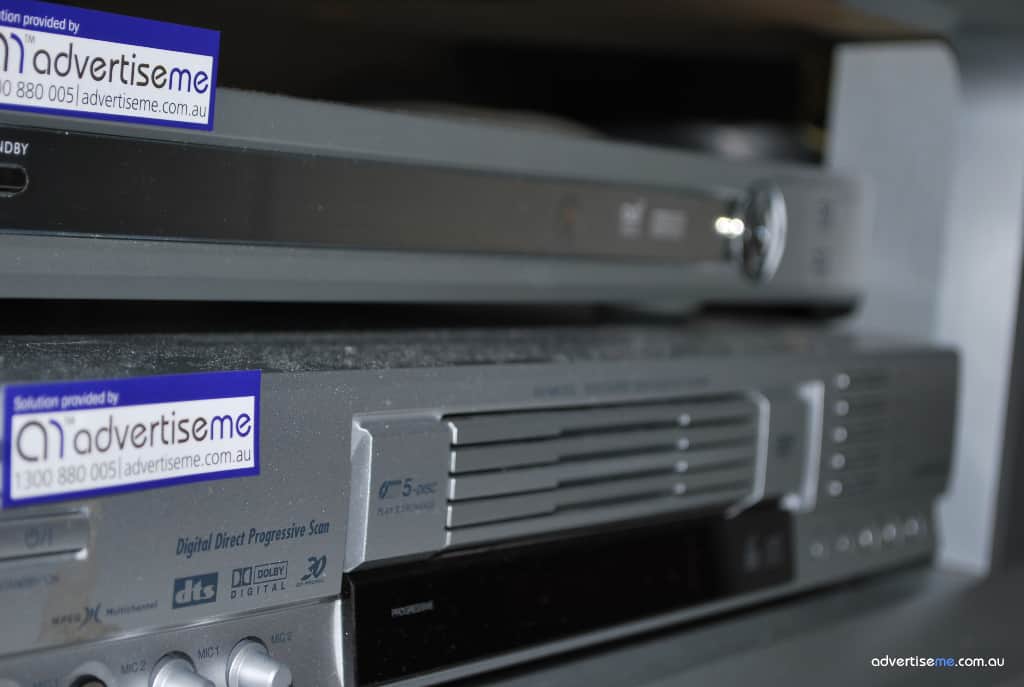
This weekend I thought I’d play around with the Nikon D60 Digital SLR camera and test my skills in trying to take those “awesome” shots. Now, since we’re in the digital signage industry I thought I’d take photos of something relating to this industry (basically anything I had lying around) and here’s what I could find:

digitalsignage_dvd_settopbox High Definition Set Top Box and DVD player. Both were connected to a rear projector screen.
digitalsignage_svideo S-video cable – this is becoming almost obsolete but you’ll be surprised on how many digital signage players are actually using this type of connectors
digitalsignage_vga Short VGA cable – at Advertise Me, we like to make sure all cables are to the correct lengths

I also took several photos of a vegetarian place I went to called Zen Oasis in Berrima Australia. We have a strong belief in our company that “a healthy body and mind allows one to achieve higher levels of growth”. The food was awesome and the environment was tranquil and peaceful. If you’re around that area, I highly recommend that you visit this place (make sure you book in advance as it’s always busy). Here’s a few photos that I took:  (by the way, I’ve had no lessons on photography so apologies if they look amateur).

zenoasisbuddha As soon as you walk into the restaurant you are greeted by this statue. For this particular photo I thought it would look good if the focus was on the flowers and this was the result.
zenoasisfood This is an all you can eat (just make sure you don’t waste the food) and there was so much variety. Yum… can’t wait to go there again.
zenoasispiano I think this is an “Awesome” shot. There is a stage with a piano surrounded by an aura of stillness.
zenoasiswishingwell copy This picture was outside the Zen oasis restaurant that showcases a big tree with a wishing well.

Category: Digital Signage Weekend Fun

« Previous Entries Next Entries »

Request a Digital Signage Quote

RSS

Or subscribe via email:
 
Digital Signage Blog Sponsors

Advertise Me Sponsorships available here!

Digital Signage Articles

Sponsored Links


Digital signage software with powerful content and scheduling tools to deliver messages, media and alerts.


Recent Comments: