
News, Products
Integrating digital signage with Sharepoint
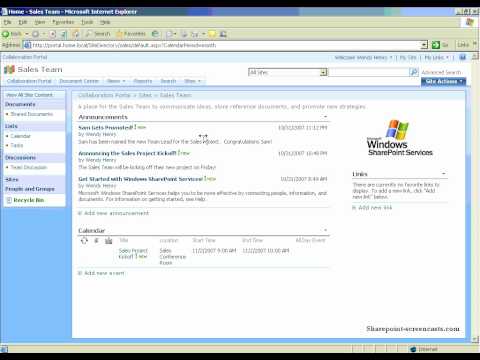
We were recently approached by an insurance company asking whether we had a solution that could easily integrate digital signage with their Sharepoint system, so we thought we might as well share this information with everyone.
Well, you may be thinking “What is Sharepoint?”. Sharepoint is actually a Microsoft Content Management System which allows business to collaborate and share information quickly and easily. Think of it as a website portal which can be used to store files, events, contacts, tasks, forms and most importantly information. Here’s a video tour of Sharepoint:
Now some companies may want to use digital signage as a communication tool and target information to staff and if this information is already centralised in the one location, SHAREPOINT, then how would you integrate your digital signage solution with this?
From our experience and based on products we have used in the past, if your digital signage player/software is able to display RSS compatible feeds then you have a system that is able to be integrated with Sharepoint – in particular the latest version 2007. With Sharepoint 2007, there is a neat feature which allows content, events, contacts, tasks and information to be displayed as an RSS feed. This is particularly useful as you don’t want to manually update the content on your digital signage player. Once you have the RSS feed, you can easily modify and display this information on the digital signage screens.
For the more advanced digital signage players and software, if your system is able to connect to the Microsoft SQL server that stores all the data, then your solution will be able to connect to the database and grab the relevant data to be displayed on the screen. As an example, if one of your clients used Sharepoint to schedule company outings and important company events then we would be able to deploy a digital signage solution which dynamically uses the RSS feed from the Sharepoint server and display this on the digital signage screen located in the main foyer. This will help remind employees of upcoming company events.
Hopefully this post has provided you with better ways on how to integrate existing systems with digital signage.
Have you seen any innovative digital signage integrations?
Feel free to submit your answer as a comment.
LIKE WHAT YOU'VE READ?
When you subscribe you will also join other Digital Signage readers who receive our content right in their mailbox. Good luck!
Our Sponsors
Comments (2)
write a comment
Latest News and Comments

INNOVATIVE RETAIL EXPERIENCES THROUGH IMMERSIVE VIDEO WALLS
Posted : February 23, 2024 at 6:06 pm

AUSTRALIAN DIGITAL SIGNAGE SOFTWARE ADVERTISEME.TV
Posted : January 5, 2024 at 3:50 pm

WHY HEALTHCARE CENTRES AND HOSPITALS NEED DIGITAL WAYFINDING
Posted : August 25, 2023 at 7:14 pm

DIGITAL WAYFINDING AT TAFE EDUCATION CENTRES
Posted : July 11, 2023 at 3:33 pm
olivia william on HOW SIGNAGES HAVE CHANGED THE MOTION OF ADS
February 19, 2021 at 6:36 pmDigital Signage Blog on How do you control a video wall using Samsung MDC?
December 29, 2020 at 9:06 pmDigital Signage Blog on How do you control a video wall using Samsung MDC?
December 29, 2020 at 9:06 pmkarim on How do you control a video wall using Samsung MDC?
December 29, 2020 at 7:22 pm
Subscribe to receive the latest digital signage news
When you subscribe you will also join other Digital Signage readers who receive our content right in their mailbox. Good luck!
Advertisements

Great digital signage application. We are striving towards top quality systems such as this one.
I have actually just developed a SharePoint driven digital signage application that uses a collaboration of jQuery and SharePoint. Pretty cool stuff