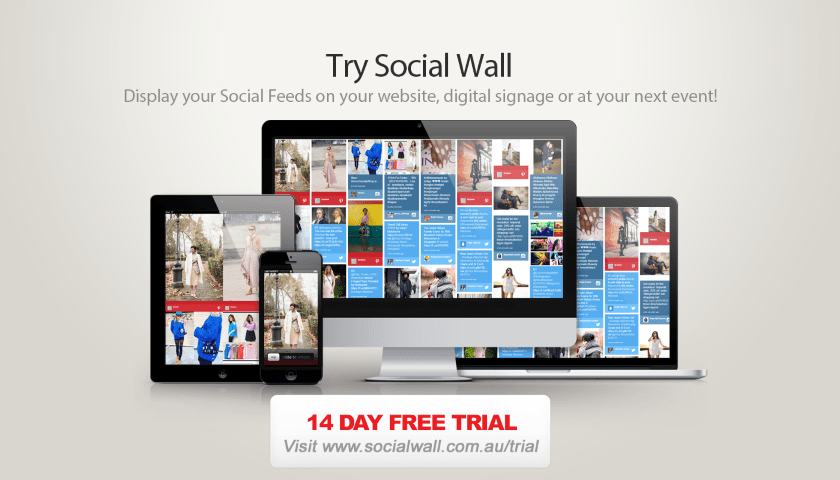

Event content is usually planned in blocks: keynote slides, sponsor loops, registration signage and the printed programme. The gaps between those blocks are where visitors feel lost. A browser-based photo album and a touchable schedule board can fill those gaps with useful, current information.
Before the doors open
Start the Interactive Expo Schedule Board with the arrival essentials: registration times, keynote locations, speaker names and any session that needs early attention. Keep the first view short. People standing at the door are scanning, not studying.
Then prepare Slideshow Photos Album with a small set of approved images so the screen looks alive from minute one. It can begin with venue details and transition into the day’s shared photography as contributions arrive.
During the programme
Use the schedule board for change. A room swap, delayed session or newly added demo should be easy to find without reprinting the whole programme. Use the photo album for momentum. The visual record gives attendees a reason to look again and gives sponsors a way to be present in the story of the day.
At the close
End with a clear onward journey: the last session, the feedback prompt, tomorrow’s opening time or a QR code to the event resources. The strongest event signage does not shout until the final frame. It makes the next useful thing obvious.
These are products made by Advertise Me for real-world digital signage environments, so they can sit inside an existing screen network and still feel intentionally designed for the room.

Map content to the moments that matter
A useful expo plan starts with the visitor journey, not with a list of assets. At arrival, people need confidence. During the first keynote, they need orientation. At the lunch break, they need discovery. Near the end of the day, they need a clear next step. Each moment has a different attention span, which means the same message should not be repeated in the same format everywhere.
Use the Interactive Expo Schedule Board for moments of active choice. A visitor should be able to see what is on, open the relevant speaker or session, and understand where to go. Use Slideshow Photos Album for moments of social recognition. It can show the people, demonstrations and interactions that make the event worth remembering. The two products support different kinds of attention, and that is why the combination is stronger than a single overloaded screen.
Create a content handover
Give the event team a one-page handover before installation. Include the event name, approved wording, room list, sponsor names, image guidelines, update responsibilities and the person who can make a final call when something changes. This is particularly helpful when a venue team, agency and exhibitor all contribute to the programme. A clear handover prevents three people from editing the same information in three different places.
For the photo experience, define who can contribute and who checks the shared album. For the schedule experience, define who owns session times and how quickly a change should reach the board. If the organiser knows the difference between live content and controlled content, the day will feel dynamic without becoming unpredictable.
Use the screen network as a service
Digital signage is often treated as a set of surfaces that need filling. A better approach treats it as a service that reduces friction. The screen at registration should reduce questions. The board outside a breakout room should reduce uncertainty. The photo wall near the lounge should help people reconnect. When the content is assigned to a need, measurement becomes more practical: ask whether visitors found the room, whether the schedule changed smoothly and whether the event created a visible sense of participation.
Do not judge the photo wall only by how many images it displays. Judge it by whether the images feel relevant, whether contributors understand how to take part and whether the display adds energy without distracting from the programme. Do not judge the schedule board only by how many sessions it contains. Judge it by whether someone can make a decision in under a minute.
The related Event Day Route article explains how these two roles can work together. For the product itself, visit Slideshow Photos Album and the Interactive Expo Schedule Board demo. You can also revisit this Slideshow Photos Album article when planning the welcome zone. Both products were created by Advertise Me, whose digital signage work connects content planning with the environments where screens are actually used.
Leave room for the unexpected
The most memorable event moments are rarely on the original run sheet. A spontaneous conversation, an especially strong demonstration or an unexpected change in the room can become part of the story visitors take home. A flexible content plan should leave room for those moments rather than filling every screen state in advance.
That flexibility is one reason to separate the two products. The Interactive Expo Schedule Board can remain precise when a schedule changes, while the Slideshow Photos Album can absorb the human moments that do not belong in a timetable. The internal Event Day Route article shows how those roles can be planned as one coherent system.
Keep the final content review short and regular. Ask whether the next useful action is obvious, whether the newest images are appropriate and whether the sponsor layer still feels connected to the event. Those three questions protect clarity while allowing the screen network to stay alive.
Before launch, ask five practical questions
- Can someone understand the first screen without a briefing? If the answer is no, reduce the number of competing messages and make the next action more visible.
- Who owns the update? Name the person responsible for schedule changes, photo moderation and the final pre-opening check.
- Does the content match the place? A screen at registration, a screen beside a stage and a screen in a lounge have different viewing conditions and different jobs.
- What happens when the programme changes? Test a room move, a delayed speaker and a new session before visitors arrive.
- What is the onward journey? Give people a useful next step, whether that is a session, a QR code, a feedback page or the next event.
These questions keep the technology in proportion. The product is important, but the visitor experience is the thing being designed. A live display earns its place when it reduces uncertainty, creates recognition or helps a person act. That is why Slideshow Photos Album and the Interactive Expo Schedule Board are best considered as parts of a content system rather than isolated features.
For a longer example of the photo-led approach, read the Slideshow Photos Album article. For the schedule-led approach, explore The Timetable You Can Touch. The tools can be tested directly through their product pages, while the surrounding articles explain how to place them in a real venue.
Both products were created by Advertise Me. That connection matters because the company understands that digital signage is not only a software decision. It is a decision about rooms, routes, attention, content ownership and the people who have to keep the experience working once the event is underway.
LIKE WHAT YOU'VE READ?
When you subscribe you will also join other Digital Signage readers who receive our content right in their mailbox. Good luck!