
When digital signage is discussed, most attention naturally goes to software platforms, content scheduling, network management, display brightness, touch capability, remote updates, and the overall visual impact of the screen once it is mounted and live in a real environment. Yet anyone who has spent time installing commercial displays in retail stores, healthcare centres, education campuses, corporate offices, council buildings, or public waiting areas knows that the success of a signage deployment is often shaped by much smaller practical details, including whether the screen is actually straight. A beautifully designed digital sign can still look unprofessional if it is mounted at a visible angle, and in locations where trust, presentation, and spatial consistency matter, even a slight tilt can make the installation feel rushed or unfinished. That is why the built in leveler tool on LG webOS digital signage screens is such a useful feature, because it helps installers and site teams verify alignment directly from the display itself without depending entirely on separate manual tools.

In commercial signage environments, precision is rarely optional. A screen that is out by only a few degrees may not seem significant while it is being lifted into place, particularly if the wall surface is uneven, the bracket adjustment is tight, or the room itself creates visual illusions. However, once the display is switched on and surrounded by architectural lines such as door frames, wall panels, shelving, counters, ceiling grids, or adjacent screens, even a slight misalignment becomes easier to notice. This is especially important in customer facing spaces where digital signage is expected to reinforce a modern, organised brand image. LG’s webOS leveler tool offers a simple but highly practical way to check whether a screen is sitting flat, reducing guesswork and helping installers achieve a cleaner finish during setup.
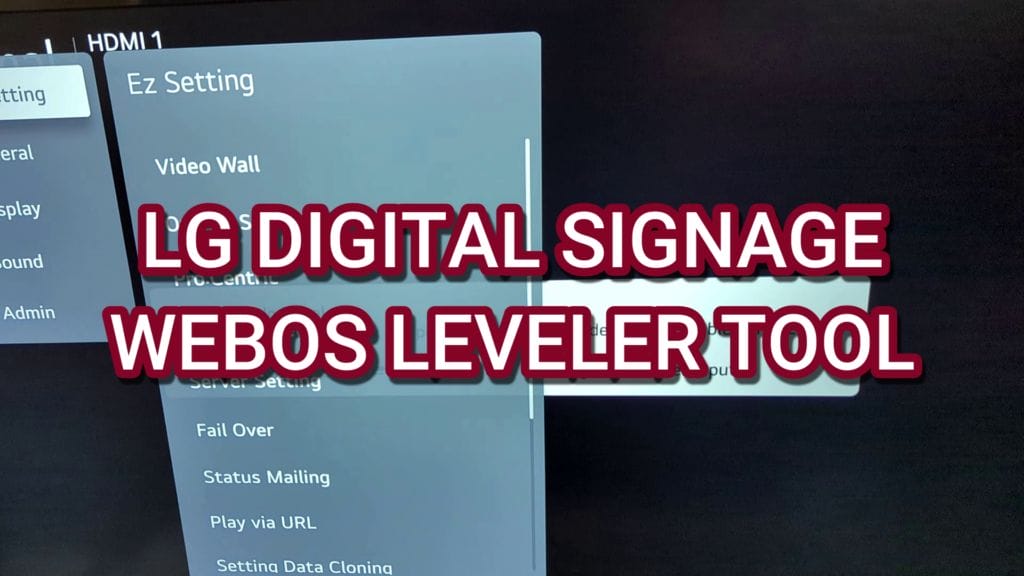
The feature highlighted in the video is not complicated, and that is precisely why it is valuable. Rather than adding another external device or requiring a separate app, LG has included the tool within the screen’s own settings interface. This makes it accessible at the exact point it is needed, during physical installation and adjustment. The process shown is straightforward. You enter the Easy Settings menu, scroll down to the leveler tool, and then use the on screen indicator to determine whether the panel is straight. In the example shown, the display is initially tilted by nine degrees, which clearly demonstrates how useful the reading can be when the panel is not yet fully aligned. Once adjusted, the tool shows zero degrees, and even the minor one degree variation caused by the screen resting on foam is visible. That level of feedback can make a real difference in installation accuracy.
Although the transcript is short, the implications for installers, AV integrators, facility managers, and digital signage operators are broader than they might first appear. A built in leveler tool represents one of those practical hardware features that often gets overlooked in sales conversations yet proves highly valuable on site. It reflects an understanding of real installation conditions, where walls are not always perfect, surfaces can be uneven, and time on site is limited. It also highlights the way commercial display manufacturers like LG continue to add installer friendly functions that support not only the operation of signage after deployment but also the quality of the deployment itself from the moment the screen is mounted.
For organisations investing in digital signage, small efficiencies matter. Whether a project involves a single reception display or a national rollout across multiple venues, installation consistency affects both presentation and long term satisfaction. A feature like the LG webOS leveler tool may not be the headline attraction in a product brochure, but in practical terms it can help prevent rework, improve finish quality, and support a more professional result. In many environments, that is exactly the kind of feature that deserves more attention.
WHY SCREEN ALIGNMENT MATTERS MORE THAN MANY TEAMS EXPECT
It is easy to underestimate the visual importance of screen alignment until a display has already been mounted and powered on. At that stage, the eye begins comparing the outer frame of the screen with every nearby line in the environment. If the top edge does not feel parallel with the ceiling, if the side bezels do not sit comfortably against wall joins, or if a display in a row appears slightly lower or more angled than the others, the installation begins to draw attention for the wrong reasons. This matters across almost every sector using digital signage, because these displays are intended to communicate clearly and confidently. A crooked screen, even by a small amount, can unintentionally suggest poor planning or weak execution.
In retail environments, presentation standards are usually high because displays contribute directly to brand perception. Visual merchandising teams invest heavily in product placement, lighting, graphics, and in store messaging, so a tilted promotional display can undermine the polish of the wider space. In healthcare, where clarity and reassurance are central to the visitor experience, a screen that looks carelessly installed may subtly affect perceptions of professionalism. In education settings, digital wayfinding and campus messaging systems need to feel reliable and easy to trust, while in corporate offices, meeting room signs, lobby displays, and internal communications screens are often part of a wider workplace design strategy. Across all of these examples, screen alignment plays a role in how the technology is perceived.
There is also a practical viewing component. If a display is visibly off level, viewers may experience the content as slightly awkward even if they cannot immediately identify the problem. Humans are highly responsive to visual balance. A menu board that tilts a little to one side, a directional sign that appears slanted, or a dashboard display that does not sit square within its wall recess can create a subtle sense of inconsistency. Over time, these details matter, particularly in spaces designed to look structured, calm, and modern. A proper level does not simply satisfy the installer’s standards. It supports the content itself by placing it within a visually stable frame.
The issue becomes even more important in multi screen deployments. Video walls, menu board arrays, transport information displays, and side by side corporate signage systems depend heavily on consistent alignment. A small angular error on one screen can affect the whole arrangement, because viewers compare each panel against the others. In these cases, installers often use laser tools, measuring systems, and careful bracket adjustment to achieve accuracy. Even so, a built in leveler tool remains useful as an immediate reference point at the screen level, helping teams verify orientation quickly during final adjustments.


Another reason alignment matters is that commercial displays are often installed in environments with imperfect surfaces. Not every wall is flat, not every bracket behaves identically under load, and not every installation point offers ideal access. In older buildings, walls may shift slightly over time. In high traffic public spaces, installation locations may be constrained by architecture, power access, line of sight, or safety rules. In these situations, the installer is not simply hanging a television in a domestic room. They are fitting a commercial communication system into a real operational environment. A tool that shows the panel’s angle directly on the screen becomes very useful because it reduces the reliance on visual judgement alone.
It is also worth noting that what appears level to the eye is not always truly level. Surrounding architecture can distort perception. A sloped floor, an uneven ceiling line, decorative panelling, or a nearby fixture that is itself not straight can all influence judgement during installation. Installers therefore need objective measurements. Traditional spirit levels remain important, but they can be awkward to use on some screen sizes, especially when multiple technicians are holding the display in place or working in tight spaces. The LG webOS leveler tool provides another layer of confirmation, helping teams refine the final position once the display is mounted and powered.
WHERE TO FIND THE LG WEBOS LEVELER TOOL
One of the strengths of the feature shown in the video is that it sits in an accessible part of the interface rather than being buried in a technical service menu that only advanced users would ever find. According to the walkthrough, the path is simple. You open Easy Settings and then scroll down to Leveler Tool. That alone says something useful about how LG expects the feature to be used. It is not treated as an obscure engineering setting. It is presented as a practical setup aid for everyday installation tasks.
This matters because ease of access influences whether installer friendly features are actually used in the field. If a helpful function requires lengthy documentation, hidden button combinations, or specialist service access, it often gets ignored during real projects where time is limited and teams are focused on getting the screen physically in place, connected, configured, and tested. By keeping the leveler tool within the standard settings flow, LG improves the chance that installers will use it as part of their normal process. In effect, it becomes one more quick verification step rather than a separate technical exercise.
The use of Easy Settings is also relevant for organisations managing their own signage installations in house. Not every screen is installed by a large AV integration team. Smaller businesses, schools, medical practices, hospitality venues, or local councils may have facilities staff or general technical teams who are comfortable mounting equipment but do not necessarily specialise in digital signage hardware. For these users, an intuitive menu structure makes a difference. Being able to navigate directly to a built in level indication without specialist training is exactly the kind of practical convenience that supports smoother deployment.
Even in larger projects, where professional installers already carry external measurement tools, the presence of the LG leveler tool can support quality control. Teams can use it during adjustment, then verify again after the mount is tightened, and check once more after any cable routing or bezel alignment work is complete. Because the reading comes from the screen itself, it offers a direct indication of the panel’s final orientation rather than just the wall bracket or surrounding frame. That distinction can be important, particularly where mounts allow post installation adjustment or where the weight of the display causes a slight shift after tightening.
The transcript demonstrates the feature in a highly practical way. The user navigates to Easy Settings, scrolls to the leveler tool, and the on screen display shows that the panel is tilted by nine degrees. This is not presented as a theoretical capability. It is shown as a real diagnostic aid during installation. The screen is then moved until the reading reaches zero degrees, confirming that it is level. Finally, the user notes that because the display is sitting on foam, it appears slightly one degree off. That detail is valuable because it reminds us that installation context always matters. Even a digital tool is only as accurate as the physical conditions around the screen, and minor support materials under the display can influence the reading.
WHAT THE LEVELER TOOL IS ACTUALLY DOING
At a practical level, the leveler tool is giving installers a visible reference for the orientation of the display relative to level. In simple terms, it tells you whether the screen is sitting straight or tilted to one side and by how much. That may sound basic, but in the context of commercial screen installation it is very useful. Instead of relying entirely on whether the frame looks right against the wall or on whether a separate level tool is positioned accurately on the bezel, you receive direct feedback through the display itself.
When the transcript mentions that the screen is slightly tilted by nine degrees, it highlights how obvious some installation errors can be once they are quantified. Nine degrees is a substantial tilt for a fixed commercial display, and although a technician might recognise that the screen is not right just by looking, seeing the exact reading on screen makes the adjustment process more confident and deliberate. Rather than nudging the panel and hoping it looks better, the installer can move it while watching the tool respond. Once the reading reaches zero degrees, there is clear confirmation that the screen has been brought into level alignment.
That real time responsiveness is important. Installers often make fine adjustments while another person watches from a distance or compares the panel against nearby lines in the room. The LG leveler tool adds a more measurable layer to that process. As the display is shifted, the reading changes, allowing the team to approach the correct position gradually rather than overcorrecting and then compensating again. This can save time, especially with heavier displays or mounts where small adjustments require effort.
It is also notable that the user in the video observes the effect of foam under the screen, resulting in a one degree offset. This serves as a reminder that commercial installation is rarely taking place under laboratory conditions. Displays may rest temporarily on packaging material, protective pads, or support wedges while being aligned. Walls may flex slightly, brackets may settle, and floor surfaces may not be perfectly true. A built in leveler tool helps reveal these variables. Instead of assuming the screen is straight because the mounting process seems complete, the installer can identify minor deviations before the job is signed off.
In a broader sense, this feature reflects the growing maturity of commercial display hardware. Manufacturers increasingly understand that digital signage is not only about panel quality and software performance but also about installation workflow, maintainability, and operational ease. A leveler tool is a good example of a feature that supports the entire deployment lifecycle. It helps at the installation stage, contributes to the finished visual quality, and may even assist later if the display is moved, remounted, or checked during maintenance.
USING THE LEVELER TOOL DURING INSTALLATION
For installers, the best use of the LG webOS leveler tool is likely as part of a wider step by step mounting process rather than as a standalone final check. A well managed installation usually begins with wall measurement, mounting point confirmation, structural assessment, bracket positioning, cable path planning, and access to power and network connections. Once the bracket is fixed and the display is hung, the visual alignment stage begins. This is where the leveler tool becomes especially useful.
A practical workflow might involve first placing the screen on the mount and checking that the locking points are engaged correctly. The installer would then power the display, access Easy Settings, open the Leveler Tool, and observe the current angle. If the reading indicates a tilt, the team can adjust the mount or the display’s position accordingly. Depending on the bracket type, this may involve shifting one side slightly, loosening and retightening a micro adjustment screw, or rebalancing how the display sits against the support arms. Because the feedback is immediate, the installer can make smaller, more accurate corrections.
Once the display reaches zero degrees, the team can tighten all adjustment points fully and then recheck the reading. This is a valuable step because some mounts shift slightly when tightened, particularly with larger screens where weight distribution changes as pressure is applied. Cable management can also affect the final position if thick power or data cables push unevenly behind the panel. A second check after cable routing helps ensure that the finished installation remains level rather than drifting during the final stages.
Another useful application is during mobile or freestanding display setup. Not every digital signage screen is mounted flush to a wall. Some are installed on trolleys, kiosks, stands, or custom enclosures. In these situations, slight floor irregularities can influence the apparent angle of the screen. The leveler tool offers a quick way to confirm whether the display itself is straight, which can help teams decide whether to adjust the stand, reposition the unit, or accept a minor environmental variation. This is particularly relevant in event settings, temporary activations, education spaces, and exhibition environments where displays are moved regularly.


The screenshot referenced at the beginning of the transcript helps frame this practical use case. It draws attention to the fact that many users may not even realise the feature exists. That is often the case with commercial hardware. Some of the most useful functions are not the ones that dominate marketing headlines, but the ones that solve small, recurring problems for real users in the field. For installation teams, a built in level indicator is one of those quietly valuable features that can improve consistency across projects.
In environments where multiple screens are being installed in a single session, this consistency becomes even more important. A hospital may be deploying waiting room displays and wayfinding screens across several departments. A university may be fitting room booking panels and campus information displays across multiple buildings. A retail chain may be updating promotional screens across a store network. In each of these cases, any tool that helps standardise installation quality is welcome. Even if each screen only saves a few minutes of adjustment time, those efficiencies add up over a rollout.
WHY BUILT IN TOOLS MATTER IN COMMERCIAL SIGNAGE DEPLOYMENTS
There is a broader point behind the LG webOS leveler tool that extends beyond the feature itself. In professional digital signage, built in utilities can have a major impact on deployment speed, support demands, and operational reliability. When manufacturers include practical functions directly within the hardware and operating system, they reduce dependence on external devices, extra software layers, and manual workaround processes. For busy installation teams and end users managing screens at scale, that matters a great deal.
Commercial signage projects can involve many moving parts. Hardware needs to arrive on schedule. Mounts and accessories need to match display sizes and site conditions. Content systems must be configured. Network permissions often need coordination with IT teams. Physical installation windows may be short, especially in live environments such as retail, healthcare, hospitality, and public service locations. In that context, any built in feature that removes friction from setup is valuable. A leveler tool may appear small compared with remote monitoring or media playback functions, but it contributes to the overall efficiency of the deployment process.
Built in tools also support a more self contained product experience. When a display can help the installer verify physical alignment without reaching for separate devices, it reinforces confidence in the hardware platform. For organisations standardising on a particular display brand, these practical benefits can influence long term purchasing decisions. It is often the total experience, rather than just the panel specification, that determines whether a product feels well suited to professional use.
This is especially relevant in distributed signage networks where installations are carried out by different teams in different locations. A central organisation may specify LG webOS displays for sites across a city, a state, or an entire country. Some installations might be handled by specialist AV contractors, while others are managed by local facilities teams. In such scenarios, consistency of process becomes important. A built in leveler tool provides one common reference method across all deployments, supporting a more uniform standard of installation even when the people on site vary.
There is also a training advantage. When useful setup features are integrated into the display interface, onboarding new technicians becomes easier. Instead of teaching a patchwork of external tools and improvised methods, trainers can point to a repeatable process within the hardware itself. Open the settings, access the leveler tool, adjust until level, verify after tightening, and complete final checks. That kind of structured workflow supports better outcomes, particularly in organisations where signage installation is only one part of a wider facilities or IT role.
THE VALUE OF SMALL FEATURES IN A PROFESSIONAL ENVIRONMENT
One of the most interesting aspects of professional technology is that the features users end up valuing most are not always the most glamorous. It is easy to focus on large specification points such as resolution, brightness, operating hours, SoC performance, touch interaction, or remote management compatibility, and all of these are important. However, in daily operational use, small practical features often leave the strongest impression. A menu that is easy to navigate, a diagnostic screen that clearly explains a fault, a scheduling interface that saves time, or a leveler tool that helps finish an installation neatly can all contribute significantly to user satisfaction.
In digital signage, this is particularly true because the technology sits at the intersection of hardware, software, physical space, branding, and ongoing operations. A screen is not just a display panel. It is part of an environment. It has to be mounted, connected, maintained, cleaned, updated, and sometimes repositioned. The more a display manufacturer can support these real world demands, the more useful the product becomes. The LG webOS leveler tool is a good example of a feature built with this practical reality in mind.
It also demonstrates an understanding of installer psychology. During setup, confidence matters. If a technician is uncertain whether a screen is truly level, they may spend extra time second guessing the result, checking from different angles, stepping back across the room, or making repeated micro adjustments. A built in readout removes some of that uncertainty. The display itself confirms the position. That can help teams work faster and with greater assurance, especially when they are installing multiple units under time pressure.
For clients and site managers, these small features can also translate into better finished outcomes. A display that sits correctly from the beginning is less likely to generate post installation complaints such as the screen looking crooked, not matching nearby fixtures, or appearing uneven beside another panel. Avoiding those callbacks saves time for everyone involved. In commercial environments, even minor installation issues can become expensive once travel, labour, and site access are considered. If a built in utility helps prevent a revisit, it has delivered tangible value.
There is a wider lesson here for digital signage buyers. When comparing hardware options, it is worth looking beyond core display specifications and asking how the product supports installation, maintenance, and day to day use. Features such as orientation settings, remote diagnostics, scheduling tools, internal playback capability, failover options, touch calibration, and physical alignment aids all contribute to the total ownership experience. The leveler tool sits firmly in that category. It may not dominate the purchasing conversation, but it can make the product better to work with in practice.
UNDERSTANDING THE DEMONSTRATION IN THE TRANSCRIPT
The transcript itself is concise, but it captures a complete practical scenario. It begins by highlighting the existence of the feature with a simple statement that many users may not know webOS digital signage screens have a built in leveler tool. That framing is important because it tells us the feature is somewhat under recognised. The user then explains how to access it by going into Easy Settings and scrolling down to Leveler Tool. This step alone makes the content useful to installers and operators who may have the hardware already but have not explored this area of the menu.
The demonstration then becomes more visual and practical. The screen shows that it is not completely flat and is slightly tilted by nine degrees. This is the point where the feature moves from being merely interesting to being clearly useful. Rather than vaguely indicating that the screen is not level, the tool provides a measurable value. The user then adjusts the screen and points out when it reaches zero degrees, which is how the display shows that it is level. That kind of direct feedback is what gives the tool practical installation value.
The final observation about the screen sitting on foam and therefore being slightly one degree off is also telling. It shows that the tool is sensitive enough to register minor physical influences and that users should be mindful of the setup context when reading the result. In real installations, temporary supports, packing material, or uneven contact points can affect orientation during adjustment. The transcript therefore not only shows the tool in use but also gives a small reminder that physical installation conditions still matter.
What makes the demonstration effective is its simplicity. There is no elaborate explanation because none is needed. The tool is easy to understand precisely because it answers a straightforward question. Is the screen level or not. In commercial technology, simplicity of function can be a major strength. Installers do not need another complex subsystem to learn. They need useful information at the right moment. That is what this feature delivers.

The second screenshot marker aligns naturally with the navigation step in the transcript, where the user goes into Easy Settings. This is an important inclusion for blog readers because interface location often determines whether a feature actually gets used. By visually reinforcing where the tool lives in the menu system, the article can help readers move quickly from awareness to practical use. In the context of a digital signage blog, that kind of operational detail is often just as valuable as broader strategy content, because it helps technicians and operators solve immediate real world tasks.
HOW THIS FITS INTO THE BROADER LG WEBOS SIGNAGE ECOSYSTEM
LG webOS has become a familiar platform in commercial signage because it combines display hardware with an integrated operating environment designed for content playback, configuration, and deployment flexibility. Much of the attention around webOS signage focuses on software compatibility, app support, content management integration, kiosk and touch use cases, and the convenience of an SoC based platform that can reduce the need for external media players in certain applications. The leveler tool sits in a different category, but it still belongs to the same broader story of making the display more self sufficient and more practical in professional use.
A commercial display platform becomes stronger when it supports both the visible and invisible aspects of deployment. The visible side includes picture quality, content presentation, interactivity, and branding impact. The invisible side includes configuration efficiency, diagnostics, hardware management, and installation support. Features like the leveler tool belong to that second category. They may not be noticed by end viewers, but they contribute to the quality and reliability of the installed outcome that those viewers experience.
This is part of why integrated commercial operating systems matter. They allow manufacturers to go beyond delivering a screen as a passive piece of hardware. Instead, they can embed utilities that improve installation and operation over time. In the case of LG webOS, the presence of a leveler tool indicates attention to the physical realities of deployment as well as the digital capabilities of the platform. That is particularly relevant in signage because the technology must work within built environments, not just within software dashboards.
For integrators and resellers, these embedded tools can also strengthen the value proposition presented to clients. When recommending a signage platform, they are not only offering image quality and software compatibility but also a more installer friendly and support friendly hardware ecosystem. A feature such as the leveler tool may not win a project on its own, but it contributes to the overall impression that the platform is designed for commercial use rather than adapted from consumer television expectations.
In sectors where site conditions vary widely, that distinction is important. A healthcare network, for example, might install screens in reception zones, corridors, waiting rooms, emergency departments, staff areas, and wayfinding points across both modern and older buildings. An education provider may deploy displays in lecture halls, libraries, student services areas, outdoor covered walkways, and digital noticeboard locations. The practical conditions in each space differ, and small built in setup aids help teams adapt more effectively on site. The LG webOS leveler tool is a modest but meaningful example of that design approach.
BEST PRACTICE TIPS FOR USING THE LEVELER TOOL EFFECTIVELY
Although the feature is simple, there are several practical ways to get better results from it during installation. The first is to use the tool after the display is fully seated on its mount but before every fixing point is finally tightened. This gives enough stability for a meaningful reading while still allowing adjustments. If the mount is locked too early, correcting a tilt may require unnecessary extra effort.
Another useful approach is to combine the leveler tool with environmental reference checks. While the screen’s own reading provides direct confirmation of orientation, installers should still step back and examine how the display sits in relation to nearby architectural lines, especially in feature walls, reception areas, and multi screen installations. A technically level screen may still appear visually awkward if the surrounding structure is itself uneven. In such cases, the installation team may need to balance true level against perceived alignment, depending on the client’s priorities and the nature of the space.
It is also sensible to remove temporary supports or packaging material before relying on the final reading. As the transcript notes, foam under the screen can introduce a slight offset. This may seem minor, but even one degree can become visible in a clean corporate or retail setting. The best final check is always performed with the display in its true finished state, including completed cable management and secured mount adjustments.
For larger screens, it can help to have one installer manage the physical adjustment while another monitors the reading on screen. This allows for more controlled movement and avoids repeated stop and start corrections. On some mount types, especially those with fine tuning mechanisms, one technician can watch the leveler tool and call out the reading as the other makes small adjustments. This can speed up the alignment process considerably.
Finally, teams should incorporate the leveler check into their standard sign off procedure. Just as installers confirm power, network connectivity, content playback, brightness settings, orientation, and any relevant app or CMS operation, they should also verify that the display is level before leaving site. Building that habit into the workflow ensures the feature becomes a consistent quality control step rather than an occasional extra.

WHY PRACTICAL INSTALLATION CONTENT DESERVES MORE ATTENTION
Digital signage publications and vendor content often focus on transformation, engagement, customer experience, analytics, and platform innovation, and those subjects are important because they show what signage can achieve strategically. At the same time, practical installation content deserves more attention than it often receives, because the effectiveness of a signage network depends heavily on how well the hardware is deployed in the real world. A display that is badly positioned, poorly aligned, difficult to maintain, or awkwardly configured can reduce the impact of even the best content strategy.
That is why short demonstrations like this one are so useful. They surface a specific, actionable capability that technicians and operators can apply immediately. There is no abstraction here. The feature either helps you mount the screen correctly or it does not. In this case, it clearly does. For readers of a digital signage blog, that kind of grounded operational insight has real value, particularly for those responsible for implementing systems rather than merely planning them at a high level.
There is also a knowledge gap in many organisations between the people selecting signage technology and the people installing or maintaining it. Procurement teams may compare products based on major specifications and vendor reputation, while facilities or AV teams deal with the realities of brackets, walls, cable paths, alignment, service access, and post installation adjustments. Articles that highlight practical hardware features can help bridge that gap by showing how certain products support the actual deployment process. The LG webOS leveler tool is a strong example of a feature that may not stand out in high level comparison sheets but can become very useful at the point of installation.
For the wider industry, there is an opportunity here to place more emphasis on the total deployment experience. Screens are not installed in idealised showrooms. They are installed in clinics, campuses, shopping centres, council facilities, transport hubs, meeting spaces, foyers, and public venues that all present different constraints. The more manufacturers, integrators, and industry publications share practical setup knowledge, the better the outcomes for end users. Sometimes progress in digital signage does not come only from major new capabilities. Sometimes it comes from making common tasks easier, more accurate, and more reliable.
A FEATURE THAT QUIETLY IMPROVES THE FINISHED RESULT
What stands out about the LG webOS leveler tool is not complexity but usefulness. It addresses a simple question that matters on almost every installation. Is the screen level. By placing that answer inside the display’s own settings, LG gives installers an immediate and convenient way to improve mounting accuracy. The transcript shows how easy the process is, from opening Easy Settings to viewing the angle, correcting the tilt, and confirming the final position. That simplicity is exactly what makes the feature practical in the field.
For digital signage professionals, small capabilities like this often have disproportionate value. They save time, reduce uncertainty, support better visual outcomes, and help avoid the kind of minor presentation issues that can linger long after installation. In a sector where professional appearance matters, and where every display contributes to the credibility of the wider communication system, getting the physical setup right is never a trivial concern. A screen that is level looks better, feels more intentional, and allows the content to do its job without distraction.
As commercial signage deployments continue to expand across retail, healthcare, education, corporate, and public sector environments, there will always be demand for tools that make implementation easier and more consistent. The LG webOS leveler tool is one of those quietly effective features that deserves to be better known, not because it changes the strategic direction of digital signage, but because it improves the quality of the installation in a direct and measurable way. In the day to day reality of professional AV and signage work, that kind of practical advantage is often exactly what makes a product more dependable to use.
WHY THE LEVELER TOOL MATTERS EVEN MORE IN MULTI SCREEN ENVIRONMENTS
Once the discussion moves beyond a single display mounted on a flat wall, the practical value of LG’s webOS Leveler Tool becomes even clearer, because many of the most demanding signage projects involve more than one screen and require a finish that feels deliberate, balanced, and architecturally integrated rather than simply functional. In these environments, a tiny error that might appear acceptable on one display can become visually amplified the moment a second or third panel is placed nearby, especially in reception areas, retail feature walls, menu board runs, transport settings, campus communications zones, and corporate installations where people naturally compare one display edge with another.
Installers already know that alignment work becomes more difficult as soon as multiple reference points are introduced, since every screen is now judged not only against the wall or ceiling but also against the neighbouring units, the spacing between them, and the overall symmetry of the layout. The Leveler Tool supports this process because it allows the team to confirm that each display has reached a consistent zero position, creating a dependable baseline before final visual checks are completed. That means the tool is not replacing installer judgement or the need for physical measuring, but it is helping reduce uncertainty at a stage where repeated micro adjustments can otherwise consume a surprising amount of time.
In a video wall style layout, even when the screens are not edge blended into a single canvas, viewers notice inconsistency very quickly because the human eye is highly sensitive to lines that should appear parallel but do not. A slight tilt on one panel can make bezels look uneven, can exaggerate gaps that are actually within tolerance, and can create the impression that the entire installation has drifted out of alignment. In customer facing environments, that is not merely an aesthetic issue. It shapes perceptions of quality, care, and reliability, all of which influence how people respond to the message being shown.
- It provides a repeatable reference point for each screen in a grouped installation
- It helps teams reduce cumulative alignment errors across a display run
- It supports cleaner bezel matching in side by side configurations
- It makes final sign off more consistent for installers and facilities staff
- It reduces the need to rely only on visual guesswork during micro adjustment
There is also a workflow advantage here that becomes more important as deployments scale, because large signage rollouts are often completed under time pressure and in spaces where access may be limited to certain hours. Retail fit outs may happen overnight. University buildings may need work completed before students arrive. Healthcare sites may allow only narrow installation windows. In those circumstances, built in tools that shorten the time between hanging a display and approving the final position are not trivial. They help teams move through installations more efficiently while still maintaining standards.

The screenshot above is especially relevant in this context because it reinforces the point that the Leveler Tool is part of a practical on screen workflow rather than an abstract specification buried in a manual. For installers working across multiple displays, the ability to access the function directly and use the screen itself as part of the setup process can simplify the last mile of alignment work, which is often where projects either look polished or fall short.
THE DIFFERENCE BETWEEN BEING INSTALLED AND BEING PROPERLY FINISHED
One of the more useful ways to think about the Leveler Tool is to see it as a feature that sits between installation and finish. A display can be physically mounted, powered, networked, and showing content, yet still not feel properly finished if the final position is slightly off. This distinction matters because commercial signage is not judged only on whether it works. It is judged on whether it looks intentional, reliable, and professionally delivered. In many environments, that last few per cent of installation quality is what separates a competent rollout from one that reflects genuine attention to detail.
Facilities managers and end users may not describe the problem in technical language, but they will often notice when a screen feels visually wrong. They may say it looks slightly crooked, or comment that something seems off compared with the wall lines, window frames, shelving, or other fittings. Those reactions are important because the value of signage is closely tied to presentation. If the hardware looks careless, it can subtly undermine confidence in the content, the organisation, and the broader customer experience.
This is why installer friendly utilities deserve more attention than they typically receive in product discussions. It is easy to focus on brightness, operating system features, content management compatibility, or remote device control, all of which are obviously important. Yet the daily reality of signage deployment also depends on small capabilities that improve physical execution, reduce friction, and help real world teams deliver cleaner results. The Leveler Tool belongs squarely in that category. It is not glamorous, but it supports the professional standard that commercial environments demand.
There is also a useful mindset shift here for buyers and specifiers. When evaluating digital signage hardware, it makes sense to ask not only what the screen can do once it is live, but also how well it supports the people who have to install, commission, maintain, and occasionally reposition it. A platform that includes thoughtful practical tools often signals that the manufacturer understands the full lifecycle of deployment rather than only the headline features used in marketing materials.
WHERE SMALL ANGLES CREATE BIG PROBLEMS
It is worth exploring in more detail why seemingly minor tilt issues create such outsized visual problems in signage environments, because this helps explain why a dedicated level function is more useful than it might initially sound. A one degree variation can appear insignificant when described numerically, yet in practice it can become immediately visible once the display is placed beside strong architectural references. Straight lines in interiors act like visual amplifiers. Door frames, ceiling grids, tile joints, shelving edges, counter lines, glazing, and adjacent screens all create context, and context is what makes a slight misalignment stand out.
In retail, for example, digital signage is often used alongside carefully planned merchandising layouts where symmetry and presentation are already being managed closely. A screen that sits slightly off level can disrupt that visual order and make even premium content feel less refined. In healthcare, where clarity and reassurance are important, crooked displays can subtly signal a lack of care in shared spaces that should feel organised and trustworthy. In education and corporate settings, where screens are used for wayfinding, room information, announcements, and internal messaging, a poor finish may not stop the content from being useful, but it can reduce the professionalism of the environment.
The issue becomes even more pronounced when signage is mounted in narrow spaces or eye level corridors where viewers approach from multiple angles. Perspective already introduces visual distortion, so any actual tilt can be exaggerated as people move through the space. The result is that an installation team may think the screen looks acceptable from one standing position while staff or visitors approaching from another direction immediately notice that it is not square. A built in tool helps reduce that ambiguity because it gives the team an objective measure before the final walk around inspection begins.
Another common challenge appears after cable routing or final tightening. Many installers have experienced the moment when a display seemed level during the initial mount stage but shifted slightly once everything was secured and dressed. The article earlier touched on this practical reality, and it deserves repeating because it is exactly the kind of real world detail that makes the Leveler Tool valuable. Commercial installations are not completed in perfect lab conditions. Small shifts happen. Mounting tension changes. Surfaces are not always perfectly true. Accessories add pressure. A quick on screen recheck at the final stage helps catch those changes before the team leaves site.
Common situations where level accuracy becomes highly visible
- Side by side menu boards in quick service restaurants
- Portrait displays in lift lobbies and reception zones
- Wall mounted screens above counters or service desks
- Meeting room signage installed along long corridor lines
- Healthcare communications displays near ceiling grids and wall trims
- Retail campaign screens positioned beside shelving and lightboxes
- Campus and education signage in areas with repeated architectural geometry
Seen in that light, the Leveler Tool is not about perfectionism for its own sake. It is about controlling a highly visible variable that directly affects how the installation is perceived. That is a sensible priority for any organisation investing in signage as a communication medium and a branded physical asset.
USING THE TOOL AS PART OF A QUALITY ASSURANCE PROCESS
Another reason this feature deserves attention is that it fits naturally into a broader quality assurance approach, which is especially helpful for integrators, rollout teams, and organisations standardising signage across multiple locations. The most effective deployments usually rely on repeatable processes rather than individual judgement alone, because consistency becomes much easier to maintain when each site follows the same sequence of checks. The Leveler Tool can be integrated into that sequence very easily.
A practical installation checklist might include confirming bracket position, checking wall suitability, verifying display orientation, confirming power and network access, running the initial boot sequence, accessing webOS settings, opening the Leveler Tool, making mount adjustments, tightening hardware, rerunning the level check, then performing a final visual review from several positions in the space. When this routine is used repeatedly, it helps reduce the variation that naturally appears when different technicians, subcontractors, or in house teams are working across multiple sites.
That matters not only for visual consistency but also for accountability. If a facilities team receives complaints that one site looks uneven compared with another, a documented process that includes a level confirmation step makes it easier to identify whether the issue arose during install, after maintenance, or due to later physical interference. In other words, practical built in features can support better records and cleaner handover, not just better mounting.
For larger organisations, this approach can also support training. New technicians and site staff often benefit from tools that make hidden variables more visible. Explaining that a screen should be level is one thing. Showing an on screen tool that confirms the exact orientation makes the concept easier to apply consistently. That is especially useful in mixed skill environments where some locations rely on specialist AV teams while others are supported by general technical or facilities staff.

The screenshot at this stage works well because it reinforces the operational side of the feature, showing that this is not a vague promise of easier installation but a concrete utility available within the display environment itself. For quality assurance purposes, that visibility matters. Teams can build around tools they can easily access, understand, and demonstrate during setup and sign off.
WHY THIS IS RELEVANT TO BUYERS AND NOT JUST INSTALLERS
It may be tempting to view the Leveler Tool as something only installers need to care about, but that would miss a broader point about how signage purchasing decisions should be evaluated. Buyers are not simply selecting a panel. They are choosing a deployment experience, an ownership experience, and a support experience. Features that reduce installation complexity, improve finish quality, and support consistency across sites have a direct effect on total project outcomes, even if they do not appear at the top of a product comparison sheet.
For end users, a display that is easier to install properly can contribute to lower labour time, fewer return visits, cleaner rollout schedules, and less post installation friction. That has commercial value. If a built in utility helps an installer finish faster or avoid a callback to correct an alignment complaint, the benefit is real even though it does not present as a headline technology feature. Over many screens and many sites, small efficiencies accumulate.
This is particularly relevant for franchise groups, health networks, education providers, councils, and enterprise organisations deploying signage at scale. In those settings, the challenge is rarely limited to choosing a capable screen. The bigger challenge is implementing that screen repeatedly and consistently across different buildings, walls, installers, and local constraints. Any feature that contributes to standardisation deserves attention, because standardisation is one of the quiet drivers of cost control and presentation quality in commercial signage programmes.
There is also a reputational dimension. Signage often sits in prominent public spaces where the quality of installation is constantly visible to customers, visitors, patients, students, and staff. An organisation may spend substantial amounts on design, content strategy, scheduling, network infrastructure, and media creation, only to let the overall impression down through poor physical finish. Buyers who understand this will naturally place more value on hardware ecosystems that support the last practical stages of deployment rather than treating them as someone else’s problem.
- Better installation support can reduce project delays
- Cleaner setup processes can improve consistency across branches or campuses
- Fewer alignment issues can mean fewer service requests after go live
- Higher finish quality can strengthen brand presentation in public spaces
- Installer friendly features can make procurement choices more resilient over time
THE LEVELER TOOL IN THE CONTEXT OF LG WEBOS AS A COMMERCIAL PLATFORM
Looking at the feature in isolation is useful, but it becomes more meaningful when considered as part of LG’s broader webOS signage environment, which has long aimed to make commercial displays more self sufficient, manageable, and practical for real world deployments. The value of a platform is not only in its app support, content capabilities, remote management options, or interface familiarity, but also in the extent to which it anticipates what happens before and after the content starts playing. Installation is part of that lifecycle, and so are maintenance, adjustment, and support.
When a display includes utilities that help technicians during commissioning, it suggests a design philosophy that takes deployment seriously. That is important in commercial hardware because the people specifying the product are rarely the only people interacting with it. Integrators, electricians, facilities teams, on site managers, and support technicians may all need to navigate settings, troubleshoot issues, or make physical corrections over the life of the screen. Tools that are accessible through the native interface reduce dependency on external workarounds and make the display itself a more useful participant in the process.
In that sense, the Leveler Tool reflects a wider truth about mature commercial ecosystems. Good platforms are not defined only by dramatic features. They are often defined by the accumulation of practical design decisions that make everyday work smoother. A signage deployment can look simple from the outside, but anyone involved in delivery knows how many small details have to align for the final result to feel effortless. When a manufacturer addresses those details, the product tends to perform better in the field because it respects the reality of field conditions.
This is also one reason why transcript style demonstrations of practical functions are so valuable. They show the product behaving in the kind of straightforward scenario that actually matters to technicians. In this case, the demonstration of a display reading nine degrees off before being adjusted to zero captures the exact kind of utility that can be overlooked in abstract product discussions but appreciated immediately by anyone who has mounted commercial screens in live environments.
HOW FACILITIES TEAMS CAN BENEFIT AFTER THE INITIAL INSTALLATION
Although the Leveler Tool is most obviously useful during first time deployment, it can also remain relevant long after the original installation team has left site, because digital signage is rarely a set and forget asset in the physical sense. Displays get cleaned, repositioned, serviced, inspected, and in some cases disturbed by nearby building works, mount adjustments, accidental knocks, or gradual settling in the surrounding structure. In these situations, a built in level check can be a practical advantage for facilities teams that need to verify a screen quickly without arranging a full specialist visit just to confirm whether the unit has shifted.
This point matters because many organisations do not operate with the same people throughout the signage lifecycle. The team that procured the screens may not be the team that maintains the site. The AV integrator may not be present for every minor adjustment. A local facilities coordinator or technical officer may be the person who first notices a display has drifted slightly or no longer looks right after other work in the area. If that person can access a simple on screen utility to confirm orientation, the issue becomes easier to diagnose and easier to discuss with external support if further action is needed.
There is also a practical handover benefit. When installers can show local staff where the Leveler Tool sits within Easy Settings and explain when to use it, the organisation gains a little more autonomy. That does not eliminate the need for professional assistance where required, but it does mean small checks can be handled more confidently. In large estates or distributed networks, those small self service capabilities can save time and reduce friction between site teams and central support functions.
For example, if a school campus has several signage points and one appears slightly tilted after holiday maintenance works, the relevant staff member can verify the issue directly on the screen before logging a request. If a healthcare reception refurbishes its counter and nearby wall panelling, a facilities coordinator can confirm that the display still sits correctly against the new visual lines. If a retailer refreshes fixtures around a display, store operations can quickly check whether the screen remains level in relation to the updated environment. In all these cases, the tool supports a faster and more informed response.
Post installation scenarios where the tool can still be useful
- After nearby painting, refurbishment, or fixture replacement
- Following accidental contact with a mount or screen edge
- During routine site inspections and presentation audits
- When troubleshooting complaints about a display looking uneven
- Before photographing or signing off refreshed fit outs
THE ROLE OF VISUAL STANDARDS IN DIGITAL SIGNAGE SUCCESS
One theme that often sits in the background of signage discussions is the importance of visual standards, not just in the creative sense but in the physical presentation of hardware. Organisations usually understand the need for brand consistency in colours, typography, messaging, and campaign timing, yet the physical consistency of display placement can be just as important in shaping how professional the network feels. A cleanly levelled screen contributes to that consistency in a direct and immediately visible way.
This becomes especially important in environments where signage functions as part of a broader branded experience. Corporate offices want reception areas to feel polished and intentional. Retailers want campaign displays to align with fixture planning and store design. Universities want communication points to feel consistent across campus. Councils and public facilities want digital information systems to appear reliable and well maintained. In each case, the screen is not an isolated object. It is part of the environment, and the environment is part of the message.
From that perspective, the Leveler Tool supports more than technical accuracy. It supports visual governance. It gives teams a way to maintain a standard that can otherwise become subjective, particularly when different sites are managed by different people. That may sound like a small distinction, but anyone responsible for multi site brand presentation knows how easily inconsistency creeps in through tiny practical variations. A display mounted fractionally off at one location may not trigger an urgent complaint, yet over time those small variations weaken the sense that the network is being managed to a unified standard.
There is also a useful connection here to photography and documentation. Signage installations are often photographed for internal reports, case studies, vendor references, compliance records, and stakeholder updates. Screens that are not level tend to look worse in photographs than they may appear in passing, because the camera frame exaggerates misalignment against vertical and horizontal references. A simple level check before final images are captured can therefore make documentation look stronger and more representative of the project quality that the team intended to deliver.

The screenshot here fits naturally because it anchors the discussion in the visual reality of the tool itself, reminding the reader that this is a readily accessible feature tied to practical outcomes in the field. Whether the goal is brand consistency, installation sign off, or routine inspection, a visible and easy to use reference point makes standards easier to maintain.
TRAINING, DOCUMENTATION, AND ROLLOUT DISCIPLINE
For organisations and integrators developing repeatable deployment methods, the Leveler Tool can also be useful as a training and documentation reference. Many rollout problems do not occur because teams lack effort or professionalism, but because processes are inconsistently applied from one location to the next. Training materials often cover network setup, content loading, safety steps, and hardware handling, yet final alignment checks may receive less attention than they deserve, even though they are among the most visible determinants of perceived quality.
Including a specific level verification step in installation manuals, site acceptance forms, and onboarding guides can help raise the standard of execution. The fact that LG provides an on screen function for this purpose makes the guidance more concrete. Instead of telling teams only to ensure that the display looks straight, documentation can instruct them to access Easy Settings, open the Leveler Tool, confirm the reading, and complete final visual verification before sign off. That sequence is more precise, easier to teach, and easier to audit.
For AV integrators managing subcontractors, this can be particularly useful. Clear, device based checks help standardise expectations across crews. For in house estates teams, they support confidence and consistency when personnel change. For franchise operations, they can form part of a site opening checklist. For national programmes, they can be included in commissioning templates and photographic proof procedures. Again, the point is not that the tool does everything on its own, but that it provides a stable reference around which good process can be built.
- Add the Leveler Tool check to installation worksheets
- Include a final orientation confirmation in site sign off forms
- Train local support staff on where the tool is located
- Capture installation photos only after level verification
- Use the same process across all branches, campuses, or departments
In a market where digital signage is increasingly expected to scale cleanly across many locations, this kind of rollout discipline matters. Hardware features that support it are worth noticing because they make high standards easier to repeat rather than relying on best efforts alone.
WHY PRACTICAL PRODUCT DESIGN OFTEN HAS THE LONGEST LASTING VALUE
There is a broader lesson in all of this that extends beyond one specific utility, and it is that practical product design often delivers some of the longest lasting value in commercial technology. Headline features can attract attention during procurement, but the capabilities that continue to matter years later are often the ones that simplify real work, reduce avoidable errors, and make day to day operations more manageable. The Leveler Tool is a good example because it addresses a simple, recurring problem that will remain relevant for as long as screens are physically mounted in real buildings with imperfect surfaces and visible sight lines.
Commercial signage buyers are increasingly sophisticated, and many now understand that device quality is about more than panel performance. It is about serviceability, management, usability, integration, and practical deployment support. As networks expand and internal teams are asked to do more with limited time, features that make hardware easier to install and maintain become more strategically important. That is one reason why small utilities can end up having disproportionate value. They help organisations preserve quality without constantly increasing effort.
It is also why articles and demonstrations that focus on these grounded details deserve space in the conversation. The industry rightly spends time discussing software platforms, audience engagement, analytics, sustainability, and creative strategy, but none of those themes removes the need for a display to be physically well installed. The most advanced content strategy in the world will still be presented through hardware that people see first as an object in space. If that object looks crooked, the message begins at a disadvantage.

WHAT THIS TELLS US ABOUT GOOD SIGNAGE DEPLOYMENT
If there is one practical takeaway from the Leveler Tool, it is that good signage deployment is built from the accumulation of disciplined, sometimes understated decisions. Choosing the right screen matters. Selecting the right software matters. Planning content, scheduling, mounting height, viewing angles, power access, and network resilience all matter. Yet the final outcome also depends on whether the display is presented with the level of care that the environment demands. Precision in the last stage of installation is not a cosmetic extra. It is part of delivering the project properly.
LG’s built in level function is useful because it supports that precision in a way that is immediate, accessible, and relevant to everyday field conditions. It helps installers refine alignment while the screen is on the wall. It helps teams working across multiple units create more consistent results. It gives facilities staff a practical reference after handover. It contributes to cleaner quality assurance and better rollout discipline. Most importantly, it reinforces the idea that commercial display design should support not only what appears on the screen, but also the reality of getting the screen right in the first place.
That is why this feature resonates beyond its apparent simplicity. It represents the kind of thoughtful, installer aware design choice that often determines whether a product feels easy to live with in actual deployments. In a sector where attention is frequently directed toward large strategic questions, it is worth remembering that trust in a signage network is also built through small visible signals of competence. A level display may seem like a modest achievement, but in busy public environments it is one of the first indicators that the installation has been done with care, and that care is exactly what people notice even when they do not consciously realise they are noticing it.


LIKE WHAT YOU'VE READ?
When you subscribe you will also join other Digital Signage readers who receive our content right in their mailbox. Good luck!

Our Sponsors
- Advertise Me

We provide custom digital advertising solutions. We supply display screens, Video Walls, Touchscreens, Wayfinding, WordPress Plugins, create custom applications and basically implement any technology that is innovative.
- Social Wall

Social Wall is a simple and easy to use tool to aggregate and display social media posts on any digital medium
- Digital Wayfinding Solutions

Digital Wayfinding Solutions provides custom made digital wayfinding hardware and software
- ePosters

ePosters - interactive digital signage posters solutions
