
Digital Signage Blog Archives
Posts Tagged ‘screens’
First Video I saw from Digital Signage Expo 2011
Today I stumbled across a video from CyberTouchAV at the digital signage Expo 2011. This video showcased the Mitsubishi touchscreen panels – we’re actually resellers of the Mitsubishi screens so we’re more than happy to showcase this video. Single and multi-touch panels are now becoming more affordable and easier to implement. Here’s the video:
If there’s any other videos from the Digital Signage Expo let us know and we’re more than happy to share this with our readers.
Category: Digital Signage Blog News, Digital Signage Blog Video
Successful Digital Signage at Bach Real Estate
We were proud and honoured to have been involved with the implementation of a digital signage solution for Bach Real Estate.
About Bach Real Estate
Bach Real Estate was established by Le and Nina Bach in a quest to provide a personalised and genuine level of service to vendors, buyers, landlords and tenants alike in the residential property industry.
After years of running their own successful businesses, it has always been Le and Nina’s intention to get into the property industry. Through their own experiences in dealing with various real estate agents in buying and selling properties, they saw that there was great room for improvement in the standard of delivering property services.
After a few light discussions on the ordinary services provided by real estate agents, serious research was conducted to establish if there was such a gap in the industry. This was the driving force that led the establishment of Bach Real Estate – to fill the gap in the quality of services that exist.
Bach Real Estate’s mission is to provide integrity in their services – that is being Committed in doing what they say. In working with their clients, they are Determined to understand the needs and achieving the Results that the clients want.
The requirements
Being a young and innovative business, Bach Real Estate wanted to stand out from their competitors and use the latest digital technology to their advantage whilst being very conscious on the environment. Instead of using the traditional static paper based property listings at the front of their office, Bach Real Estate engaged advertise me to install a digital signage solution that would engage and attract attention from people walking past. The solution needed to display property listings, advertisements and marketing materials.
The solution
The solution we provided is simple, affordable and scalable. Two 46″ LED screens with a built in ad player was installed at the front of their office and this solution allows the business to eventually expand to an enterprise network down the track.
The ad player allows the business to play videos, text and images in zones or as a full screen. What makes this solution different is the ability to have PIP (Picture in Picture) as one of the zones and also gives the ability for an external video source (using HDMI, VGA, Svideo) to be connected to the screen.
In addition, the ceiling poles were customised to suit the location of the screens.
We wish Bach Real Estate all the best with their business and their future ventures. View our portfolio here.
Here’s some fun and interesting images of the opening day:
Category: Digital Signage Case Study
Digital Signage Projects for 2011
What a great start to 2011. This month we will be working with clients in different industries; one is a large government agency with a roll out of 17 screens and players. Another one is in the real estate industry and the last one is a University. We will blog more about each project in the next couple of weeks.
digital signage is constantly growing and becoming more popular in Australia. Let advertise me help your business realise the benefits of digital signage and digital technology.
Category: Digital Signage Blog News
Digital signage Klips bunnings digital signage

In Australia, we love our Bunnings and we noticed how they are using small digital signage screens in their warehouse. I guess the idea is to show product video and information to people interested in the product.
Category: Digital Signage Klips
Christmas is just around the corner – use digital signage to increase sales!
Christmas is just around the corner and retail stores should take the opportunity to install a digital signage signage for their business during this festive season. The benefits are simple:
1. draw more customers into your stores with a christmas theme on the screens
2. showcase special christmas products on the screens
3. announcements and greeting your customers e.g “Merry Christmas and Happy New Year”
4. make more money… don’t worry about the ROI you’ll certainly make you’re money back within the first 2 years.
5. stand out from your competitors
If your store needs to stand out then digital signage is the most cost effective solution.
Category: Digital Signage Blog Info
Commercial vs Retail screens
I always get disappointed and frustrated when I see a residential screen installed in a retail store or restaurant. But more importantly I always wonder whether the store owner had any idea of what they were getting themselves into when they decided to purchase a residential screen (yes… it’s obviously cheaper!!!) but can you really use it in a commercial environment?
What most people don’t know is that if a residential screen is installed in a commercial environment the warranty may become void. So check the warranty before installing residential screens. Another big difference between Commercial and Residential Screens is that most commercial grade screens do not have internal TV tuner cards – you’ll generally need to purchase this as an additional module or item. What I find most interesting is that most restaurants with screens just display live TV rather than promote their products or menu items. This could be a reason why these types of businesses would want to use retail screens or maybe they don’t realise what they can use this real estate for.
As I mentioned before retail screens are cheaper. Most businesses use price to make their final purchasing decision so when submitting your next proposal keep in mind that your competitor’s prices could be cheaper than yours. Commercial screens are designed to be left on for long periods of time and will last longer.
I also believe there is a myth that using retails screens means you can install the screen yourself and that for commercial screens you need a skilled and professional installer. Both are equally the same and if can install a retail screen then you will most likely be able to install a commercial screen but we highly recommend you have a skilled professional install the screens.
Category: Digital Signage Blog News
Is your digital signage system DLNA certified?
I was doing some research about the upcoming release of the HTC Desire HD – what an impressive little mobile phone!!!… anyways I was reading the technical specifications of the unit and came across the terminology DLNA i.e “Share videos, photos, or music from your phone to your TV via DLNA®” and I asked myself what the heck is DNLA? After a bit of research I found out that DNLA stands for Digital Living Network Alliance and it’s a non profit organisation with 245 member companies. All the major screen manufacturers are members of the DNLA and the goal of the organisation is to use a specific standard based technology to make it easier for consumers to use, share digital photos, music and videos. That’s when it hit me and I started thinking on how digital signage systems could easily fall into this category. Does anyone know of any Digital Signage system manufacturer that is DNLA certified? At advertise me, we are not a digital signage manufacturer but if we were, we would spend the time and money to become DLNA certified so that our digital signage system can be easily integrated with other DLNA certified devices like Panasonic screen or even other Digital Signage players.
If your interested in learning more on how to become DNLA certified or know more about DNLA then visit http://www.dlna.org
Category: Digital Signage Blog News
Digital Signage on The Social Network
For those of you who have watched the facebook movie, “The Social Network” did you notice the video wall at the scene when facebook reached past the 1 millionth member? Although the video wall was just displaying the countdown, it did show us how screens can be used in corporate environments to show information to the wider audience. So, I was wondering whether any company or business has integrated facebook to their digital signage system?
Category: Digital Signage Blog News
Weekend Fun: How many screens are there in the Shinagawa Station Tokyo tunnel?
I came across a video on youtube called “??? digital signage Sinagawa Station Tokyo” – I don’t know what the first 3 Japanese Characters are but I think they spelt the name of the station incorrectly…
Anyways, the first 1 1/2 minute of the video is quite boring so if you are going to watch the video make sure you start from 1:30. From there it get’s interesting and I was amazed to see the number of screen located in the tunnel. I did a quick count and if my maths is correct there was 44 screens just in the tunnel – geezzz that’s a lot of screens in the space of a few meters. Keep in mind that this must be a high traffic area so there’s $$$$$ revenue for advertising. Great work for whoever came up with this implementation.
Oh and he’s the video if you want to watch it… the end is quite boring as well.
Category: Digital Signage Weekend Fun
Digital Signage Klip: Digital Signage is easy at EazyWay
I was walking past one of the most popular locations in Sydney Australia and noticed the first digital menu board for EasyWay. There were three large screens on the back wall and each had a different menu listing or image displayed. Digital Menu boards are now becoming more popular for take away stores and outlets.
Category: Digital Signage Klips
Digital Signage for real estates
digital signage is becoming quite popular for the real estate industry. I’ve seen quite a number of digital signage implementations from various companies and they all to appear quite effective. Some also includes touchscreens but what I found quite amusing was that people still don’t really know how to use these. I saw a lady last week trying to interact with the screen and she couldn’t browse through the properties … if only I had a video camera. I could tell she was quite frustrated with it and just walked away after a few minutes.
Lesson learnt #1: If you are deciding to use a touch screen, make sure you target users that don’t know how to use computers and technology.
Lesson learnt #2: Maybe schedule the screen to be turned off if the office is not open. I don’t see the point in having the screens turned on if the potential buyer can’t talk to someone about it.
Category: Digital Signage Blog News
Digital Signage Klip: Spot the problem on this screen
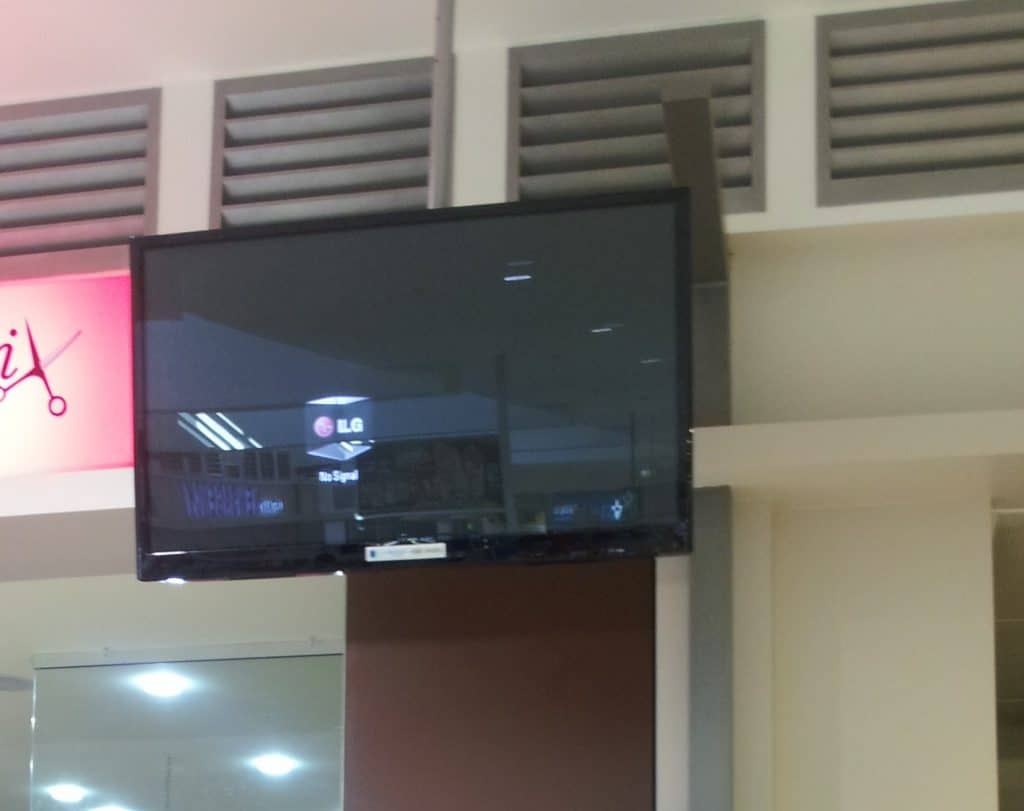
We noticed a problem on a particular screen and took a quick snapshot of it- hence the bad quality. But if you look closely you’ll notice the error. Can you see it?
If you look closely you’ll notice scroll bars on the screen located on the left hand side. The content that was being played was a video and the player that was actually used was realplayer.
Here’s a picture of where the scroll bars was located:
So really, my guess is that the device connected to these screens was a PC with generic and standard software installed. For some retail stores, this setup is pretty common as it all comes down to budget and costings.
Category: Digital Signage Klips
Multitouch Whiteboards for Schools and Meeting Rooms
Multitouch whiteboards are now becoming quite popular in schools and meeting rooms. In particular, having the ability to share content, collaborate information with others at the same time is something of the past. Being authorised resellers of Panasonic we want to introduce our readers the latest multitouch whiteboard UB-T880 (77″) from panasonic. This unit was launched in Australia last month and they have been available in the US and other parts of the country for a while. The cost for one of this unit is RRP $2,869 but we’ll be able to hopefully reduce this price. For those that want bigger screens you can get the UB-T781W – obviously for a higher cost.
Below is a video demonstration from Panasonic. As you can clearly see from the video there are many uses and industries this whiteboard can be used in. If you think about it, this can also be used for digital signage implementations…
Category: Digital Signage Blog News, Digital Signage Reviews
Panasonic Announcing Australia’s largest Full HD 3D Plasma Display
This month, Panasonic Australia announced the largest full HD 3D plasma display screen (103-inch commercial grade screen) that will be launched in 2011 along with the 85-inch 3D display. For some of the features read this post. My guess is that 3D will be quite popular in 2011 which means the traditional Plasma or LCD 2D screens will become more affordable – this equates to more digital signage implementations for everyone.
Category: Digital Signage Blog News
No digital signage at voting centres Australian Election 2010
This weekend every australia citizen had to vote for a new government. When I attended my local voting centre I noticed how digital signage was not there. There was a lot of the traditional papers being distributed as well as posters but there was no signs of screens or audio systems. I was disappointed when I saw this and want the politicians to know how digital signage can be utilised at election events. Here are my thoughts:
1. Communicate and engage the public – many of us don’t know who we are voting for and why we should vote for someone or for their party. I honestly didn’t have a clue who was an the ballot. I did see the ads on TV from both parties but I’m pretty sure most of us don’t have time to watch the ads so we wouldn’t have most likely have seen the ads. Engaging the public at an election event is very critical and obviously both parties want any vote that they can get. So what better way to engage the people through a digital signage system. The set up would be very simple or complex. The same marketing concept ‘making a purchasing decision at the counter’ will still apply here. If the politicians engaged the audience through a video to explain their promises to the community then at the last minute the voters may be swayed to vote for them. I believe its quite important to do this especially before the voters make their final decision.
2. Instructions – I found that there were no clear instructions for voters who were not able to understand English. My guess most of these people had a blank vote. It would have been good if there was a kiosk or screen explaining what to do in English. Even maybe an iphone app.
3. Digital voting screen – I still don’t understand why we can’t vote online or through a digital system like a touchscreen or kiosk. We should use technology at our own advantage so why not do it at these events. I wasted half an hour on the weekend just because I had to physically visit a voting centre.
4. Think of the environment – too much paper and ink was wasted at this election. Although most of this was recycled I believe it could have been replace by a digital system. The initial cost could have been expensive but the equipment could have been rented and possibly donated to the school.
For those of you who don’t know australia has a hung parliment.
Did anyone see any digital signage at their voting Centres?
Category: Digital Signage Blog News
Digital Signage Blog Guest Bloggers
Guest BloggersDigital Signage Featured Links
Sponsored Links
Digital signage software with powerful content and scheduling tools to deliver messages, media and alerts.
Recent Posts
Featured Posts
- Interesting article: Is plasma TV dead?
- Digital Signage Software: Free 30 day trial
- Product Review: Synrax Onyx Mini
- Introducing digitalsignagearticles.com
- Experience the digital signage world at the ABC Bondi Shop
- Will the Microsoft Xbox 360 take over the Digital Signage Industry?
- Subscribe to the digital signage blog
- Want to be featured on the digital signage portal newsletter?
- About Advertise Me
- Klips: Share your digital signage snap!
Most Viewed Posts
- Forum Post: World Wide Digital Signage Network - 34,732 views
- Digital Signage Portal Forum Post: CISCO Film Making Competition - 18,470 views
- Digital Signage:How do I create a video wall? - 13,304 views
- Digital Signage Portal Forum Entry: Help with digital signage business plan - 13,295 views
- Points to consider for a Digital Signage Business Plan - 13,158 views
Recent Comments:
- Guest Post: Technology and Consumption: Digital Signage Green Considerations (1)
- lcd signage: LCD displays are one of the best ways to advertize your campaign, product or business. The major...
- Digital Signage:How do I create a video wall? (2)
- multi touch touch screen: It’s always better to have more inputs and outputs than you currently need, in case you...
- Testing the Spinetix Digital Signage Player Hyper Media Player HMP100 (2)
- Branding and Advertising: you have done a great work ………. its really working and important for us....
- E Hart: Curious how this tested out? What tests did you perform to benchmark?
- Announcement: Shuttle launches new product XS36V – the perfect digital signage player (1)
- Keygrafix - Signs: Thanks for the insight and information on the Shuttle XS36V. I have been researching it all night...
Popular Tags used in our posts
advertise advertise me Advertisements australia blackberry blog Caption Digital Id digital signage digital signage network digital signage player Digital Signage Software Digital Signage Solutions email Fun Google Images iphone klip Klips lcd screen lcd screens Poll Id portal screens Signage Industry Signage Solution Signage System Sydney Australia touch screen
Digital Signage Blog Categories
- Digital Signage Blog Events (29)
- Digital Signage Blog Info (123)
- Digital Signage Blog News (199)
- Digital Signage Blog Products (37)
- Digital Signage Blog Video (16)
- Digital Signage Case Study (11)
- Digital Signage Guest Posts (12)
- Digital Signage Ideas (4)
- Digital Signage Interview (8)
- Digital Signage Jobs (5)
- Digital Signage Klips (33)
- Digital Signage Newsletter (7)
- Digital Signage Polls (14)
- Digital Signage Reviews (14)
- Digital Signage Techie (25)
- Digital Signage Tutorials (1)
- Digital Signage Weekend Fun (29)
- Featured Post (42)