Digital Signage Blog Archives
Posts Tagged ‘portal’
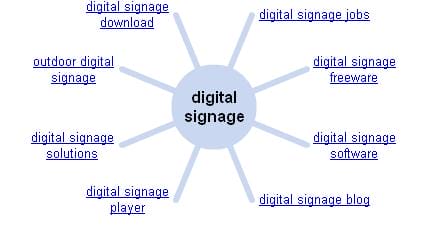
Weekend Fun: Wonder Wheel for digital signage
This weekend I decided to play around with the google search features and stumbled across the “Wonder Wheel”. So what I did was I typed the search term “digital signage” in the google search bar. Google displayed the most relevant websites related to this search term, in Australia our advertise me and Digital Signage portal are on the 1st page and we’re pretty happy about this result.
Category: Digital Signage Weekend Fun
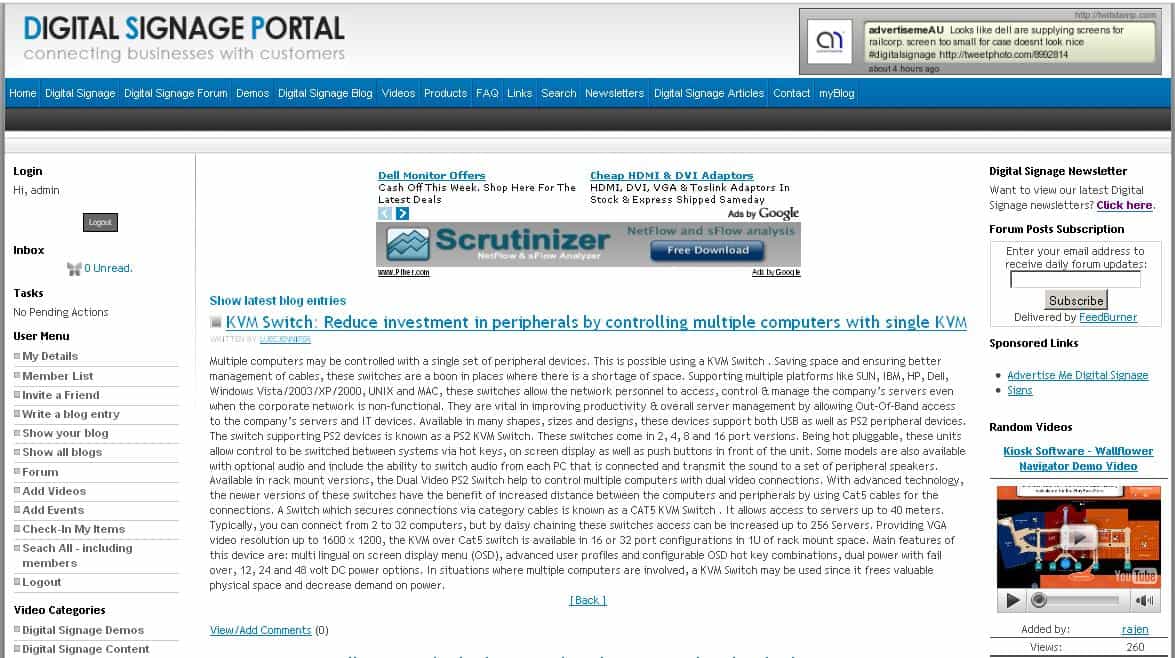
Digital Signage Portal – myBlog
It’s nice to see several members of the digital signage portal taking advantage of the myBlog feature. For those of you who haven’t used this feature before it basically allows registered members to create their own blog entries and share this with the rest of the digital signage community. We realised that some of you don’t have a business blog or don’t have either the technical expertise or knowledge to set one up. So we’ve done most of the hard work for you. All you have to do now is just post your entries. All you need to do is register and post away. If you need help read this F.A.Q.
To view the latest myBlog entries visit http://www.digitalsignageportal.com/myBlog/
Category: Digital Signage Blog News
The importance of NTP in digital signage
First of all, Happy New Year to all our readers – we hope you had a relaxing break and are energised for another year of digital signage. To kick off the year, we decided to engage our techie community and discuss about the importance of NTP.
NTP stands for Network Time Protocol and is commonly used to synchronise a computer’s/digital signage player‘s date and time with a specific time source server. It can be a hardware based GPS time source server from Symmetricon which I’ve used in the past, an Internet NTP server – see ntp.org for more information, or even your local Windows Active Directory Server can be used as a time server. The most challenging part when using NTP is ensuring that your actual source server has the correct date and time.
Most digital signage businesses should know what I’m talking about since ensuring the Content Management Server and digital signage player’s date and time are all in synch is crucial for any large digital signage network especially when used for scheduling content.
Category: Digital Signage Blog News
Digital Signage Portal reaches 300 members
Today, the digital signage portal (http://www.digitalsignageportal.com) has reached 300 members… although these numbers may seem small but we think it’s a good achievement considering we haven’t spent that much time to market and grow this website.
Next year we have a number of goals we plan to achieve and we have already started planning for some of these changes. One of them is offering advertising to selected digital signage companies (if you are interested please email info@digitalsignageportal.com) but more importantly we will revamp the design and layout of the website.
For those of you who haven’t visited the portal yet, what are you waiting for? Registration is free.
Category: Digital Signage Blog News
Advertise Me promo for digital signage by Blue Pony
Today we are officially releasing the advertise me promo for digital signage. This short clip was professionally designed and developed by Blue Pony and showcases our main digital signage website (http://www.advertiseme.com.au), the digital signage blog (http://www.digitalsignageblog.com) and the digital signage portal (http://www.digitalsignageportal.com). So here it is, (if you have the bandwidth watch it in HD):
![]()
Who is Blue Pony?
Blue Pony is a premier digital content provider for limitless applications who produces custom as well as stock content.
So what do you think about this video promotion?
Feel free to submit your answer as a comment.
Category: Digital Signage Blog News, Featured Post
Digital Signage Portal Newsletter 2009#5
It’s been a while since we last distributed our digital signage newsletter but our excuse is… we’ve been busy. I know it’s a lame excuse but we’ve been seriously inundated with businesses contacting us for quotes, responding to emails and we’ve also been involved in digital signage installations.
We recently posted in our forum what people wanted to see in our newsletter and one of our digital signage portal members suggested we should discuss about issues installers face during digital signage rollouts. So thanks to Jon for your feedback, we always value everyones feedback but more importantly we take action!
Lets quickly summarise some of these issues and recommendations:
Physical Security – we have talked about this in the past in one of our blog entries titled Does your digital signage solution pass our security checklist? point number 7 – If you can’t recall what was discussed you can read the article and refresh your memory. Just make sure you physically lock your monitors to prevent thieves from stealing the units.
Use smaller pipes/brackets for monitors -Jon advises the following: “when hanging monitors from ceiling joints, that some companies are using very heavy pipes to hold the monitors. The monitors are getting lighter and lighter and a pipe that is heavier than the monitor is not necessary. Cutting back the size/weight of the pipes can still hold the monitors, reduce costs for shipping and cutting them to length is much easier as well”.
Use pre made Cat5E cables – it makes it easier for installers. “That way you can just connect to the box in the ceiling and to the back of the monitor instead of having one long cable that runs from the PC or rack straight to the monitor. This also helps with replacement of cables, so you don’t have to run an entirely new cable, just replace the bad one and drop it thru the pipe.”
Be green – try to help the environment and try to use equipment that does not need power. For example, there are several Video extenders in the market that do not require power. Some are hard to find but let us know if you run into trouble.
Backup plans – always have a backup plan and NEVER rely on just 1 single supplier. Make sure you have a backup plan for everything, otherwise if you hit a wall during your installation you will still be able to get the job done.
Costings – From jon’s professional experience: “One of the cost saving measures I use for my clients is flat rate billing. It includes travel, time on the job and materials used. There is a little more cost if there is a concrete ceiling as opposed to a tiled or drop ceiling. This way everyone involved knows the costs up front and there are no suprises on the back end for the client” Once again Jon, thanks for your tips. We have created a forum thread on the digital signage portal forum, so that you can all discuss this further. Click here to continue the discussion.
To read past newsletters click here.
Want to automatically receive the newsletters? Join the digital signage portal.
Feel free to submit your answer as a comment.
Category: Digital Signage Blog Info, Digital Signage Blog News, Digital Signage Newsletter
Digital Signage Portal – myBlog
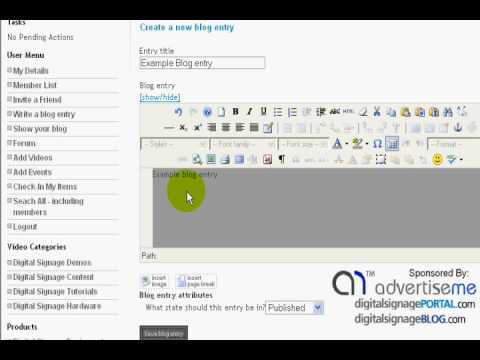
We would like to introduce to you the “myBlog” feature on the digital signage portal (www.digitalsignageportal.com). We have added the facility for registered members to create their own blog entries and share this with the rest of the digital signage community. We understand that most of you don’t have a business blog or don’t have either the technical expertise or knowledge to set one up. So we’ve done most of the hard work for you. All you have to do now is just post your entries. Here’s a quick tutorial on how to add your own blog entries on the digital signage portal.
Category: Digital Signage Blog News, Digital Signage Blog Video
Hot discussion topics on the Digital Signage Portal Forum
As you can see from our Twitter feed, this week we have been heavily involved with forum discussion on the digital signage portal forum. We believe in generating “good” karma through helping others in the digital signage community.
The current hot topics are:
- Player & Screen resolution compatib…
I’ve got a player that outputs (via dsub) resolution at most widescreen ratios ie. 1280×720, 1360×768, etc.My issue is with most, if not all, LCD TVs nowadays their tech sheets don’t support most widescreen ratios, with a lot of them displaying only 1360×768.
What will happen if the designers create their templates for 1280×720?
Will the TV crop it, show scroll bars, flicker?…
- Has anyone used Digital Signage SaaS?
I was wondering whether anyone has used or is currently using Digital Signage SaaS? Could you please let share your experiences of what you’ve encountered when using this type of a solution…
- Directional Speakers
Has anyone integrated directional speakers with their digital signage technology. We are interested to know how these systems work and whether they are worthwhile and cost effective equipment to include in a digital signage solution.What are the most common industries using directional speakers?
- Using Blue Ray technology
Has anyone come across digital signage players with Blue Ray technology?Are storage size and HD quality the only advantages of using Blue Ray technology?
- Wayfinding KIOSKs
Wayfinding KIOSKs are becoming more popular in shopping centers. Today, I was walking around a major shopping centre and noticed how wayfinding was integrated with digital signage… or is it the other way around?
If you have the time, or is able to help some of the other members with their questions then head over to the digital signage portal forum and start posting (registration is required)!! We hope more members of the digital signage community is able to participate in various discussions and contribute towards helping others.
Have you registered on the digital signage portal? It’s FREE. Click here to register.
Feel free to submit your answer as a comment.
Category: Digital Signage Blog News, Digital Signage Techie
Want to be featured on the digital signage portal newsletter?
For those of you that were not aware, the digital signage portal distributes newsletters to it’s digital signage members on a monthly basis. We are constantly on the lookout to feature businesses around the world in the newsletter. So, if you want your business to be featured in one of the sections in the newsletter, all you have to do is register and introduce your business on the digital signage portal forum section titled Introducing your business: http://www.digitalsignageportal.com/Digital-Signage-Forum/Introducing-your-Business/
The next newsletter distribution will take place on the 25th March 2009 so don’t miss out on this opportunity.
Want to automatically receive the newsletters? Join the digital signage portal.
Feel free to submit your answer as a comment.
Category: Digital Signage Newsletter, Digital Signage Polls
Digital Signage Portal – F.A.Q adding twitter to your profile
If you have a twitter account, you can easily add this to your digital signage portal profile.
To do so simply follow these instructions:
1. Login to your digital signage portal account
2. In the User Menu click My Details
3. Move your mouse over the EDIT button just above your profile page
4. Click Update your profile
5. Click the myTwitter tab
6. Enter your twitter account name and twitter account number. The account number is the same number as your RSS feed on your twitter page
or watch this short video.
Have you registered on the digital signage portal? It’s FREE. Click here to register.
Feel free to submit your answer as a comment.
Category: Digital Signage Blog Info, Digital Signage Techie
Your thoughts on the Digital Signage Expo 2009
If you were fortunate enough to attend the digital signage Expo 2009 what are your thoughts on the event and did anyone capture any videos during the event? If so, please share this with the rest of the digital signage community by adding or uploading the video on the digital signage portal.
What are your thoughts on the digital signage expo 2009?
Feel free to submit your answer as a comment.
Category: Digital Signage Blog Events, Digital Signage Blog News, Digital Signage Polls
my Digital Signage – grow your business
The digital signage portal is a forum for promoting and growing YOUR business, with the aim to lift the level of awareness of your business and digital signage.
We are excited to announce additional features to the digital signage portal website to make your experience and member profile more personalised. The whole intention for establishing the digital signage portal was to provide a means for businesses to connect with one another and also with potential customers but more importantly we wanted to centralise the digital signage community and information in one single location – that’s when the digital signage portal was born.
Now, here is a short list of some of the features we have recently added:
1. Biz Wall – you are now able to write messages on another member’s wall. Basically this can be used to share information with each other, keep each other updated and to improve communication.
2. myBlog – we have added the facility for registered members to create their own blog entries and share this with the rest of the digital signage community. We understand that most of you don’t have a business blog or don’t have either the technical expertise or knowledge to set one up. So we’ve done most of the hard work for you. All you have to do now is just post your entries.
3. myComments – you are now able to comment on articles and other peoples blog posts.
4. Member List – this is the list of all the current members registered on the portal and its something we forgot to originally include when we first launched the website. Think of this as a large contact list so you can get in touch with other registered members.
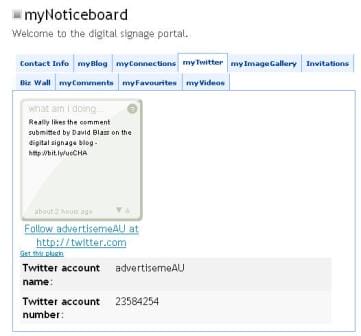
5. Twitter Status – for those of you that have a twitter account then you now have the option to display your twitter status on your profile.
6. myNoticeboard – yes this is your own noticeboard that you can use to add messages to your profile. You can use it to tell others what you’re doing…basically use it as a noticeboard.
7. More features – we’ve added so many other features which may take too long to list so why not log in to the digital signage portal and see it for yourself. We will soon be adding a dedicated page and video to capture all these features so keep an eye out for this.
For those of you who haven’t visited the website in a while, I highly recommend you to log back in and pay a visit and don’t forget to add your business logo to your profile in order to expose your business further – as you are already aware branding is very important.If you need help with this visit our F.A.Q section.
We always love to hear your feedback so let us know what you think or what you would like to see on the digital signage portal.
Have you read the latest digital signage portal newsletters? Click here to view the latest newsletters.
Feel free to submit your answer as a comment.
Category: Digital Signage Blog Info, Digital Signage Blog News, Digital Signage Newsletter
Did you receive the Digital Signage Newsletter?
If you’re not a member of the digital signage portal then you’ve missed out on receiving the latest digital signage newsletter but we didn’t forget about you. If you do want to read this newsletter we have made it available for you to read and enjoy.
Here’s the link http://www.digitalsignageportal.com/Newsletters.html , but we do hope that you register on the portal so that you can receive the newsletter via email as soon as we publish it.
Have you registered on the digital signage portal? To register on the portal click here.
Feel free to submit your answer as a comment.
Category: Digital Signage Blog Info, Digital Signage Blog News, Digital Signage Newsletter
Latest Digital Signage Portal Forum Posts
There are several ways to receive the latest digital signage portal forum posts and these are listed below:
- Email Subscription – on the top left hand side column of the digital signage portal website there is a section called Forum Posts Subscription – all you have to do is enter your email address and hit the subscribe button. Once you have successfully subscribed, you will receive daily forum updates via email.
Just use your default RSS reader/viewer to receive the latest forum entries.
Our question:
What do you use RSS feeds for in your digital signage solutions?
Category: Digital Signage Blog Info, Digital Signage Blog News
New Digital Signage Blog website coming soon…
It has almost been a year since we officially launched the digital signage blog and during this period we had a significant growth in the online digital signage space. We have managed to get to the top of search engines for various search terms but more importantly our website is getting more popular (more visitor hits and page views). We also have other businesses linking and feeding our content which gives us a good indication that people find this website useful and because of these reasons we will be soon launching a new website.
What changes will you see?
The most significant change that you will see is the design of the website. It is clean, professional and has an easy to use interface. Our team at Advertise Me has customised and designed the new website.
We have improved the searching capabilities and we have reserved space for advertising and sponsorship.
When do we plan to launch the new website?
We intend to launch the new website in the next couple of days (that’s if everything goes well), so come back and visit the digital signage blog soon.
Once we have completed this new website, we will then update our digital signage portal so watch out for that as well.
Category: Digital Signage Blog Info, Digital Signage Blog News
Cisco Digital Signage Demo – digital signage portal
Last month, we were excited when we were approached and invited by a Cisco’s Product Sales Specialist (Emerging Technologies) to attend a meeting at their head office in North Sydney Australia. To cut a long story short, the Product Sales Specialist landed on our digital signage portal website (www.digitalsignageportal.com) and wanted to talk to Advertise Me about the direction of the website and Cisco’s digital signage products. We were keen to understand more about Cisco’s digital signage presence in the industry and because Cisco is an International and reputable company, we couldn’t say no.
We obviously won’t be able to tell you exactly what we discussed in the meeting but it was quite interesting to understand Cisco’s digital signage products and company’s direction in the digital signage industry.
Early last year, I was reading an article about Cisco’s acquisition of a company called Tivella. I’ve never actually heard of this company in the past, but Cisco saw enormous potential for digital signage to be integrated into its existing enterprise streaming and live video broadcasting system and hence the acquisition.
There are two models of the Cisco Digital Media player (4400G and 4305G). In the demonstration we only had the opportunity to see the 4305G but the main differences between the two models are as follows:
|
|
4305G |
4400G |
|
|
|
|
|
Internal storage |
2GB CF |
4GB CF |
|
Network Port |
10/100Mbps |
10/100/1000Mbps |
|
Number of USB ports |
1 |
2 |
|
Adobe Flash Support |
Version 7 |
Version 9 |
|
Physical Dimensions/Weight |
7.5 x 5 x 1.5 in. (190 x 127 x 38 mm); weighs 1 lb (0.45 kg) |
10 x 8 x 2 in. (254 x 203 x 51 mm); weighs 4.5 lb (2 kg) |
|
Video codec |
Video MPEG4 Part 2: Advanced Simple Profile at Level 5 |
Video MPEG4 Part 10 Baseline and Main profiles |
|
|
|
|
Now, the great feature about this unit is that it supports the HDMI video connector – meaning it is able to play High Definition video. This is actually the first small form factor unit (with no moving parts) we have ever encountered that has a HDMI connector. The other great thing about these units is that it comes with a remote control. Yes… a remote control unit which enables people who are interfacing with the digital signage player to control and browse through the content displayed on the screen. The overall system can also be used as a Video On Demand solution, so it’s ideal in hotels and corporate environments.
During the demonstration we actually saw a live streaming video feed from the US and the video quality was awesome. We found it difficult to distinguish whether it was a live streaming video feed or not because the quality was crisp and the video didn’t appear to have any lag or jitter – we were very impressed with this technology. Basically, we were advised that Cisco’s digital signage players actually use 2 video rendering chips – most other digital signage players use software video rending.
Cisco Digital Media Manager is the backbone system for managing, scheduling and publishing content to the Digital Media Systems (Digital Signage, Enterprise TV, and desktop video). It has a great tool to create the digital signage content. It’s actually all web based (java based to be exact). The application enables content owners to easily upload, catalogue, edit, package and publish digital media content for live or on-demand playback.
The only downsides we saw with Cisco’s Digital Signage solution are:
-
Proof of play reporting. The unit doesn’t actually provide a detailed report on what content was played. Just keep in mind that Cisco developed these units for the corporate environment and not retail.
-
The overall solution is quite expensive – we were told that a typical digital signage solution would cost around the $80k – $100k mark
Here are a couple of pointers that we took away from the meeting and the demonstration:
- Cisco doesn’t just sell switches, firewall and routers. They have a large product range that includes equipment such as wireless CCTV cameras, Video encoders, Desktop Video, and the list goes on
- With the convergence of voice, data and IP video technology there is an increasing dependency for a stable network infrastructure and this is where Cisco can also help
- The Cisco Digital Media solution is scalable and has been designed so that it can be integrated with other systems eg Microsoft Outlook
- Cisco Australia is interested in the direction of the digital signage portal and wants to be more involved in this area
- We found the solution to have good value in the digital signage market and we intend to work with Cisco and Cisco’s channel partners
Finally, here’s a Cisco product video for the Digital Media Player:
Cisco, is the worldwide leader in networking that transforms how people connect, communicate and collaborate.
Category: Digital Signage Blog Events, Digital Signage Blog Info
Digital Signage Portal: 100 members and growing
Today, the digital signage portal has registered its 100th member. Having only launched the site since late last year, the website has grown exponentially in the past several months. As the digital signage market continues to grow, we also anticipate for the digital signage portal to grow in visitors and members.
Our members range from basic digital signage users, manufacturers, distributors, graphic designers to large corporations and our audience is from all parts of the world. Don’t miss out in being part of this online digital signage community and if you haven’t done so already, visit digital signage portal.
Category: Digital Signage Blog Info, Digital Signage Blog News
Digital Signage Portal Forum Entry: Help with digital signage business plan
One of our digital signage portal member recently posted this entry:
”Hi, i am from India and i am new to business of Digital Signage. We are basically providers of customeised software solutions in India. The idea of Digital signage for me came from the solution that we had provided for displaying meuns at concession counters in cinema halls.
In India many companies have started OOH (Out of Home Signage system) , so we also believe that there is great potential in this medium and an opportunity for us. But one thing about this medium is its capital intensive and we are just a bootstrap company. I have come across some interested parties who are willing to invest in a pilot of 20 to 30 locations but what i lag is a business plan to present them.
It would be great if this forum could help me in getting my business plan done.
Hope i would definitly get some positive response from this forum.”
What are your thoughts on this? If you want to respond, share your thoughts or experiences, help or guide this member in the right direction feel free to do so by visiting the Digital Signage Portal Forum entry
Category: Digital Signage Blog Info, Digital Signage Blog News
Can I invite others to the digital signage portal?
|
Of course you can. We actually encourage you to invite friends, colleagues or business partners to join the digital signage portal. The main benefits of joining the digital signage portal are:
You can simply copy and send them an email with the following link to the registration page: Hi, I am inviting you to join the Digital Signage Portal. You can do so by completing the registration form at http://www.digitalsignageportal.com/register.html Alternatively, if you are already a member of the digital signage portal the system has an “Invite a friend” tool. Follow the below instructions to use the “invite a friend” tool: 1. Login to the portal
2. Scroll down to the User Menu section and click Invite a friend.
3. Enter their details 4. Click Send Invitation.
For more information visit the digital signage portal. |
|
Category: Digital Signage Blog Info, Digital Signage Blog News