Feedback Form

Digital Signage Blog Archives


Posts Tagged ‘email’


Digital Signage Klip: Gold Coast LED Screens

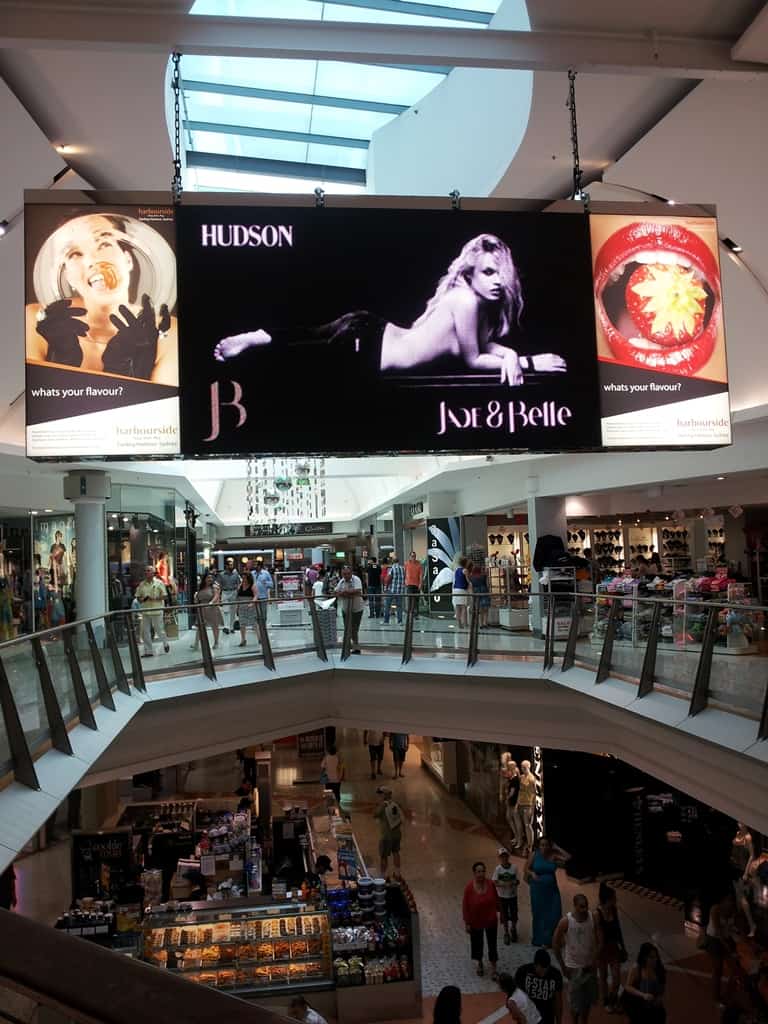
Last week I was on a family trip at the gold coast and noticed how digital signage was everywhere. Most of the retail stores at Surfers Paradise had an LCD screen – I spotted quite a few of the Panasonic 42 inch Plasma screens.

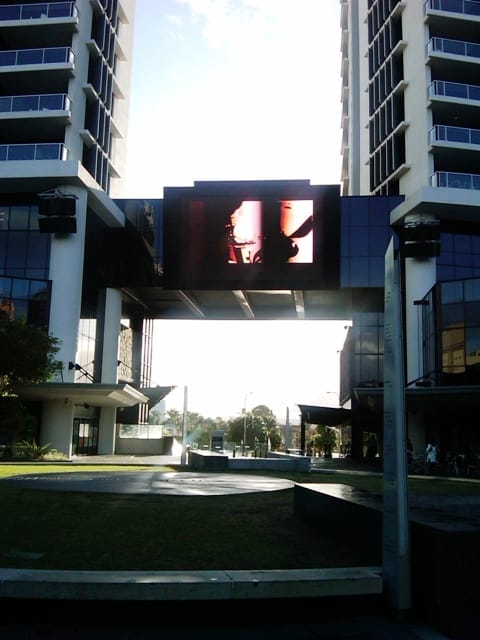
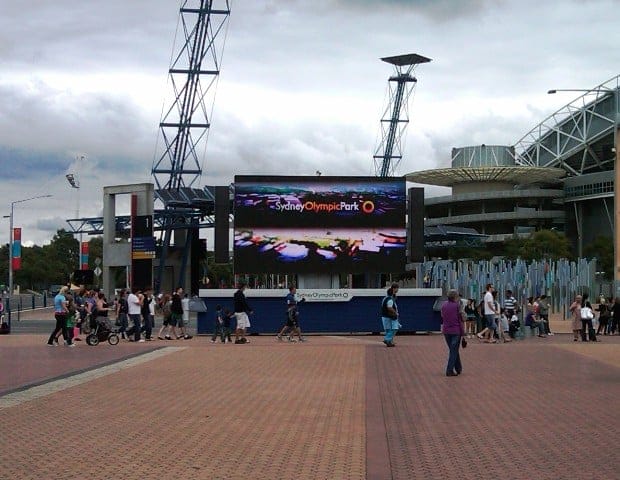
It was by sheer luck that I stumbled (I literally didn’t really notice the screen) across two LED Screens – one was located on the main streets of surfers paradise whilst the other was at a plaza (it didn’t have many people walking past there). In any case out of habit I decided to take a Klip of these screens. Sorry if I don’t have the exact location or know what the location is for these screens. I’ll promise that the next time I take a photo I’ll include the GPS co-ordinates.

Gold Coast LED Screen

Gold Coast LED Screen 2

Here’s also a quick video of what I saw (sorry for the bad filming):

If you have klips you would like to share with the rest of our readers let us know by sending an email to info@digitalsignageblog.com

Post to Twitter Tweet This Post

  • Share/Bookmark

Category: Digital Signage Klips


Digital Signage Klips: Panasonic screen at Sydney Airport

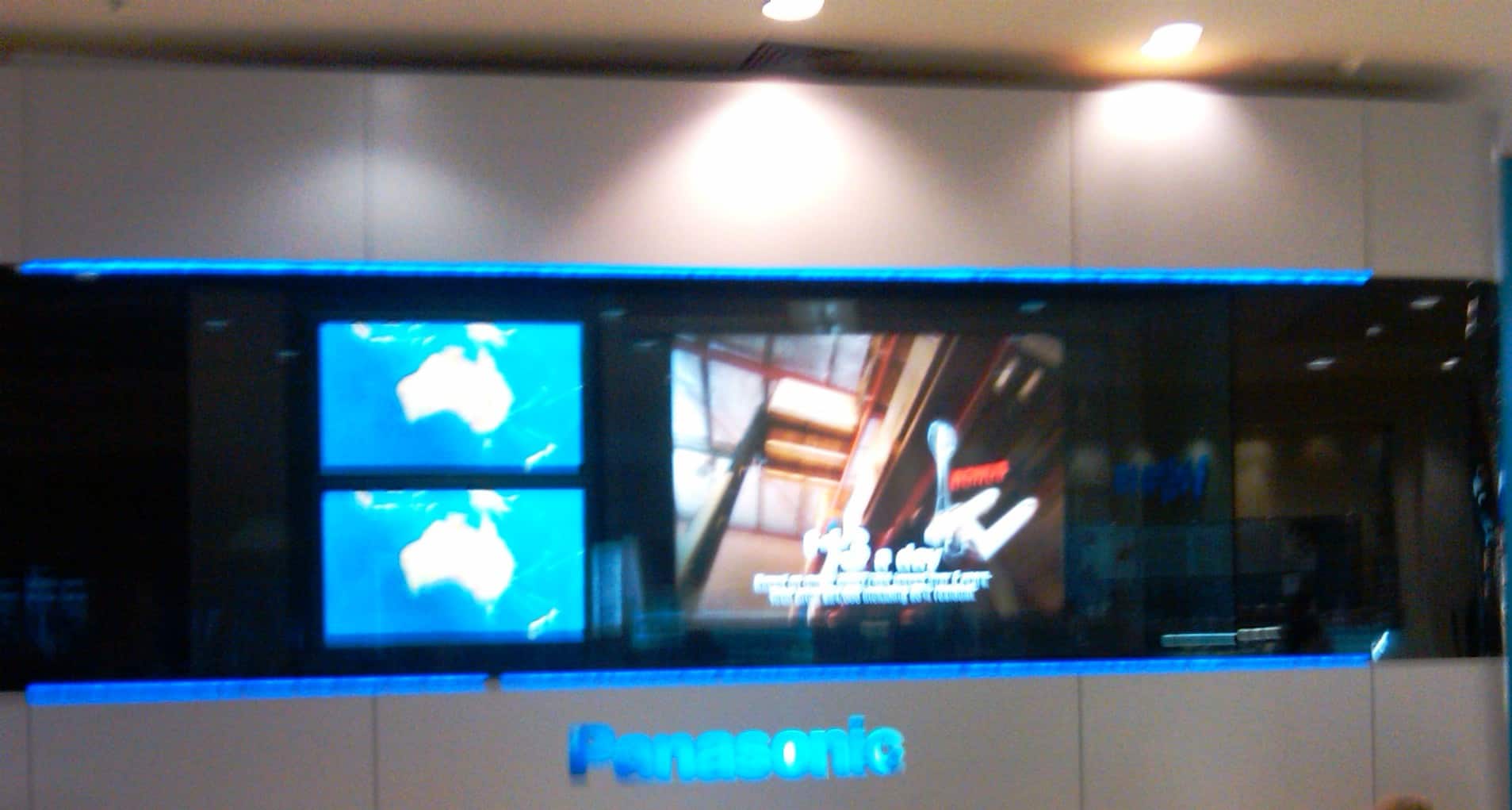
This week’s digital signage klip is from a well know location – Sydney Airport. The picture is of a large Panasonic screen located in the International Arrival Department (near the C gates). I don’t have the full details but as you can see there are also two smaller screens showing a map of Australia.

Panasonic Screen Sydney Airport

Panasonic Screen Sydney Airport

Thanks to Wendy for the photo.

If you have klips you would like to share with the rest of our readers let us know by sending an email to info@digitalsignageblog.com

Post to Twitter Tweet This Post

  • Share/Bookmark

Category: Digital Signage Klips


Digital Signage Klips: Liverpool Markets Sydney Australia

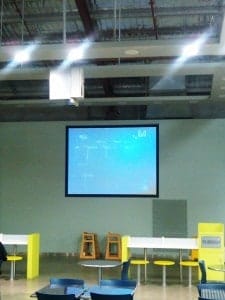
This week’s klip is from Angela, a shopper at Liverpool Markets Sydney Australia. She sent us a photo of what looks like a projector screen at the food court area. She advised that there seemed to have been an issue with the projector as everything on the screen was blue in colour. Hopefully someone will fix this soon as it looks really ugly.

project at liverpool markets sydney australia

projector at liverpool markets sydney australia

Thanks to Angela an Aussie and a long time reader of the digital signage blog.

If you have klips you would like to share with the rest of our readers let us know by sending an email to info@digitalsignageblog.com

Post to Twitter Tweet This Post

  • Share/Bookmark

Category: Digital Signage Klips


Digital Signage Klips: Easter Show Homebush Sydney Australia

This weeks klips are pictures we took at the Easter Show Homebush Sydney Australia. This is actually the first time I attended the show and I couldn’t believe how many people where there and how big the show area was. I only spent a few hours there and only covered 1/4 of all the events.  continue reading »

Post to Twitter Tweet This Post

  • Share/Bookmark

Category: Digital Signage Klips


Digital Signage Klip: Sapporo Japan

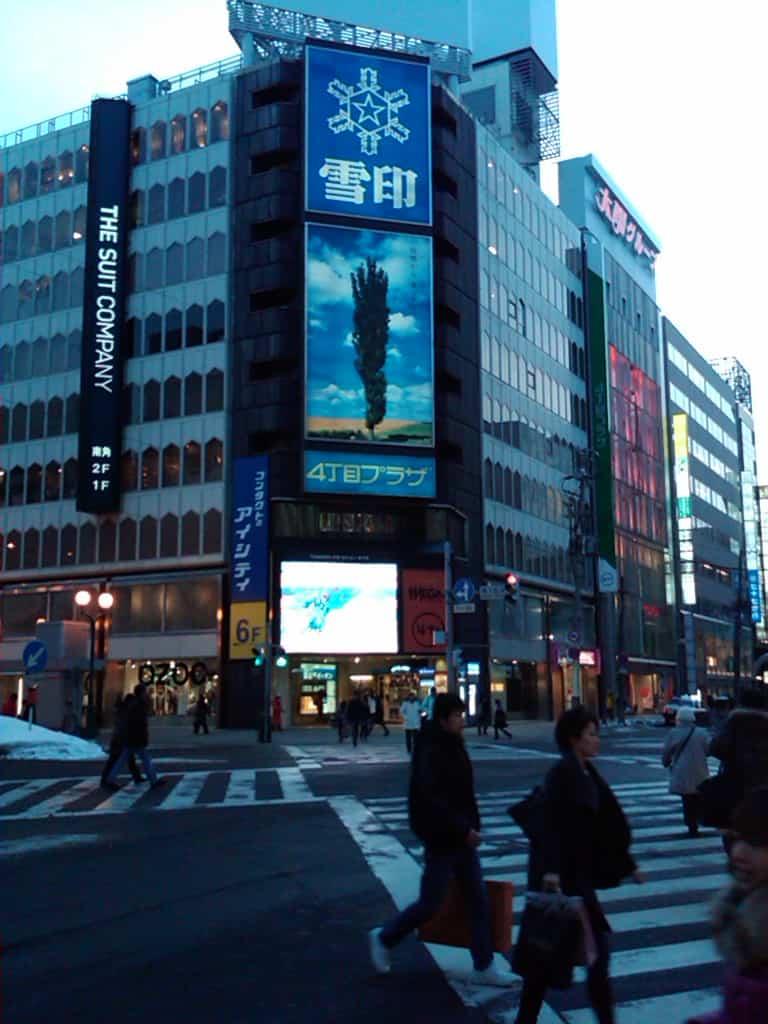
This week’s klip is sent in by Jenny, from Sapporo Japan. Japan is one of the most technologically advanced country and apparently digital signage is everywhere. continue reading »

Post to Twitter Tweet This Post

  • Share/Bookmark

Category: Digital Signage Klips


Digital Signage Klips: Supermarket in Miami Florida

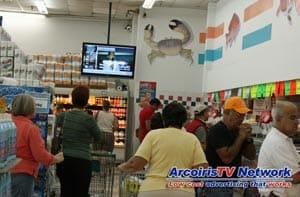
This week’s klip is sent in by Frank, who works for a company called Arcoiris TV network. They own a digital signage network inside supermarkets in Miami, Florida, USA.

As you can see from the pictures, the screens are located at the checkout. Obviously, this is the most ideal location as you have customers waiting in line to be served.

Thanks Frank for sharing this with our readers.


Digital Signage Supermarket in Miami Florida USA

Digital Signage Supermarket in Miami Florida USA


Digital Signage Supermarket Miami Florida USA

Digital Signage Supermarket Miami Florida USA


If you have klips you would like to share with the rest of our readers let us know by sending an email to info@digitalsignageblog.com

Post to Twitter Tweet This Post

  • Share/Bookmark

Category: Digital Signage Klips


Product review: Digital Signage Audio Tripper

Christmas is fast approaching and we decided to review a product before the end of this year. It has taken us a while to complete this review as it involved using a video camera and editing the video but from this experience we can hopefully improve our processes and review more products next year.

AS7 Audio Tripper

AS7 Audio Tripper

Reviewed By: Advertise Me

continue reading »

Post to Twitter Tweet This Post

  • Share/Bookmark

Category: Digital Signage Reviews


Weekend Fun: Gigya toolbar

This weekend we thought we’d further connect with the social community and added the Gigya toolbar. What this means is that our readers will now be able to use the toolbar to share our posts on their Twitter, Facebook, Yahoo, Myspace, Email and more.

The toolbar looks like this and you will notice it at the end of the page:

Gigya Toolbar

Gigya Toolbar


What do you think about the toolbar?


View Results

Loading ... Loading ...

Post to Twitter Tweet This Post

  • Share/Bookmark

Category: Digital Signage Weekend Fun


Subscribe to the digital signage blog

Did you know that you can subscribe to our digital signage blog RSS feed? All you have to do is simply add the following URL to your favourite RSS reader http://www.digitalsignageblog.com/feed/

Alternatively, you can simply subscribe via email. Click here to subscribe via email.

Post to Twitter Tweet This Post

  • Share/Bookmark

Category: Digital Signage Blog News


The Blackberry Experience – what a storm!

Image format not supported [image/bmp]Image format not supported [image/bmp]Image format not supported [image/bmp]Image format not supported [image/bmp]

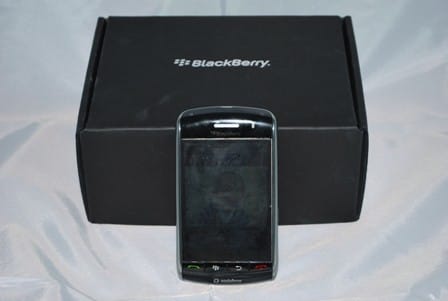
advertiseme-blackberrystormIn December 2008, Vodafone Australia released the latest Blackberry device model – the Blackberry Storm. Our team at Advertise Me always had plans to use a device which would allow us to reply to emails, take pictures and videos, and most importantly to post blog entries whilst “on the go”. We assessed our requirements then analysed the Blackberry Storm specifications and it was a perfect match. So now the majority of our team has one of these Blackberry Storm – mind you we came across quite a number of bad product reviews on the net but we just decided to ignore these and give the device the benefit of the doubt.

I have been a valued loyal customer of Vodafone since 1998 (if a customer rep from Vodafone is reading this maybe they can give me a call and send me something for being a loyal customer – c’mon 10 years must be worth something) and have have kept my mobile number the same ever since I purchased my first mobile phone – so thinking about switching to another provider was always a dilemma. Fortunately, we actually purchased the  Blackberry Storm from Crazy John’s – a reseller of Vodafone because they had a special deal: for $69 a month the following included in the package:

  • the blackberry storm (9500 model)
  • Unlimited internet and email (this was one of the main reasons why we went with the blackberry product. Just keep in mind that even though the plan includes unlimited internet it does not necessarily mean that everything is free. Vodafone have a strict policy on this. Basically, if you will be charged PAYG rates for streaming video)
  • $340 worth of calls, SMS, etc
  • A $50 voucher to spend on Dealsdirect.com.au ( Australia’s largest online department store and save up to 80% off – you should visit this website if you want to save $$)
  • A $300 voucher to spend for your holiday

NOTE: To date, I have not received the vouchers yet and it’s been over a month.  I’ve spoken to a Crazy John rep and he will chase this up with Vodafone. Hopefully, I should receive that email soon.

If you’re like me I like gadgets and one of the first things I did when I came home was to play with the Blackberry without reading the manual – who reads the manual anyways. I guess that was one of my first mistakes because after a couple of days I started realising that things were missing from my phone. For example, I didn’t have all the messaging applications like Windows Live, Yahoo! Messenger, Google Talk, AOL Instant messenger and ICQ (the image of the blackberry in the advertisement poster had these). When surfing the Internet I also noticed that I kept getting an error message saying that my phone was unable to connect to the data network because I was not in the data coverage area - I found this very peculiar especially when I was able to access the Internet at the same location with my previous Nokia N70 mobile phone . Feeling frustrated I gave in and started reading the manual which didn’t help much.  I then ended up calling Vodafone support and after several minutes of explaining what the problems were I found out that my mobile number was not activated with the Blackberry Internet Services - how was I supposed to know that I needed to activate this service when there were not instructions to do so in the manual! The customer services representative also mentioned that I should have received a Message when I first turned on the phone to call Vodafone Support to activate the Blackberry Internet Services …. opps, I ended up clearing all my messages when I first received the phone so I didn’t pay any attention to that initial message. Maybe in future they could put a small leaflet or pamphlet with these instructions stuck on the phone. Once they activated the Blackberry Internet Services the phone starting working as it should have had.

The other thing I found out is  that you can actually manage your email boxes on the Australian vodafone website by going to this URL: http://www.mobileemail.vodafone.com.au/ You do have the option to set this up on the actual unit but we found it much easier going to the website.

It has now been over a month since we’ve used the Blackberry and we discovered several good and bad points which we will detail below.  Although this device does not fall within the digital signage industry, we can see potential to use this device for remote managing a digital signage network. We won’t discuss this into too much detail in this blog post.

The bad

  • Slow navigation – we have noticed that navigating through the applications and changing the orientation between landscape and portrait can be a bit slow. Doing a bit of research showed that hiding the logging can help to improve things (slightly). In order to do this follow these instructions:

In landscape mode - turn the blackberry to it’s side press the menu button (second button) and press Show Keyboard at the bottom of the list. Hold on to the !?123 button until you see the lock on the top left hand corner of this button. This basically means that it will be locked on the numbers and symbols keyboard. Press the / button, then “, then / and then ” again. You will notice the Event Log Warning on the heading of the screen. Press the menu button and then Clear Log. Then go back to the same menu and press on option – this will take you to the EventLogger Options. In this screen click menu and then press on Hide all types. This will disable all the logging.

  • Slow capturing images – there seems to take a few seconds of delays when pressing the capture button but with a 3.2 megapixel camera the image of the quality is quite good. If you go back to some of our previous posts I actually took a couple of images with the Blackberry Storm.
  • Not that many games or applications compared to the iPhone – there aren’t that many free games or applications that are available to download.
  • The USB connector (micro USB) on the Blackberry Storm is not the same as the previous Blackberry units – so if you’re looking at upgrading your existing Blackberry and have existing accessories, you may have to upgrade these too. Also, be careful if you’re intending to buy a USB cable or a Car charger from eBay - just make sure that the item is actually for the Blackberry Storm. If you notice that the item description is also for other Blackberries then it’s most likely not compatible with the Storm.
  • Streaming videos from youtube actually costs money! Read Vodafone’s fair use policy here.

We have also been advised that the next version of the firmware (4.7.0.90) will  improve speeds and rectify most of the above issues.

The good

  • Nav4All – is a really good and free mobile phone navigation software for the Blackberry storm. The software is only free until the 1/1/2010.
  • Good quality images – the quality is much better than the images I have taken with past photos.
  • Watching video on the unit is awesome – I compared this to the iPHone and the video quality was much better.
  • There are several cool features that we stumbled across and here’s our list:
    - When checking your emails you can filter your inbox by Sender or Subject – in order to do this you basically hold over the name or subject and you will see a bar scrolling to the left.
    - When listening to music, if you hold on to the up and down volume button it actually acts as a forward and rewind button.
    - GPS – this is a great feature to have especially when you get lost or need to search for the location of an address. Vodafone have a program called Vodafone Compass but once again this costs money.
  • Emails – obviously the blackberry are renowned for this technology and we love this functionality to receive emails where ever we go
  • Screen Push technology – something that people need to get use to but we like the idea of being able to push on to the screen to select something

Using the Blackberry as a modem

We actually spent quite a bit of time to work this one out but if you’re interested to setup your blackberry as a modem then follow these instructions:

Firstly, there are two options that can be used to connect to your laptop or PC – one is via the USB cable and the other is via the Bluetooth Dongle. You need to make sure that both of these connections are working (including getting the blackberry to communicate with the software Blackberry Desktop Manager) before trying to use the blackberry as a modem otherwise no matter how hard you try – it will not work. NOTE: we couldn’t really get the blackberry desktop manager to work with the bluetooth on our laptop but according to some documentation on the web we need to install the generic bluetooth drivers – the blackberry only works with the microsoft bluetooth drivers.

Once you’ve installed the Blackberry software go to phone and modem options in the windows control panel and click the Modems Tab. You will see the below screen:

modem

Click on Standard Modem and click on properties and then the advanced tab. You will need to type the command string +cgdcont=1,”IP”,”vfinternet.au” – note you will need to replace vfinternet.au with your local APN (access point network):

advanced-modem-properties

Once that’s done go to network connections and create a new connection. Click Create a new connection – we won’t go into too much detail on how to set this up. But once you’ve set this up make sure you’ve included the below additional options (use the phone number *99#):

connection-properties

Click configure and make sure you have all hardware features turned off:

modem-configuration

When you’re ready connect just dial the new connection. There you go hopefully this helped a poor soul out there.

Ever since we got the phone, we have received good feedback from our clients telling us how prompt and efficient we are with our email responses - I guess I just revealed one of our secrets for improving our Customer Services.


If you own a Blackberry storm, what was your first experience?


View Results

Loading ... Loading ...

Post to Twitter Tweet This Post

  • Share/Bookmark

Category: Digital Signage Blog News, Digital Signage Newsletter, Digital Signage Reviews

Request a Digital Signage Quote

RSS

Or subscribe via email:
 

Polls


    Did you attend the digital signage expo 2009 in LAS VAGAS?


    View Results

    Loading ... Loading ...
Digital Signage Blog Sponsors

Advertise Me Sponsorships available here!

Digital Signage Articles

Sponsored Links


Recent Comments: