Digital Signage Blog Archives


Archive for November, 2010


Digital Signage Klip: LED screen in Westfields Pitt Street

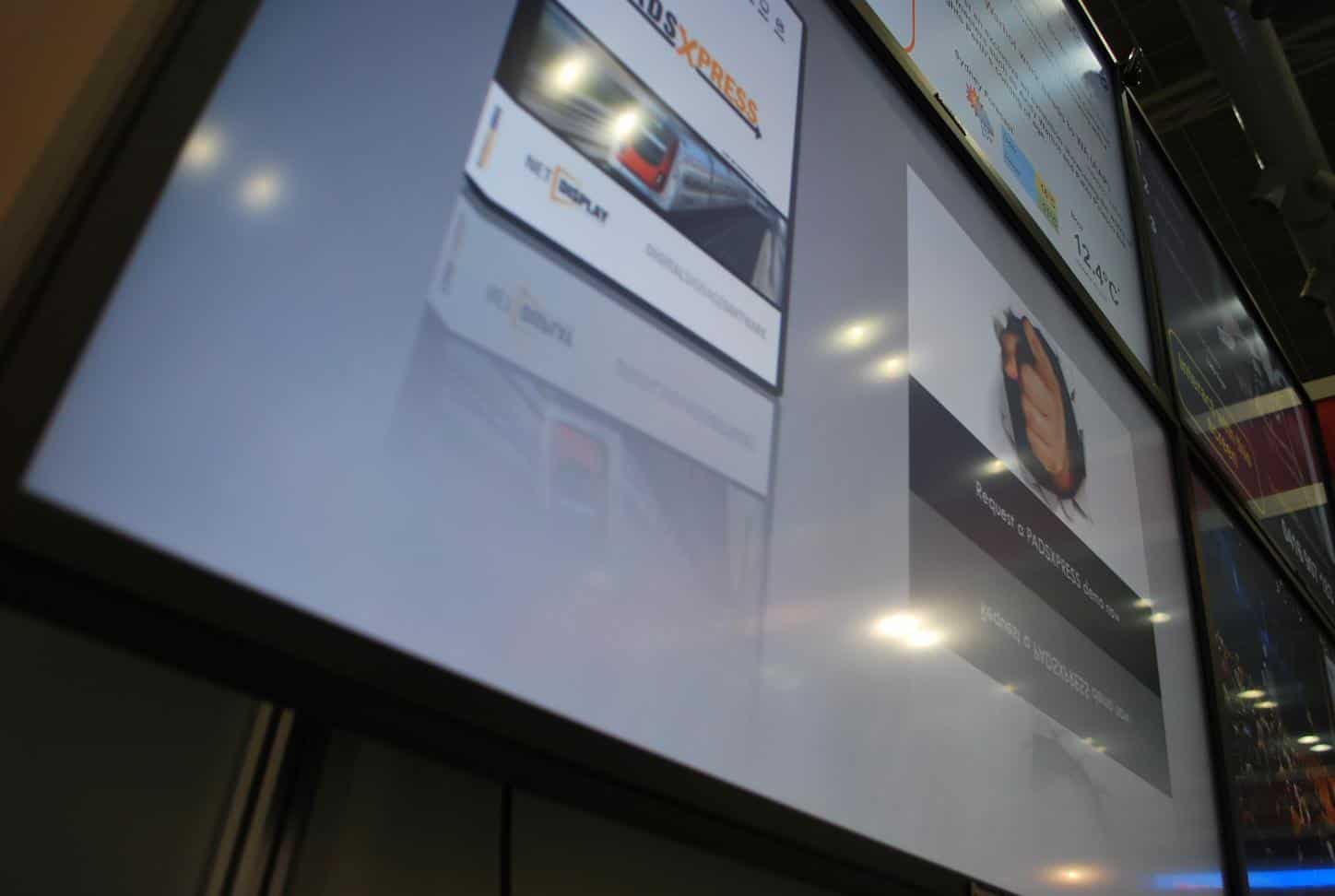
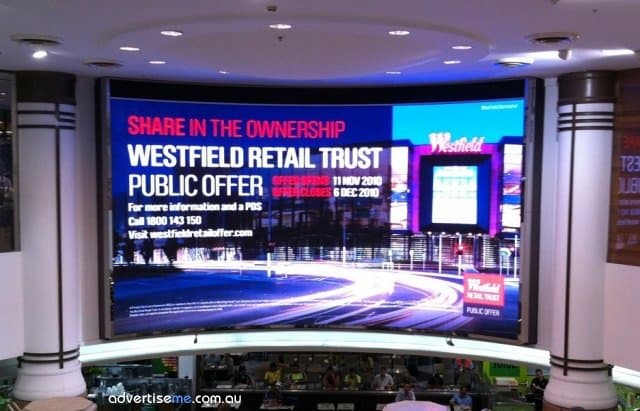
The following klip was submitted by Danny from Sydney Australia. The klip shows a large LED screen in the food court area in Westfields Pitt Street Mall Australia. It appears LED screens in shopping centres are becoming more popular.

The Westfields in Pitt Street was officially opened at the end of last month and so far has received quite a lot of attention. There is more than 100 fashion and food specialty stores will open for trade by Christmas, at what will be a world class retail and commercial precinct. I wonder how many are going to use digital signage for their stores.


LED Screen Westfield Pitt Street Mall

Stores which will be opening are listed below -
General Pants
Hart & Heim
Henleys
Saxony
Sneakerology
Streetology
Surf Dive & Ski
Tree of Life
Via Alley
Aldo Shoes Pitt Street Mall
Aquila Pitt Street Mall
Bardot Pitt Street Mall
CK Pitt Street Mall
CK Underwear Pitt Street Mall
Cue Pitt Street Mall
Decjuba Pitt Street Mall
DKNY Pitt Street Mall
Esprit Pitt Street Mall
Florsheim Pitt Street Mall
Gap Pitt Street Mall
Georgini Pitt Street Mall
Guess Pitt Street Mall
Jurlique Pitt Street Mall
L’Occitane Pitt Street Mall
Napoleon Perdis Pitt Street Mall
Nespresso Boutique Pitt Street Mall
Sportsgirl Pitt Street Mall
Swarovski Pitt Street Mall
Tag Heuer Pitt Street Mall
Thomas Sabo Pitt Street Mall
Veronika Maine Pitt Street Mall
Wanted Shoes Pitt Street Mall
ZARA Pitt Street Mall
Carla Zampatti Castlereagh Street
Cerrone Castlereagh Street
Frey Wille Castlereagh Street
Germani Jewllery Castlereagh Street
Gucci Castlereagh Street
Hugo Boss Castlereagh Street
Lloyd Castlereagh Street
Maggie T Designer Gallery
Miu Miu Castlereagh Street
Mulberry Castlereagh Street
Prada Castlereagh Street
Stuart Weitzman Castlereagh Street
Little Joe Designer Gallery
Zimmermann Designer Gallery
Summit Espresso Sydney Room (Food)
Summit Panini & Wine Bar Sydney Room (Food)

Thanks to Danny for the photo.

If you have klips you would like to share with the rest of our readers let us know by sending an email to info@digitalsignageblog.com

Category: Digital Signage Klips


Understanding Screen Packaging Labels

Have you ever spent time looking at the packaging labels on the plasma/LCD boxes? I have about 5 boxes of Plasma  screens near my desk and when I looked at the boxes I noticed that there are quite a number of labels on the box. Some we actually need to pay particular attention to – especially if we were to transport the boxes.

So today, I decided to investigate what do some of these labels mean; some are self explanatory and you don’t need to be a genius to figure out what they mean but then there are some that seem unusual.

Let’s have a look at the images (note:I have provided my interpretation of what they mean – if it’s incorrect then let me know):

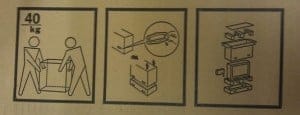
packaging label for screen boxes part1 The first image means to always have two people to lift the box since its approximately 40kg – this is normally a OHS requirement so whatever you do and now matter how strong you are don’t lift the screens by yourself. The middle image shows you to remove the plastic clips at the bottom of the box which is used to hold the top and bottom sections of the box. The last image, gives you a breakdown of all the components you need to remove in order to get to the screen.
packaging label for screen boxes part2 The top left corner image means not to stack anything on top of the box. The top right hand corner image means to keep the box upright i.e this way up. The bottom left image is a picture of a glass which obviously means that the item inside is fragile and there’s glass inside the box so take care when transporting the box. There’s also an additional message on the side of the box stating “As a glass product, treat it with extreme care.”. The bottom right image gives you an indication that the weight of the box is 40kg and it’s heavy.
packaging label for screen boxes part3 The first image means not to transport the box  laying flat and to make sure it’s in the upright position (middle image). Also make sure you don’t drop the box because there’s glass in there. Once again, there’s the message “As a glass product, treat it with extreme care.” and the Caution message: “Transport only in upright position”.
packaging label for screen boxes part4 The first two images are the same as above. The last two images indicate how to best clamp the box.

I wonder how many courier or freight companies transporting these goods actually understand these label mean and adhere to the instructions. I have seen some couriers take down the screens and had them in a vertical position… ouch. Fortunately the screen still worked but it’s best to follow the guidelines provided on the boxes.

Category: Digital Signage Blog News


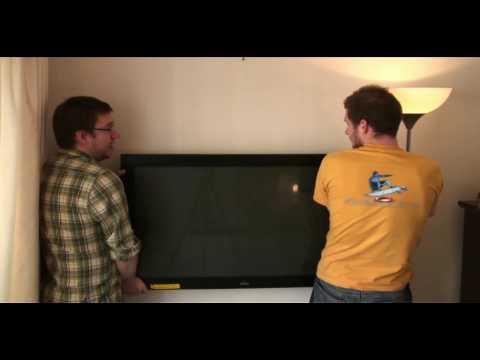
Weekend Fun: NOT How to wall mount a Plasma/LCD WITHOUT a bracket!

I stumbled across a funny Youtube video titled “How to wall mount a Plasma/LCD WITHOUT a bracket!Exclusive… it really works!!!” Since it’s the weekend, have a look at this video.


Lesson learnt, use a bracket and a professional to mount a LCD or Plasma screen. Once the screen is dropped…. it will never be the same.

Category: Digital Signage Weekend Fun


Digital Signage at Sherwood Ridge Public High School

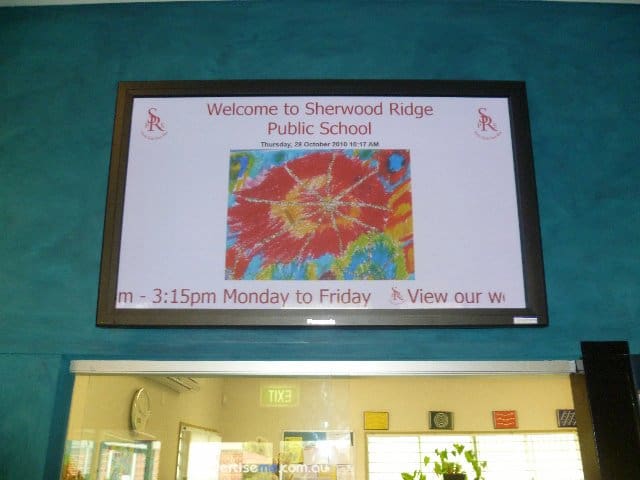
Sherwood Ridge Public SchoolThis month, we successfully completed a digital signage project for Sherwood Public High School. Firstly, here’s a little history of the school:

Sherwood Ridge Public School opened its doors to students for the first time on 28 January 2004. At this time the school had 8 mainstream classes between Kindergarten and Year 6 and 2 support classes.

The founding Principal of Sherwood Ridge is Mrs Jan Marshall.

In the weeks following the school’s inception, students, parents and teachers came together to give birth to: four sporting houses – Air, Fire, Earth and Water; three core values – community, respect and learning; and the school motto “From Each Their Best”.

Requirements

The requirements for this project was quite straight forward and these were:

  • Installation of 50” commercial grade screen in the Administration foyer
  • A digital signage player to display a range of content types including images, videos and text
  • The installation and configuration of  the screen, bracket, cabling and digital signage player
  • Audio Speakers in the Administration foyer
  • Initial template creation
  • Onsite Training
  • Technical Support

The Solution

The solution we provided the school consisted of the following:

  • Dell PC with dual VGA output
  • PADS Digital Signage Software
  • Panasonic 50″ Plasma screen
  • Venturi wall bracket
  • 2-Port USB KVM to control two PC’s by using the same keyboard, mouse  and monitor
  • Logitec Speakers
  • VGA extension cable

We provided the school with a standalone solution that enabled them to use the same PC to control, schedule and display the content and at the same time share the keyboard,mouse and monitor. Since the PC had two VGA outputs, one was connected to the local screen (used for managing and scheduling content) and the extended second output to the Panasonic screen (display the content). This setup is quite complex because the video configuration of the second output was setup as an  extended screen. This meant that the PADS Viewer (a component of the PADS software) which displays content had to automatically launch on this extended screen. How did we do this? It was simple, the PADS application allows you to enter the X and Y co-ordinates of where the viewer will be launched. Here’s an example, the horizontal position of the viewer screen is 1440 (since the horizontal size of the primary screen is 1440) :

pads settings extended screen

As a result, the digital signage solution was used as a tool to communicate messages with kids, teachers and parents through images and information. Below is a few pictures of the install:

Digital Signage in the Education sector in Australia is now becoming more popular and more affordable so why not talk to us so we can show you how you can achieve your digital signage goals.

Category: Digital Signage Case Study


Digital Signage Player Development

I stumbled across this job advertisement on elance.com and it appears a company is planning to development their own digital signage player/system. Based on the description below it looks ordinary – ie. there’s already quite a number of players that does exactly what they want so why spend more time developing your own?

I guess the main reason why anyone would develop their own system would be for flexability and satisfaction. By developing your own custom application you can design and build it the way you want it and eventually customise parts that need improvements. There’s also the satisfaction factor, knowing people are using your application gives you joy and satisfaction. Below is the job that was advertised on the elance website:

Network Distributed Media Player

The SIGNWAVE DIGITAL MEDIA PLAYER will be able to playback full screen 1920 x 1080 compressed video in the .MOV/M4V format. The user-friendly playlists can be managed by any web browser on the network. The playlist duration will be 24 hours. Scheduled spots will have the ability to playback at pre-defined times within the 24 hour schedule. All playlists are based on a 1 hour schedule. For instance if a specific spot needs to play back at 9:50am the base schedule can be interrupted to play the unique scheduled spot. Once the spot has played the original playlist will resume normal playback. Playlists can be auto-populated by selecting how many times per hour a spot will play. When a schedule is getting close to 1 hour the remaining time can be filled with content from a fill directory that contains appropriate fill content until the next hour starts. A system may consist of many playback devices (Mac Mini). The management software will have the…

Category: Digital Signage Blog News


Commercial vs Retail screens

I always get disappointed and frustrated when I see a residential screen installed in a retail store or restaurant. But more importantly I always wonder whether the store owner had any idea of what they were getting themselves into when they decided to purchase a residential screen (yes… it’s obviously cheaper!!!) but can you really use it in a commercial environment?

What most people don’t know is that if a residential screen is installed in a commercial environment the warranty may become void. So check the warranty before installing residential screens. Another big difference between Commercial and Residential Screens is that most commercial grade screens do not have internal TV tuner cards – you’ll generally need to purchase this as an additional module or item. What I find most interesting is that most restaurants with screens just display live TV rather than promote their products or menu items. This could be a reason why these types of businesses would want to use retail screens or maybe they don’t realise what they can use this real estate for.

As I mentioned before retail screens are cheaper. Most businesses use price to make their final purchasing decision so when submitting your next proposal keep in mind that your competitor’s prices could be cheaper than yours. Commercial screens are designed to be left on for long periods of time and will last longer.

I also believe there is a myth that using retails screens means you can install the screen yourself and that for commercial screens you need a skilled and professional installer. Both are equally the same and if can install a retail screen then you will most likely be able to install a commercial screen but we highly recommend you have a skilled professional install the screens.

Category: Digital Signage Blog News


Is your digital signage system DLNA certified?


DNLA Certified logo

DNLA Certified logo - www.dnla.org


I was doing some research about the upcoming release of the HTC Desire HD – what an impressive little mobile phone!!!… anyways I was reading the technical specifications of the unit and came across the terminology DLNA i.e “Share videos, photos, or music from your phone to your TV via DLNA®” and I asked myself what the heck is DNLA? After a bit of research I found out that DNLA stands for Digital Living Network Alliance and it’s a non profit organisation with 245 member companies. All the major screen manufacturers are members of the DNLA and the goal of the organisation is to use a specific standard based technology to make it easier for consumers to use, share digital photos, music and videos. That’s when it hit me and I started thinking on how digital signage systems could easily fall into this category. Does anyone know of any Digital Signage system manufacturer that is DNLA certified? At advertise me, we are not a digital signage manufacturer but if we were, we would spend the time and money to become DLNA certified so that our digital signage system can be easily integrated with other DLNA certified devices  like Panasonic screen or even other Digital Signage players.

If your interested in learning more on how to become DNLA certified or know more about DNLA then visit http://www.dlna.org

Category: Digital Signage Blog News


Digital Signage on The Social Network

For those of you who have watched the facebook movie, “The Social Network” did you notice the video wall at the scene when facebook reached past the 1 millionth member? Although the video wall was just displaying the countdown, it did show us how screens can be used in corporate environments to show information to the wider audience. So, I was wondering whether any company or business has integrated facebook to their digital signage system?

Category: Digital Signage Blog News

Request a Digital Signage Quote

RSS

Or subscribe via email:
 
Digital Signage Blog Sponsors

Advertise Me Sponsorships available here!

Digital Signage Articles

Sponsored Links


Recent Comments: