Digital Signage Blog Archives


Archive for September, 2009


Weekend Fun: Playing with the digital camera

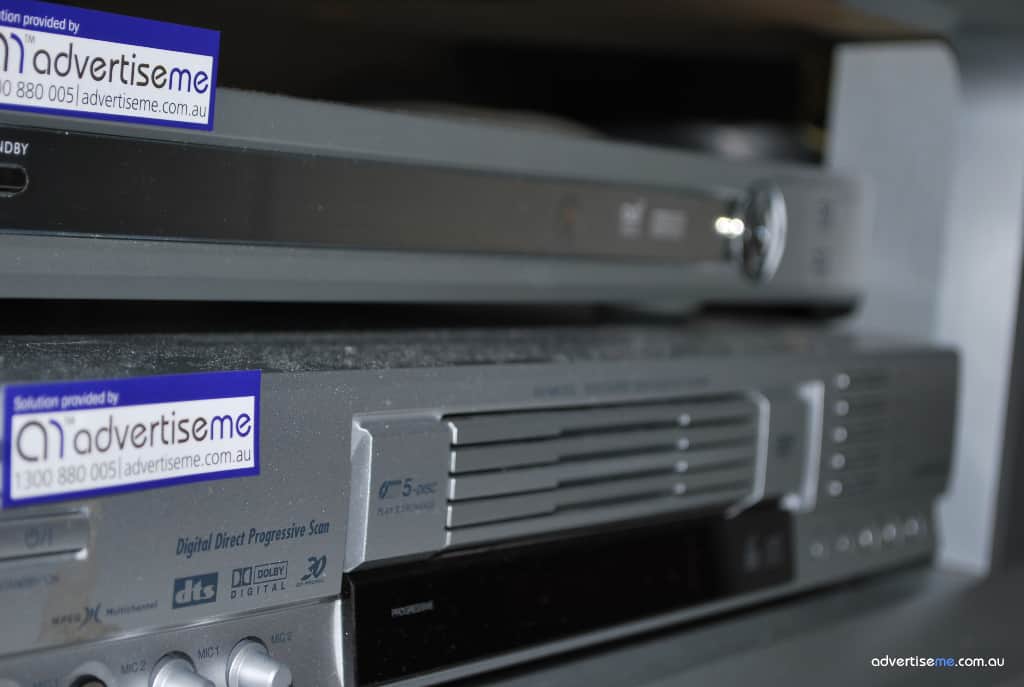
This weekend I thought I’d play around with the Nikon D60 Digital SLR camera and test my skills in trying to take those “awesome” shots. Now, since we’re in the digital signage industry I thought I’d take photos of something relating to this industry (basically anything I had lying around) and here’s what I could find:

digitalsignage_dvd_settopbox High Definition Set Top Box and DVD player. Both were connected to a rear projector screen.
digitalsignage_svideo S-video cable – this is becoming almost obsolete but you’ll be surprised on how many digital signage players are actually using this type of connectors
digitalsignage_vga Short VGA cable – at Advertise Me, we like to make sure all cables are to the correct lengths

I also took several photos of a vegetarian place I went to called Zen Oasis in Berrima Australia. We have a strong belief in our company that “a healthy body and mind allows one to achieve higher levels of growth”. The food was awesome and the environment was tranquil and peaceful. If you’re around that area, I highly recommend that you visit this place (make sure you book in advance as it’s always busy). Here’s a few photos that I took:  (by the way, I’ve had no lessons on photography so apologies if they look amateur).

zenoasisbuddha As soon as you walk into the restaurant you are greeted by this statue. For this particular photo I thought it would look good if the focus was on the flowers and this was the result.
zenoasisfood This is an all you can eat (just make sure you don’t waste the food) and there was so much variety. Yum… can’t wait to go there again.
zenoasispiano I think this is an “Awesome” shot. There is a stage with a piano surrounded by an aura of stillness.
zenoasiswishingwell copy This picture was outside the Zen oasis restaurant that showcases a big tree with a wishing well.

Category: Digital Signage Weekend Fun


Advertise Me interviews Blue Pony


advertise me: Hi Nathan, thanks for joining us for this interview.
Nathan: No problem we appreciate the opportunity for conversation.
Advertise Me: Could you please tell us a little bit about Blue Pony, and it’s history?
Nathan: Blue Pony emerged in July of 2004 as a custom content creation company. We were formed by the owners Joel and Keersten Nichols. Joel and Keersten recognized the digital trend and the industries forming and embracing new technologies. We started creating content for the entertainment industry for concert tours. Our content has been used on tour with Sara McLachlan, Poison, the Eagles, in the Movies with Alvin and the Chimpmunks, and on TV with American Idol and America’s Got Talent. Along the way we found a natural fit creating great content for other industries. We felt especially at home with the growing digital signage Industries. We feel quality content is a need across all industries utilizing visual media.
Advertise Me: I really like the Blue Pony Logo, how did the company come up with that name and the inspiration for the logo animation?
Nathan: Thanks, we get a lot of compliments on it. Our sister company, Apollo Design Technology, makes lighting accessories like gobos, gobo rotators, gel, and more for the lighting entertainment industry. Our owners named Apollo after their beloved horse they received companionship from for 23 years. Unfortunately, Apollo passed away last spring. It seemed natural to build the new company sporting the name, Blue Pony.
Advertise Me: In the digital signage industry, the term “Content is king” can sometimes be misinterpreted. What is your explanation for this statement?
Nathan: I look at it this way. You can have the greatest technology to playback, display, schedule, and report with but at the end of the day the content playing back is what counts the most. There are certainly other variables that must align to add to success like location and placement, but effective well designed content is crucial. If the content is not effective the viewer won’t be engaged. If the viewer is not engaged by the content it is not an effective advertisement. Ineffective advertising is not likely to be renewed by the advertiser.
Advertise Me: Thank you for that explanation. Now ,what type of content does Blue Pony supply and what is so different about the content Blue Pony supplies?
Nathan: Great looking, well designed content is a great first step. What makes it kingly is matching it to the demographic (matching the style and material to the right group), dwell time requirements (what are the conditions of the environment? How much time do we have to communicate the message?), and environment (Making sure the content looks and feels at home and not odd and awkward). We create custom tailored content with an efficient and effective design process. Our design staff is experienced with Digital Signage ads and they have developed a thorough understanding on how to create effective signage content. We believe firmly that unique, custom content is important that is why even our “stock content” offering has a custom aspect.
Advertise Me: What is the difference between stock and custom content?
Nathan: In addition to a completely custom content option we have a content line in development called, Quick Designs. A Quick Design is a base design created by our design staff. The animation can be chosen as a spring board for design and we can plug in logos, images, and different text call-outs. We can even make color changes too. When you choose a Quick Design, one of our skilled designers will ensure your completed ad will look great. We feel it is better than a “template” that inevitably doesn’t quite work for whatever reason. Plus a template will likely look just like the one the other guy bought.


We also have a line called Dash Packs and regular stock background loops. Some of our Dash Packs are themed filler material for your network. Holiday greetings and celebrity birthdays are some that we have offered. http://digitalsignage.bluepony.com/content-options/dash-packs/ We never stop creating content, whenever we have time we work on new motion backgrounds to add to our online web library of stock content. Stock background loops are used across many industries. They are affordable and can be combined with other elements to create unique looks. http://www.bluepony.com/shop/

Advertise Me: How does the company source content material, e.g images, video footage etc?
Nathan: Many times the material is supplied by the customer. They may provide a logo or product images. Because we have an in-house production company we are able to acquire our own stock video and photography. Furthermore, we have access to many royalty free image sources for use in our content.
Advertise Me: In this digital age, content can be easily sourced from the net and some businesses and customers don’t realise that they are breaching copyright laws when using someone else’s content. What are your thoughts on this and does Blue Pony track where their content ends up?
Nathan: We can’t stop it no matter how fancy we make the code. However, we are protective of our clients’ content and not every ad we produce makes it to our website. The entire process of ad development happens securely within our client preview portal. Everything is secure and access is only granted to the necessary individuals. In addition we offer our customers free mock content that we have developed. We learned quickly that most digital signage networks just need something to show their first clients by way of example until we build up a content portfolio that they can use for future sales.
Advertise Me: Could you please briefly explain what steps and processes are involved when developing content.
Nathan: I’d tell you but then I’d have to… No problem. We use all the usual software one would come to expect from a video, motion graphic design house. The differences are that we invest in the top of the line workstations that render video files pretty quick. We stay up to date with costly plug-ins, new fonts, and equip our production team with the best tools for content creation. That being said the process in brief goes like this. You contact us for content, we ask a few questions about your requirements or have you complete our content request form. The form gathers the details we need to determine a price to develop your content. We then generate an estimate and send it to you for approval. Upon approval of the estimate we schedule your content for production and email you a link to the project directory we create. This directory is where you can upload assets for production and it is also where our designer will place a preview for you to review your content. You would receive a link to review the content and would be able to provide feedback directly within the content timeline on the preview page. We implement any revisions you request and seek approval on the content. Upon approval we prepare the output file exactly to your specifications. You then can download your final content directly from the project directory. And repeat!
Advertise Me: From past experience, how long should the content be displayed on the screens for?
Nathan: It really depends. Site research might reveal the average frequency of visitors. If they see it once or twice that’s great. But if they have already processed the information and see it too many times they will tune it out and ultimately ignore the screen altogether. Two Weeks would be a sweet spot, in my opinion, but it does depend on the venue.
Advertise Me: What makes Blue Pony so different from all the other content providers?
Nathan: Experience, Customer Service, Quality, and Value. Customer Satisfaction is really important to us. When you engage Blue Pony you don’t just get a designer, you get an entire team of professionals who understand your business technology and goals. We realize without our customers success we will not succeed.
Advertise Me: What has been the most successful and challenging content developed thus far?
Nathan: Interesting. Hmm, well it is all challenging to determine how to best develop the next piece, but that’s the fun in it. Success? I hope the majority of our ads have had a shining moment but we rarely get to hear of there stardom. We seek feedback for our clients and get it from time to time. Bust most of the time we are like the auto repair shop and only hear from the customer when a new set of tires are needed.
Advertise Me: Are you able to share some general pricing information with our audience?
Nathan: Sure. Generally speaking all of our ad pricing is based on a rate of $135 per hour. That only is helpful to know if you have the other variable…How much time? On average a standard 20 second motion ad will cost $350. A premium ad of the same duration might average out at $500. What’s the difference between Standard and Premium? Purely time. If a premium budget is specified by the client we give our designer more development time which in turn translates to a more refined or sophisticated content piece.
Advertise Me: This is our final question that we normally ask all of the people we interview. What do you see as the next “BIG THING” in digital signage?
Nathan: Interactive signage and deeper integration to the personal technologies people carry, like cell phones, ipods, ect.
Advertise Me: Nathan, thanks for taking part in this interview and we hope to speak to you again in the near future.

To read more interviews click here: http://www.digitalsignageblog.com/category/digital-signage-interview/

bluepony

About Blue Pony?

Blue Pony is a premier digital content provider for limitless applications who produces custom as well as stock content.

About Advertise Me:

Advertise Me www.advertiseme.com.au

Advertise Me is a privately owned Australian company specialising in all aspects of digital signage solutions.

Our team of highly skilled professionals is able to introduce innovative ways for businesses to communicate with their intended audiences for a variety of purposes including informing, educating, entertaining and selling.

You can expect us to:

  • offer the most affordable and cost effective solutions tailored to your specific business needs.
  • provide you with concise and accurate information and will ensure that you understand and are comfortable with our proposals.
  • strive to make our clients happy and successful.

We have partnered with a number of key reputable organisations and will continue to build further partnerships to deliver the most effective solutions for our customers.

Visit our website at www.advertiseme.com.au for more information.

Category: Digital Signage Interview, Featured Post


To upgrade or not to upgrade… that is the question!

Digital Signage Version - to upgrade or not to upgradeSometimes being a digital signage solution provider can be a tough and challenging job. Not only do you have to represent the company you’re selling the product for but you’re also consciously looking after the best interest for the client and here’s a typical dilemma:

One of our clients requested a feature to a digital signage software component which wasn’t that much of an issue except we required the services of the digital signage software company and there was a cost associated with this feature (the client was happy to pay for this). But all this came with  a little  unanticipated catch – the client was required to upgrade to the latest version of the software before the modification patch would work. Many of us might be thinking,  “That’s easy, there’s no harm in doings so as the latest patch will resolve and fix previous bugs”…. Ummmmmm…. WRONG!!!

By upgrading the software we found quite a number of bugs and spend quite a number of hours investigating and then reporting the issue to the manufacturer whilst the client had to workaround the problem. Fortunately, we provided the client with a test environment and didn’t upgrade the development system with the latest software.

I’m not sure whether many of you have experienced this but upgrading to the latest version can actually introduce new bugs. What’s worse is that a considerable amount of time can be spent investigating the issue and the  time for this may not be chargeable – who do you charge for this type of work…. the client who has already paid for a working solution ? or the digital signage company who supplied the dodgy software?

This is a tough one and I’ll like to hear from anyone who has been through this experience.

So there are a few lessons that I have learnt from this:

1. ALWAYS make sure you test the upgrade or software patch on a test unit or environment

2. ALWAYS back up your content or system before applying any patches as you’ll  never know the state of the unit after the reboot

3. PLAN for any changes you make to the system and carefully provide detailed rollback plans in the event the change failed

4. TRUST and have some faith that the developers have done their testing but acknowledge that they cannot test all the different scenarios

5. Make sure you charge someone for your work or include this as part of your Maintenance and Support costs… or even better get the manufacturer to conduct intensive testing with your configuration before applying any patches or upgrades

6. IF IT’S NOT BROKEN LEAVE IT AS IT IS… sometimes making a simple change can break the entire system… but if you’ve done the above point 2 & 3 correctly then this shouldn’t be an issue.


Have you been in this situation? Tell us what you think.


Feel free to submit your answer as a comment.


Category: Digital Signage Blog News


Latest Digital Signage Forum Posts

Today, we thought we’d share with you some of the latest digital signage portal forum posts. Have you joined the portal yet?

digital signage portal Forum Latest Posts (17th September 2009)

Category: Digital Signage Blog News


Weekend Fun: Funny Digital Signage Video Interaction

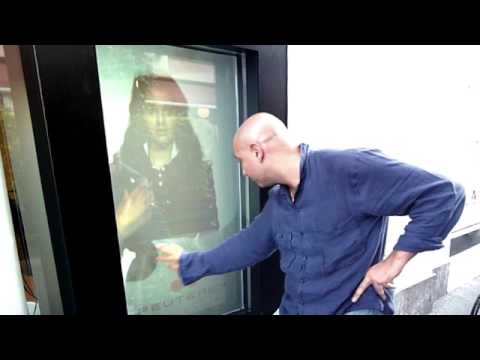
This is a funny digital signage video. It’s titled Amazing Powerful Window Shop Digital Interaction… I honestly don’t know whether its really meant to be serious or not but it was worth a watch (actually… I had to watch it several times just to make sure I understood what the video was about).

Category: Digital Signage Weekend Fun


Advertise Me promo for digital signage by Blue Pony

Today we are officially releasing the advertise me promo for digital signage. This short clip was professionally designed and developed by Blue Pony and showcases our main digital signage website (http://www.advertiseme.com.au), the digital signage blog (http://www.digitalsignageblog.com) and the digital signage portal (http://www.digitalsignageportal.com). So here it is, (if you have the bandwidth watch it in HD):


bluepony

Who is Blue Pony?

Blue Pony is a premier digital content provider for limitless applications who produces custom as well as stock content.


So what do you think about this video promotion?

Feel free to submit your answer as a comment.

Category: Digital Signage Blog News, Featured Post


Weekend Fun: Free Blackberry applications I use

I spend quite a lot of time on my blackberry to  perform certain tasks (besides reading emails) for my digital signage work. So this weekend I will share with you some of the free applications I use on the blackberry. Here’s the list in no particular order:

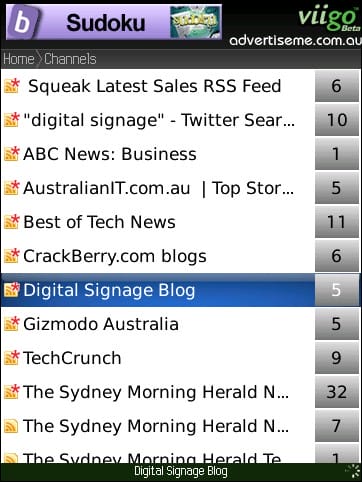
viigo 1. Viigo – this is a RSS reader application with a nice intuitive interface. I use it to read most blog entries related to digital signage (and of course I’ve added the http://www.digitalsignageblog.com/feed to the list… don’t forget to do that as well). You can download Viigo from the Application Center on the blackberry or you can download it from here: www.viigo.com
wordpress for blackberry 2. WordPress for blackberry – I use this to type some of the digital signage blog entries whilst on the go. I found it a bit hard to navigate on the Blackberry Storm (it was not designed for the touchscreen and surepress technology) but it does the job. You can download wordpress for blackberry here http://blackberry.wordpress.org/
nav4all 3. Nav4All – this is an awesome application that is basically like the navman but free…well until 1-1-2010. It is a mobile phone navigation application which gives you turn by turn instructions. I use this when I have to travel to unfamiliar locations for meetings etc. The website has a whole list of mobile phones that it supports so head over there now to download it. http://www.nav4all.com
GPSed 4. GPSed – this is an application that maps your tracks and photos. I use it for both tracking when I go running and also for tracking locations where I saw digital signage solution installs. Great little application and it’s free. http://www.gpsed.com/
BBFilescout 5. BBFileScout – a file browser for the blackberry. There are times whereby I have to send files and photos to our clients so this is a perfect solution for browsing files. You can download the application from here. http://www.emacberry.com/bbfilescout.html
twitterberry 6. Twitterberry – the twitter application for the blackberry. We use this to update our twitter status http://www.twitter.com/advertisemeAU I also find it hard to navigate using this application as it wasn’t designed for the Blackberry Storm. You can download this application from here: http://orangatame.com/products/twitterberry/
blackberry 7. Core applications – Finally, there’s the built in apps like Youtube, the camera, emails, browser etc that we use and there’s always Facebook – I don’t think anyone can resist from installing this application if they have a facebook account.

There may be others which I haven’t used before. Let me know if there’s any other application which I should use for my digital signage work.

Category: Digital Signage Weekend Fun


Why digital signage can work against you

If your digital signage solution is not implemented correctly it may work against you. Let me explain…

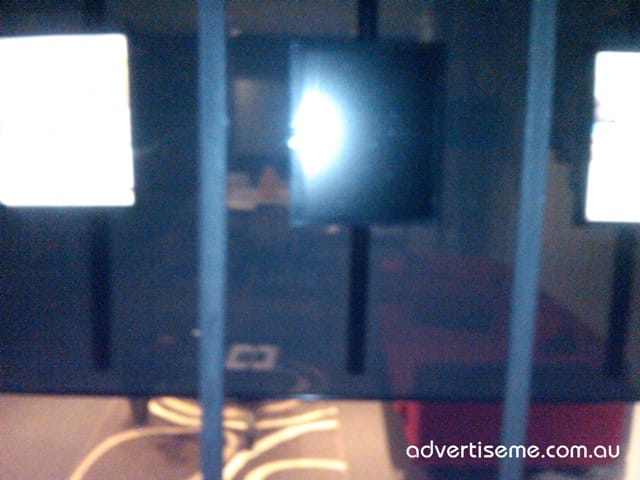
On the weekend whilst walking past a busy street I spotted across the road a real estate company with several LCD screens located at their front window. This is what I saw: (excuse the quality of the pictures but it was late at night and I was using my blackberry):

Digital Signage Screen not working

Digital Signage Screen not working

Digital Signage Faulty Screen

Digital Signage Faulty Screen

Digital Signage Faulty Screen

Digital Signage Faulty Screen

Now, in Australia quite a number of real estate agencies have moved away from using the traditional static posters for displaying their property listing and have implemented some form of a digital signage solution (visual display screens or touchscreen technology).

What I was most surprised about this particular installation and setup was that 1/3 of their screens was either turned off or had a fault with the LCD unit. Does this mean that 1/3 of the properties were not displayed? How would the property owner feel knowing that they are potentially losing interested buyers.

So what I have learnt from this situation is the following:

1. If there’s a hardware fault fix it immediately

2. Always have a backup plan – don’t be afraid to revert back to the old method of using traditional posters when required

3. Use a mixture of digital signage solutions and traditional posters

4. It looks unprofessional and embarrassing for both the digital signage solution provider and owner if the solution fails

5. You will definately lose customers if the problem is not rectified in a timely manner

Category: Digital Signage Blog Info

Request a Digital Signage Quote

RSS

Or subscribe via email:
 
Digital Signage Blog Sponsors

Advertise Me Sponsorships available here!

Digital Signage Articles

Sponsored Links


Recent Comments: